

Free Keyword Density Checker vs Paid SEO Tools: Which One Do You Need
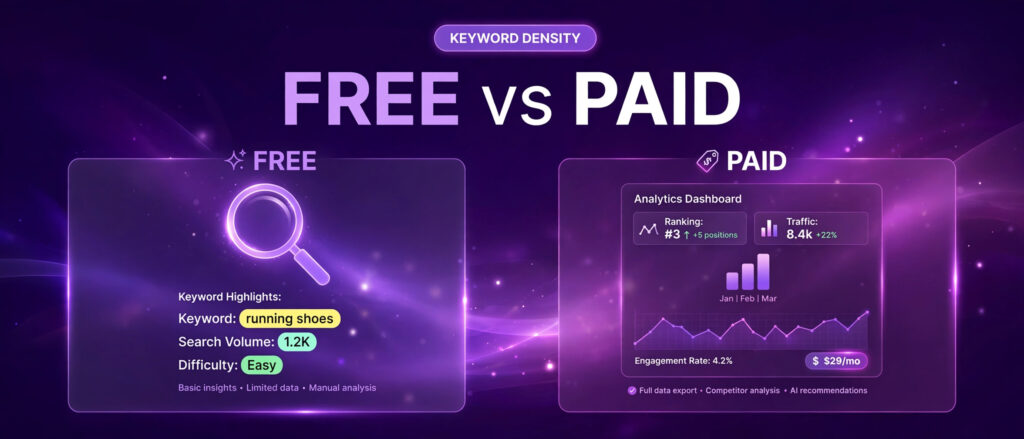
What people actually search for when they compare free and paid density tools
A free keyword density checker vs paid SEO tools is a comparison people search for at the exact moment they have to decide whether to spend money. Search results for this topic show the same pattern again and again. Writers want a tool that works at once, with no account and no install. They want a count and a percentage in seconds. Then they want to know whether the paid version of that simple check is worth a monthly subscription, or whether the free version already answers the question.
The strongest pages in the results answer three questions before they talk about price. What is a good keyword density, is keyword density a ranking factor, and how do I fix keyword stuffing. That order matters. If you do not know what the number means, you cannot judge whether a paid tool that shows you the number is worth paying for. The comparison pages that rank best explain the formula first, show a worked example, and only then move on to features and prices. This article follows the same order, because it matches what searchers actually want.
AI Overviews and featured answers for these queries give a short version of the same story. They say density is the share of a page taken up by one keyword, usually shown as a percentage. They say Google has published no ideal percentage. They say keyword stuffing is against Google spam policies. They say the maths behind the check is the same in every tool. All four points are correct, and all four shape the buying decision more than any feature list does. If the maths is identical everywhere, you are not paying for a better calculation. You are paying for everything around the calculation.
The search results also show who the paid comparison is really against. The free side is not one tool. It is a crowd of small standalone checkers, including SmallSEOTools and SEO Review Tools, plus the free LinkTrixx checker at the centre of this article. The paid side is mostly WordPress plugins and content optimisation suites: Yoast SEO Premium, Rank Math Pro, Surfer SEO, Semrush, Clearscope, Frase, and Ahrefs. Each one handles keyword use differently, and each one charges for a different bundle of extras. That is why a single price comparison is not enough. You need to know what each paid tool actually does with keyword density, what else it includes, and what kind of writer it is built for. Keyword research has the same free versus paid shape, and our comparison Free Long Tail Keyword Generator vs Paid SEO Tools works through it for long tail keyword tools. The same comparison for keyword combiners is in Free Keyword Combination Generator vs Paid SEO Tools.
One more pattern in the results is worth noting. Nearly every guide warns against treating density as a target to hit. Google has said keyword density is not a ranking factor, and its spokespeople have repeated the point for years. The value of a check is diagnostic. It tells you whether your keyword use is balanced, whether your topic is clear, and whether your writing sounds natural. A paid tool does not change that. It can show you the number inside your editor, compare it with the pages that rank above you, and warn you while you type. It cannot make a thin page rank by pushing a percentage higher.
What a keyword density checker actually does
A keyword density checker measures how often a target word or phrase appears in a piece of writing. You paste text into a box, or you type directly into it, and you enter the keyword you want to check. The tool counts every occurrence of that keyword and works out what percentage of the total words it makes up. The formula is simple arithmetic. Divide the number of times your keyword appears by the total number of words in your text, then multiply by 100. A keyword that appears 10 times in a 1,000 word article has a density of 1 percent. The same keyword appearing 20 times in the same article has a density of 2 percent.
That formula is identical in every tool that does this job, free or paid. It has to be. There is only one way to divide a count by a total. The differences between tools come from what they count, how they show the result, and what else they do with it. Some checkers scan a whole page from a URL and count every word and phrase on it. Some check only the text you paste. Some report density for every phrase on the page, while others check only the one keyword you enter. Some show the result after you click a button. Others update live as you type.
Google guidance is the anchor for all of this. Google spam policies define keyword stuffing as filling a web page with keywords or numbers in an attempt to manipulate rankings, and list repeating the same words or phrases so often that it sounds unnatural among the examples. The Google SEO Starter Guide says there is no magical word count target, and that excessively repeating the same words, even in variations, is tiring for readers. Google has never published an ideal density percentage. The figures you see quoted in guides, usually 1 percent to 2 percent for a primary keyword, with some guides quoting 0.5 percent to 2.5 percent, are practitioner conventions. They describe what naturally written content tends to land on. They are not thresholds that unlock a ranking.
That fact decides how to read every paid feature in this comparison. A tool that tells you your density is 1.4 percent is giving you a fact about your draft. A tool that tells you to raise it to 2 percent is giving you an opinion, and the opinion is only as good as the data behind it. The paid tools that earn their price do more than repeat the number. They compare your draft with the pages that already rank, they suggest related terms those pages cover, and they show you where your keyword sits in the title, the headings, and the introduction. The free checker gives you the number in seconds. The paid tool gives you context for the number. Whether that context is worth money depends on how often you need it.
The free option first: what the LinkTrixx checker gives you
The free keyword density checker from LinkTrixx is a focused, browser based tool. Paste an article or a page draft into the box, enter your target keyword, and you get five results at once: the occurrence count, the density percentage, the first position of the keyword, the last position, and whether the keyword appears in the first 100 words. The results update live, so every edit changes the numbers at once. It runs entirely in your browser, so your text is never uploaded or stored. It is free, with no signup and no limits, and it includes Load sample, Copy, and Download buttons so you can test it, copy the results, or save them as a text file.
Those five results cover the checks that matter for a single draft. The count tells you how often the phrase appears. The percentage tells you how large a share of the text that is. The first and last positions tell you whether the keyword is spread through the piece or bunched in one place. The first 100 words check tells you whether the topic is signalled early, where readers and search engines look first. Read as a set, they answer the only question a density check can answer: is my keyword use balanced, or does it need editing.
The sample text on the tool page is a useful demonstration. The sample is 70 words long and its target keyword appears 5 times, which works out at 7.14 percent. That is far above the sensible range, which is the point of the sample. It shows clearly what a high density looks like, with the keyword appearing at word 1 and again at word 59, and present in the first 100 words. When you run your own draft through the free keyword density checker, you can compare your numbers against that sample and see at once whether your keyword use is balanced or bunched.
The tool counts every exact match of the phrase you enter, and matching ignores upper and lower case, so Link Building and link building count the same. It counts phrases as well as single words, so you can check a two word phrase such as link building or a three word phrase such as white label link building just as easily as a single word such as seo. What it does not do is count near matches or synonyms. If your draft uses link building five times and backlink building three times, the tool reports five occurrences of link building, and the related phrase is a separate check. That is the right behaviour for a density tool, because synonyms are a writing choice, not a second count of the same phrase.
For the full workflow, read our guide to the free keyword density checker, which explains each result in detail and shows how to fix a page that sits too high or too low. And for a real worked example, read our keyword density checker worked example, which runs the tool on a real LinkTrixx page and shows what changed. Between the guide, the worked example, and the tool itself, a writer checking one draft has everything needed, at no cost. Pair that check with How to Use a Keyword Position Checker, which shows how to read the positions beside the density.
Yoast SEO Premium: the density check inside WordPress
Yoast SEO is the WordPress plugin most beginners meet first. The free version covers the essentials: SEO analysis, readability analysis, XML sitemaps, and basic schema output, with one focus keyphrase per post. Premium adds the parts that become painful at scale. It adds a keyphrase density check that looks at whether you use your keyphrase and its synonyms evenly through the post, rather than bunched in one area. It lets you optimise for up to five focus keyphrases per page, with synonyms and related terms. It adds a redirect manager, internal linking suggestions, orphaned content detection, and access to Yoast SEO Academy courses.
The density feature itself is modest. Yoast checks your keyphrase density as part of its on page analysis and gives a traffic light score, red, orange, or green, plus a note on distribution. The free version already checks keyword placement in the title, the introduction, the headings, and the meta description for one keyphrase. What Premium adds is depth: more keyphrases, synonym handling, and a distribution check that flags bunching. For a blogger who writes inside WordPress and wants guidance without leaving the editor, that is a genuine convenience. For a writer who drafts in Google Docs or another editor, it is less useful, because the check only runs inside WordPress.
Price is where Yoast needs careful reading, because the price changed during 2026 and older reviews quote older figures. Reviews that read the Yoast pricing page in 2026 put Premium at $118.80 per year for a single site, excluding VAT, which is $9.90 per month billed annually. That figure appears in independent 2026 reviews from Mettevo, Odd Jar, and BloggerTutor, all checked between July and November 2026. Older reviews quote $99 per year for one site. That was the earlier price. Budget for $118.80 per year, and check the live pricing page before you buy, because Yoast has moved this price before and may move it again.
The per site licence is the detail that decides the real cost. One site costs $118.80 per year. Five sites cost five licences. Ten sites cost $1,188 per year at that rate, before tax. There is no lifetime licence. The price repeats every year for as long as you want the Premium features. That maths matters for anyone managing more than two or three WordPress sites, and it is the main reason cheaper rivals win the value argument in 2026 reviews. Read the full breakdown in the Productive Blogging review of Yoast SEO Premium, which explains the density and synonym features in detail and quotes the earlier $99 price, so treat its price figure as out of date and its feature description as current.
When paying makes sense: you run one WordPress site, you write inside the WordPress editor, you want redirect management and internal linking suggestions in the same plugin, and you value the Academy courses. When the free checker is enough: you draft outside WordPress, you check density after writing rather than while writing, or you run several sites and the per site price multiplies too fast. A free standalone check plus the free Yoast plugin covers the density question for most single post checks, and the free keyword density checker answers it in seconds without opening WordPress at all.
Rank Math Pro: the value rival that changed its price too
Rank Math is the plugin 2026 comparisons most often recommend on value, and the reason is simple. Its free tier includes far more than Yoast free tier. The free version includes unlimited keyword optimisation per post, with up to five focus keywords per post, a redirect manager, 404 monitoring, Google Search Console data inside WordPress, and schema markup. Its content analysis runs more than 30 checks covering keyword density, heading structure, content length, image alt text, internal and external links, and readability. It assigns each post a score out of 100 based on an explicit checklist, so when it flags a keyword problem you can see exactly what to fix and where.
That free tier already answers the density question for most writers. The paid Pro tier is where Rank Math stops being an on page tool and starts being a reporting tool. Pro adds keyword rank tracking, an advanced schema generator with more than 840 schema types, advanced analytics with daily data sync and longer history, automated keyword linking, and Content AI credits. Content AI is the feature that suggests related keywords and scores content against competitors, and it is the closest Rank Math comes to the Surfer style content editor. Note that Rank Math now also sells its AI tools as a separate paid add on called Rank Math AI, so check what is included in Pro and what needs the add on before you buy.
Price needs the same care as Yoast, because Rank Math changed its prices in late 2026. Independent reviews checked in September to November 2026 put Pro at $95.88 per year, or $7.99 per month billed annually excluding VAT, for unlimited personal sites. That figure appears in BloggerTutor, checked in November 2026, and in Ciroapp, which notes the price changed on 28 October 2026. Older reviews quote $59 per year for Pro. That figure is out of date. Budget for $95.88 per year, and confirm the live figure on the Rank Math pricing page before you buy, because the renewal price is what matters, not a first year sale price.
The per site maths is where Rank Math beats Yoast clearly. Pro covers unlimited personal sites for $95.88 per year. Five personal sites cost $95.88 per year, not five times that. Yoast Premium at $118.80 per site would cost $594 per year for the same five sites. That gap is the core of the value argument in 2026 comparisons, and it holds even after the Rank Math price rise. The catch is the word personal. Client sites need the Business or Agency tier, and figures for those tiers differ between sources, so this article does not state a single Business price as fact. Check the live pricing page for the tier that matches your sites.
When paying makes sense: you manage several personal WordPress sites, you want rank tracking without a second subscription, or you need advanced schema and analytics in the same plugin. When the free checker is enough: you only need a density number for a draft, you already use the free Rank Math tier, or you check density outside WordPress. The free Rank Math tier plus the free keyword density checker covers the density check twice over, at no cost. Read the BloggerTutor Rank Math review for the November 2026 price check and the full feature breakdown.
Surfer SEO: the content editor that prices by the article
Surfer SEO is a different kind of tool from Yoast and Rank Math. It is not a WordPress plugin. It is a cloud based content optimisation platform. You enter a target keyword, Surfer analyses the top ranking pages for that keyword, and its Content Editor tells you what those pages have in common: word count, heading structure, keyword frequency, semantic terms, and NLP entities. As you write, a live Content Score from 0 to 100 rises as your draft matches those signals. The keyword density guidance here is not a single percentage. It is a target range drawn from the pages that already rank, with exact keyword counts to aim for and related terms to include.
That is the strongest version of paid density guidance in this comparison, and it is also the most expensive per article. Surfer does not just count your keyword. It tells you which related terms the top pages use, how often they use them, and what score to aim for. Its keyword research tool builds topical maps and clusters. Its content audit tool scores existing pages and suggests fixes. For a team publishing several optimised articles a month against strong competitors, that guidance can be worth more than a standalone count. For a writer checking one draft, it is far more than the job needs.
Price changed sharply in 2026, and this is the tool where old reviews mislead most. Surfer renamed and repriced its plans in August 2026. There is no longer a plan called Essential, and the $89 per month figure that still appears in many reviews is out of date. Two independent reviews that read the live pricing page, WhatAITools checked 17 October 2026 and AutomateToProfit verified 9 August 2026, agree on the current tiers: Discovery at $49 per month, Standard at $99 per month, Pro at $182 per month, and Peace of Mind at $299 per month, all billed yearly. There is no free plan, but new accounts get a 7 day free trial of the Pro plan. The AI Search Analytics plan tracks AI visibility only and does not include the content editor, so do not buy that tier if the editor is what you want.
Check the live Surfer pricing page before you buy, because Surfer has repriced before and the document limits on each tier are what decide the real cost. The entry tier buys a fixed number of documents a month, so a team that audits an existing blog library or writes multi page client content can hit the cap fast and be pushed to a higher tier. The WhatAITools Surfer review, updated 19 October 2026, lists the current tiers with their document limits and the trial terms, and it is the clearest single source for the new pricing.
When paying makes sense: you publish several SEO articles a month, you compete against strong pages where the top ten set a clear pattern, and you want a target score and term list for every draft. When the free checker is enough: you publish occasionally, your topics have weak competition, or you already know what to write and only need a balance check before publishing. A free check on the free keyword density checker plus a read of the top ranking pages yourself covers the same ground more slowly, at no cost.
Semrush: the full suite where density is a small part
Semrush is a full stack SEO platform. Keyword research, backlink analysis, site audits, rank tracking, competitor intelligence, and content tools live in one subscription. Its SEO Writing Assistant scores a draft against the top ranking pages for a keyword, looking at readability, originality, tone, and recommended keywords. It functions as editorial quality control rather than a dedicated density counter. It does not offer a standalone keyword density checker as its main draw. Density appears inside a much larger content workflow, alongside competitor content analysis and suggested related terms.
That breadth is both the strength and the problem. If you already pay for Semrush for keyword research and rank tracking, the Writing Assistant costs you nothing extra and the density guidance inside it is useful. If you only want a density number, Semrush is the most expensive way to get it in this comparison. The Content Marketing Toolkit, which holds the Writing Assistant and the content planning tools, sits on the higher tiers in the classic plan ladder, not the entry tier. Semrush also sells a standalone Content toolkit from $60 per month, according to 2026 pricing guides, for buyers who want the content tools without the full platform.
Pricing changed in 2026 as well, and Semrush now runs two ladders side by side, which confuses many buyers. The classic plans, still shown to existing subscribers and on the plan comparison page, are Pro at $139.95 per month, or $117.33 per month billed annually, Guru at $249.95 per month, or $208.33 billed annually, and Business at $499.95 per month, or $416.66 billed annually. Those figures are widely reported in October and November 2026 guides, including Layer3Labs and Dev.to. The newer ladder, shown to new buyers on the main pricing page, is SEO at $139.95 per month, Starter at $199 per month, Pro+ at $299 per month, and Advanced at $549 per month or custom. The SEO tier is the old Pro at the same price. Pro+ is Guru plus AI visibility tracking. Confirm which ladder you are buying on, because the plan names and the AI prompt allowances differ between them.
At the entry price, Semrush SEO costs $1,407.96 per year on annual billing, or $1,679.40 per year if you pay month to month. That is the arithmetic of $117.33 times 12 and $139.95 times 12. For that money you get 5 projects and 500 tracked keywords, plus site audit, backlink data, and keyword research. Extra user seats start at $45 per month on the entry tier. Read the MainSum Semrush review from November 2026 for a hands on account of both ladders and the trial, and check the live Semrush pricing page before you commit, because Semrush adjusts pricing and adds new AI plans through the year.
When paying makes sense: you need keyword research, rank tracking, audits, and backlinks in one account, you manage several projects, and the content tools are a bonus on top of research you already need. When the free checker is enough: you only need to check density on drafts you have already planned, you get keyword ideas from a free source, or your budget covers one tool and density is the only content job on the list. For the density check alone, the free keyword density checker gives you the same percentage in seconds, and the money stays in your pocket.
Clearscope: the editorial grader with unlimited users
Clearscope is a content optimisation platform built for editorial teams. You enter a target keyword, Clearscope analyses the top ranking pages, and it grades your draft from A to F on topic coverage, with a list of terms to include and how important each one is. The grade is clear enough that an editor can hand it to a freelance writer with no explanation attached, which is why content teams with outside contributors like it. It does no keyword research and no rank tracking, so most teams still pay for a second SEO platform alongside it.
Its pricing is public and simple, and three independent reviews that read the live pricing page agree on it. Essentials costs $129 per month, Business costs $399 per month, and Enterprise is custom priced. Essentials includes unlimited users and projects, 50 pages, 20 Discoveries, and 20 AI drafts a month, plus 50 tracked AI queries for watching brand mentions in ChatGPT and Gemini. Business raises the limits to 300 pages and 300 tracked queries, with 50 Discoveries and a dedicated account manager, but still 20 drafts a month. The draft cap is the limit that bites for heavy publishers. The per seat maths is the opposite of most tools: Clearscope charges nothing per seat, so one person or twenty people share the same $129 bill. That makes it cheaper per writer than it first looks for a team, and expensive for a solo writer who uses one seat.
At $129 per month, Essentials costs $1,548 per year. Divided by its 20 drafts a month, that is $6.45 per draft, before any add on fees for extra capacity. A solo writer who optimises four articles a month pays the same $129 as a team that optimises twenty, so the value depends entirely on volume and on how many people share the account. Check the live Clearscope pricing page and the SEO Agent Clearscope review, checked 18 September 2026, which lists the tiers and limits and warns that older reviews still quote an Essentials tier at $170 or $189, figures that are not what the page shows today.
When paying makes sense: you run an editorial team, you hand briefs to freelance writers, and you need a grade anyone can understand without SEO training. When the free checker is enough: you write your own content, you publish fewer than a handful of optimised articles a month, or you need keyword research as well and cannot afford two subscriptions. For a solo writer, the free keyword density checker plus a careful read of the top ranking pages does the same job more slowly, at no cost.
Frase: the budget content optimiser
Frase started as a content brief tool and rebuilt itself in 2026 into a full content platform. It covers SERP research, content briefs, AI assisted writing, SEO scoring, and AI visibility tracking, with WordPress integration and a content calendar on the higher tiers. Its density guidance works like Surfer and Clearscope: it compares your draft with the top pages and suggests terms and structure, rather than just counting your keyword. The difference is price. Frase is the cheapest full content optimiser in this comparison by a clear margin.
Its 2026 pricing is consistent across many independent reviews. Starter costs $49 per month billed month to month, or $39 per month billed annually. It includes 1 seat, 1 site, 10 articles and 50 audit pages a month. Professional costs $129 per month, or $103 per month billed annually, for 3 seats, 5 sites, 40 articles and 250 audit pages. Scale costs $299 per month, or $239 billed annually, for 100 articles and 1,000 audit pages. Extra seats on Professional and Scale cost $29 per month each. Every plan opens with a 7 day free trial with no card required. Prices were read from the Frase pricing page in September and October 2026 and re verified on 7 November 2026 by DailyAIReviews, so these are the freshest figures in this article. Older reviews quoting $15 or $45 entry plans are out of date, because Frase scrapped its old Solo and Basic ladder in the February 2026 rebuild.
The per article maths is simple and honest. Starter at $39 per month billed annually costs $468 per year for 10 articles a month, which is $3.90 per article. Professional at $103 per month billed annually costs $1,236 per year for 40 articles a month, which is about $2.58 per article. That is the arithmetic of the published limits, and it shows why Frase wins value comparisons against Clearscope for small teams. One caution from hands on reviews: internal linking suggestions are a Professional feature, not included on Starter, so the cheapest tier leaves out a useful part of the workflow. Check the live Frase pricing page before you buy, and use the free trial to test the writer on your own topics, because the trial runs on the Professional feature set.
When paying makes sense: you want Surfer style guidance at a third of the price, you publish up to 10 articles a month, or you are a small team that needs briefs, scoring, and AI visibility tracking in one place. When the free checker is enough: you publish occasionally, you plan your own briefs, or you only need the density number and not the brief, the score, and the AI writing help. For a single draft check, the free keyword density checker is still faster and free.
Ahrefs: the research suite with content help on the side
Ahrefs is a research platform first and a content tool second. Its strength is backlink data, keyword research, rank tracking, and site audit. Its AI Content Helper scores how well a draft covers the topics present in top pages, which is the same idea as the Surfer and Frase editors, but it is not a standalone keyword density checker and it is not the reason most people buy Ahrefs. People buy Ahrefs to find what competitors rank for, to see who links to them, and to track positions over time. The content help is a useful extra inside that research workflow.
Pricing is public and stable across many 2026 sources. Starter costs $29 per month, Lite costs $129 per month or $107.50 per month billed annually, Standard costs $249 per month or $207.50 billed annually, Advanced costs $449 per month, and Enterprise costs $1,499 per month on an annual contract. Those figures come from the Ahrefs pricing page, checked in September, October, and November 2026, and from Ahrefs own guide to choosing a plan in 2026. There is no free trial, and Ahrefs says it never runs discounts. Starter is monthly only, with no annual discount, and it is the cheapest way to look inside the product. Extra users cost $40 per month on Lite, $60 on Standard, and more on higher tiers, so team costs rise fast.
At Lite, $1,290 per year on annual billing buys 750 tracked keywords, 5 projects, 100,000 crawl credits, and 6 months of history. That is research value, not density value. If you need backlink data and keyword difficulty scores to choose what to write, Ahrefs earns its price. If you only need to check density on drafts you have already written, it does not. The density number itself is the same arithmetic in every tool, and Ahrefs charges for the data around it.
When paying makes sense: you need backlink research and keyword research every week, you track rankings across several projects, or you choose topics by difficulty and competitor gaps. When the free checker is enough: you already know what to write, you only need a balance check before publishing, or your budget covers one tool and density is the job. For the check itself, the free keyword density checker gives you the same percentage without a $129 monthly bill.
Price comparison at a glance
The table below puts the entry price of each paid tool next to what it actually includes, so you can compare like with like. All prices are in US dollars, before tax, as reported by independent 2026 reviews that read the vendor pricing pages. Prices change through the year, so treat this table as a snapshot from November 2026 and check the live pricing page before you buy. The LinkTrixx checker costs $0, with no signup and no limits, and that is the baseline every paid price has to beat.
| Tool | Entry price | What the entry price buys | Density feature |
|---|---|---|---|
| LinkTrixx Keyword Density Checker | $0, free forever | Unlimited checks, no account, browser only | Count, percentage, first and last position, first 100 words check |
| Yoast SEO Premium | $118.80 per year, one site | Five keyphrases, redirect manager, linking suggestions, Academy | Density and distribution check inside WordPress |
| Rank Math Pro | $95.88 per year, unlimited personal sites | Rank tracking for 500 keywords, advanced schema, analytics | More than 30 on page checks including density, free tier included |
| Surfer SEO | $49 per month billed yearly, Discovery tier | Content Editor, keyword research, audit tools | Target keyword frequency and NLP terms from top pages |
| Semrush | $139.95 per month, SEO tier | Keyword research, rank tracking, audit, backlinks, 5 projects | Writing Assistant scores drafts against top pages |
| Clearscope | $129 per month, Essentials tier | Unlimited users, 50 pages, 20 drafts a month | A to F grade on topic coverage with term list |
| Frase | $39 per month billed yearly, Starter tier | 1 seat, 1 site, 10 articles a month | SEO scoring against top pages, briefs, AI writing |
| Ahrefs | $29 per month, Starter tier | Keyword and competitor data, limited credits | AI Content Helper scores topic coverage |
Read the table by annual cost, not monthly cost, because the gap grows over a year. Yoast Premium costs $118.80 per year for one site. Rank Math Pro costs $95.88 per year for unlimited personal sites. Frase Starter costs $468 per year. Surfer Discovery costs $588 per year. Clearscope Essentials costs $1,548 per year. Semrush SEO costs $1,407.96 per year on annual billing. Ahrefs Lite costs $1,290 per year on annual billing. Those are the same published prices, multiplied by 12, and they show how fast a small monthly fee becomes a serious annual commitment.
Two warnings belong next to this table. First, first year sale prices are not renewal prices. Rank Math sale pricing, including Black Friday pricing, applies to the first year only, and renewals bill at the standard rate. Budget for the renewal, not the sale. Second, several tools in this table changed prices during 2026. Yoast moved from $99 to $118.80 per year. Rank Math moved from $59 to $95.88 per year. Surfer scrapped its old Essential and Scale tiers entirely. Frase scrapped its old Solo and Basic ladder. Semrush renamed its plans. Any review that quotes the old figures without a check date is out of date, however high it ranks. Check the live pricing page on the day you buy.
What you actually get for the money
Price alone does not decide value. A $49 tool that does one job well can beat a $249 tool that does ten jobs badly, if the one job is the job you need. The honest way to compare is to list what each paid tier adds on top of the free density number, and then ask how often you will use each extra.
Yoast Premium adds convenience inside WordPress. The density check, the synonym handling, the five keyphrases, the redirect manager, and the internal linking suggestions all live where you write. The cost is the per site licence and the fact that the check only runs inside WordPress. If you write in WordPress every day, that convenience has real value. If you draft elsewhere, it has almost none.
Rank Math Pro adds reporting. Rank tracking, advanced analytics, and advanced schema turn an on page plugin into a small reporting suite. The free tier already handles density, so Pro is not a density purchase. It is a rank tracking and reporting purchase, and it is priced well for personal sites because one licence covers them all. For client sites, the higher tiers change the maths, so check those prices live.
Surfer adds a target. Its Content Editor does not just count your keyword. It tells you what count to aim for, which related terms to include, and what score the top pages reach. That target is the product. Writers who follow it closely can produce well structured drafts fast. Writers who follow it blindly can produce stuffed, unnatural copy that chases a score instead of answering the reader. The tool is only as good as the judgement of the person using it.
Semrush adds research depth. The Writing Assistant is a small part of a platform that covers keyword research, competitor gaps, backlinks, and audits. Its density guidance is weaker than Surfer on its own, because the editor is not the flagship feature. Its value is that the research and the writing help live in one account, so you can move from choosing a keyword to drafting for it without exporting data between tools.
Clearscope adds clarity for teams. The A to F grade and the weighted term list are easy to hand to a writer who knows nothing about SEO. The value is in the handover, not in the maths. A solo writer who already understands topic coverage gets less from it, because the grade tells them what they already know.
Frase adds the same kind of guidance as Surfer at a much lower price, with briefs and AI writing included. Its weakness is that the cheapest tier leaves out internal linking suggestions, and its article cap of 10 a month on Starter is a hard ceiling for busy publishers. Within that ceiling, it is the best value content optimiser in this comparison.
Ahrefs adds research authority. Its backlink index and keyword difficulty data are the reason agencies pay for it. Its content help is a bonus, not the core. If you buy Ahrefs for density, you have bought the wrong tool for the job, however good the tool is at its real job.
The free checker adds nothing beyond the number, and that is its strength. It does one job, it does it in seconds, and it costs nothing. It does not compare your draft with competitors, it does not suggest related terms, and it does not track rankings. If you need those extras, pay for them. If you do not, the free tool is not a compromise. It is the right tool for the job.
Where free tools stop and paid tools start
Free tools hit a ceiling, and it is worth naming honestly. The ceiling is not accuracy. The maths is identical everywhere. The ceiling is volume, memory, and context. A free checker remembers nothing. It cannot tell you how a page performed last month, it cannot compare your draft with the ten pages above you, and it cannot warn you while you type inside your editor. Each check is a fresh check, and each draft starts from zero.
Volume is the first wall. Checking five pages by hand with a free tool is fine. Checking fifty is not. A paid tool that audits a whole site, flags every page that overuses a term, and exports the results saves hours at that scale. Agencies and large blogs cross this wall first, because they manage hundreds of pages and cannot check each one by hand. Solo writers with a few pages a month may never reach it.
Teams are the second wall. A free tool has no seats, no shared workspace, and no handover. An editor cannot see what a writer checked, and a writer cannot see the brief the editor built. Clearscope and Frase exist largely to solve this problem. Their grades, briefs, and shared workspaces turn a solo check into a team workflow. If you work alone, that value is zero. If you manage writers, it can be the whole reason to pay.
Competitor context is the third wall. A free checker tells you your density is 1.4 percent. It cannot tell you whether the top ten pages average 0.8 percent or 2.5 percent, or which related terms they all cover that you missed. Surfer, Clearscope, Frase, and the Semrush Writing Assistant all answer that question, each in its own way. That context matters most in competitive niches, where the top pages set a clear pattern. In a quiet niche with weak competition, the context adds little, because there is no strong pattern to match.
Reporting is the fourth wall. A free tool gives you a number on screen and a download button. It does not track rankings, it does not watch positions over time, and it does not build client reports. Rank Math Pro, Semrush, and Ahrefs all do, at different depths. If you report to clients or to a manager, that reporting can justify the subscription on its own. If you report to nobody, it is dead weight.
Notice what is not on this list. Accuracy is not a wall, because the formula is the same everywhere. A paid tool does not count more accurately than a free one. It counts the same text and gets the same number, unless it counts a different total, for example by filtering out common words before dividing. If two tools disagree on the same text, check which total each one uses before you assume one of them is wrong. The free keyword density checker divides by the total words in the text you paste, which keeps the maths transparent and easy to verify by hand.
The maths of the decision: cost per check and cost per article
The simplest way to decide is to work out what each paid tool costs per use, using the published prices and limits, and then ask how many uses you will actually get. The arithmetic below uses only figures stated earlier in this article, so you can verify every step.
Start with the WordPress plugins, because their maths is per site, not per article. Yoast Premium at $118.80 per year for one site costs $9.90 per month for that site. Rank Math Pro at $95.88 per year covers unlimited personal sites, so for one site it costs $7.99 per month, for five personal sites it still costs $95.88 per year in total, which is $1.60 per site per month. For five sites, Yoast costs $594 per year and Rank Math Pro costs $95.88 per year. The gap is $498.12 per year, for plugins that both check density. That gap alone decides the plugin question for most multi site owners.
Next, the content optimisers, where the maths is per article. Frase Starter at $39 per month billed annually costs $468 per year for 10 articles a month, which is $3.90 per article. Frase Professional at $103 per month billed annually costs $1,236 per year for 40 articles a month, which is about $2.58 per article. Clearscope Essentials at $129 per month costs $1,548 per year for 20 drafts a month, which is $6.45 per draft. A writer who optimises four articles a month on Clearscope pays $32.25 per article, because the $129 bill does not shrink with low use. The same writer on Frase Starter pays $9.75 per article for four articles, because the $39 bill is smaller to begin with. Volume decides value here. Low volume punishes high fixed prices.
Then the suites, where the maths is per project, not per article. Semrush SEO at $117.33 per month billed annually costs $1,407.96 per year for 5 projects and 500 tracked keywords. Ahrefs Lite at $107.50 per month billed annually costs $1,290 per year for 5 projects and 750 tracked keywords. If you use the research tools every week, that cost spreads across dozens of tasks and looks reasonable. If you only open the suite to check density, you are paying more than $100 a month for a number a free tool gives you in seconds. That is the test to apply. Divide the annual price by the number of times you will actually use the paid features, not by the number of times you hope to use them.
Finally, the free baseline. The LinkTrixx checker costs $0 per check, $0 per article, and $0 per year, with no limits stated on the tool page. That means every paid tool in this comparison has to earn its price from the extras, not from the number. If you check density twice a month, the paid extras have to be worth $1,548 a year to you on Clearscope, or $588 a year on Surfer Discovery, or $95.88 a year on Rank Math Pro. For most solo writers checking a few drafts a month, they are not. For a team publishing twenty optimised articles a month, they can be, because the time saved across twenty drafts is real.
A practical workflow: free checker plus paid tools together
The smartest setup for most writers is not free or paid. It is both, each used for the job it does best. Use the paid tool, if you have one, for planning and for competitor comparison. Use the free checker for the final balance check before you publish. That way you pay for context where context helps, and you pay nothing for the simple count.
Start with the draft and the word count. Check length, sentence structure, and reading time with the Word Counter, and read our word counter worked example to see how a real page was measured. If you are weighing paid word count tools as well, our comparison of the free word counter vs paid content tools follows the same free against paid logic as this article. Length on its own is not a ranking factor, and longer content tends to earn more backlinks only when it covers the topic in full, so edit for coverage first and length second.
Then check density and fix the balance. Run the draft through the density checker, read the five results as a set, and edit the writing, not the number. Replace repeated mentions with pronouns. Use synonyms and related terms where they fit naturally. Cut sentences that add no new information. Break up bunched mentions. Check the title and description with the Meta Tag Generator, and read our comparison of the free meta tag generator vs paid SEO tools if you are weighing a paid meta tool too. The same logic applies there: the free tool builds the tags, the paid tool adds workflow around them.
Then check the page against the sites ranking above it, using the SERP Preview Tool to see how your title and description will look in the results, and the Title Tag Checker and Meta Description Checker to confirm lengths. If you own a paid content optimiser, this is the step where it earns its price: compare your draft with the top pages, add the related terms you missed, and adjust the structure. If you do not own one, read the top pages yourself and note what they cover that you do not. It takes longer, but it teaches you more.
Then build links, because density alone does not rank a page. A page also needs links from real publications so search engines trust it. Our link building services start every engagement with a gap analysis, then match sites to your budget and get your approval before anything goes live. Agencies can use our white label link building service for client work under their own brand, SaaS companies can use our SaaS link building service for product and comparison pages, and guest posting remains a practical way to earn first links on relevant sites. For a worked example of how this fits a real niche, read our guide to link building for ecommerce stores and our roundup of the best link building agencies for SaaS companies.
That sequence, count, check density, check meta tags, compare with competitors, then build links, is simple enough to repeat for every post. It keeps density in its proper place, as a check on balance and readability, while links and expertise do the work of building authority. A page that is the right length, balanced in its keyword use, clearly described, and linked to by real publications has the best chance to rank and to keep ranking.
Check before buying: a short list that saves real money
Before you pay for any tool in this comparison, work through the checks below. Each one has caught buyers out in 2026, and each one takes only a few minutes.
First, use the free trial, and use it on your own content. Surfer offers a 7 day free trial of the Pro plan. Frase offers a 7 day free trial with no card required. Clearscope lists a 14 day free trial. Run three of your own drafts through the trial, not the sample content, and judge whether the suggestions improve the writing or just raise the score. A tool that feels helpful on your real work is worth considering. A tool that only feels impressive on a demo is not.
Second, check the renewal price, not the first year price. Sale pricing on several tools in this article applies to the first year only. Renewals bill at the standard rate. Read the pricing page for the renewal figure, and check whether the price you see at checkout is a first year discount. If the vendor does not show the renewal price clearly, ask support before you buy.
Third, check the limits that actually bind you. Document caps, draft caps, tracked keyword caps, project caps, and seat caps all matter more than the headline price. A $49 plan that caps you at 10 articles a month is a $99 plan the moment you publish an eleventh article. Count your real monthly volume before you choose a tier, and check what overage costs.
Fourth, check per site against per user pricing. Yoast charges per site. Rank Math Pro covers unlimited personal sites. Clearscope charges nothing per seat. Ahrefs charges per extra user. The cheapest headline price can be the most expensive bill once you add your second site or your second team member. Multiply the price by your real setup, not by one.
Fifth, check what is included and what is an add on. Rank Math AI is a separate paid add on. Surfer AI Search Analytics does not include the content editor. Semrush Content toolkit features sit on higher tiers or cost extra. The feature you want may not be in the tier you priced. Read the full comparison table on the pricing page, not just the plan card.
Sixth, check the cancellation terms. Monthly billing costs more per month but lets you leave. Annual billing saves about 17 to 20 percent on most tools in this article, but it locks the money in for a year. If you are unsure, start monthly, prove the value over two or three months, and switch to annual billing only when the tool has earned it.
Seventh, check the live pricing page on the day you buy. Prices in this article were verified through independent 2026 reviews that read the vendor pages between July and November 2026, and several vendors changed prices during that period. The live page is the only figure that matters at checkout. The vendor pricing pages used for this article are the Yoast pricing page, the Rank Math pricing page, the Surfer pricing page, the Semrush pricing page, the Clearscope pricing page, and the Frase pricing page. All six returned a 200 status when checked for this article, though several are script rendered pages, so the price figures quoted here come from the independent reviews named in each section, not from a direct read of the rendered price on the day.
Who should buy what
Solo blogger, a few posts a month. Use the free checker. You need a balance check before publishing, not a content suite. Add the free Rank Math tier or the free Yoast plugin inside WordPress if you want on page guidance in the editor. Spend the money you save on links or on better images, which will move rankings more than a density score.
Freelance writer, several clients, ten or more articles a month. Start with the free checker, and trial Frase Professional. At $103 per month billed annually for 40 articles, it is the cheapest way to get briefs, scoring, and AI visibility tracking in one place. If your clients already pay for Surfer or Clearscope, use theirs and keep your own stack free.
Small in house team, one or two sites, regular publishing. Rank Math Pro at $95.88 per year is the obvious first purchase, because it covers unlimited personal sites and adds rank tracking. Add Frase Starter at $39 per month billed annually if you need briefs and scoring. Together they cost about $564 per year, which is less than half the price of Clearscope Essentials alone.
Editorial team, freelancers, many writers. Clearscope Essentials at $129 per month earns its price here, because unlimited users share one bill and the A to F grade needs no training. Pair it with a research tool for keyword choice, because Clearscope does no keyword research. If the budget is tight, Frase Professional at the same $129 per month billed month to month gives 40 articles and 3 seats instead of 20 drafts and unlimited users, so count your writers and your volume before you choose.
Agency, many client sites, reporting to clients. This is the one case where the big suites earn their price. Semrush or Ahrefs for research and rank tracking, plus Surfer or Frase for content optimisation, plus Rank Math Business or Agency for the WordPress side. The free checker still belongs in the workflow, as the final balance check before any client post goes live, because it is faster than opening the suite for a single number. If you run white label client work, our white label link building service and our link building services cover the link side of the same workflow.
For a fuller picture of how the free tools fit together, browse the free SEO tools hub, which holds the keyword density checker alongside the word counter, the meta tag generator, the robots.txt generator, the SERP preview tool, and the rest of the free toolkit. Every tool there is browser based, free, and needs no account, and every one of them follows the same logic as this article: the free version does the job, and the paid version adds workflow around it.
Frequently Asked Questions
Is a free keyword density checker enough for most writers?
Yes, for most writers it is. A free checker gives you the occurrence count, the density percentage, and the position of your keyword, which is everything a density check can tell you. The maths is identical in paid tools, so you are not getting a less accurate number for free. Paid tools earn their price from extras such as competitor comparison, related term suggestions, team workflows, and rank tracking. If you do not need those extras, the free checker answers the question in seconds at no cost.
What does Yoast SEO Premium cost in 2026?
Independent 2026 reviews that read the Yoast pricing page put Premium at $118.80 per year for a single site, excluding VAT, which is $9.90 per month billed annually. Older reviews quote $99 per year, which was the earlier price before it rose in 2026. The licence covers one site, so five sites cost five licences. Check the live pricing page before you buy, because Yoast has moved this price before.
Is Surfer SEO still $89 per month?
No. Surfer renamed and repriced its plans in August 2026, and there is no longer a plan called Essential. Reviews that read the live pricing page in October 2026 list Discovery at $49 per month, Standard at $99 per month, Pro at $182 per month, and Peace of Mind at $299 per month, all billed yearly. The $89 and $129 figures that still appear in many reviews are out of date. New accounts get a 7 day free trial of the Pro plan.
Does keyword density affect Google rankings?
No, keyword density is not a Google ranking factor, and Google has said so for years. What Google does treat as spam is keyword stuffing, which its spam policies define as filling a page with keywords or numbers in an attempt to manipulate rankings. A density check is useful as a writing check for balance and readability, not as a score to maximise. Write naturally, check the number after you write, and fix the writing if the number shows the keyword is bunched or missing.
When should I pay for a tool instead of using a free checker?
Pay when the extras solve a problem you actually have. Pay for Surfer, Clearscope, or Frase when you publish many optimised articles a month and need competitor comparison and term suggestions for every draft. Pay for Rank Math Pro when you manage several personal sites and want rank tracking. Pay for Semrush or Ahrefs when you need keyword research, backlink data, and rank tracking every week. If you only need a density number for a draft, the free checker is enough, and the money is better spent on links or on content.
What should I check before buying any paid SEO tool?
Check seven things before you pay. Use the free trial on your own content. Check the renewal price, not just the first year price. Check the limits that bind you, such as document caps, draft caps, and tracked keyword caps. Check per site against per user pricing for your real setup. Check what is included and what is a paid add on. Check the cancellation terms, and start monthly if you are unsure. Finally, check the live pricing page on the day you buy, because prices changed several times during 2026 and older reviews quote figures that no longer apply.