

Free Word Counter vs Paid Content Tools: Which One Do You Need
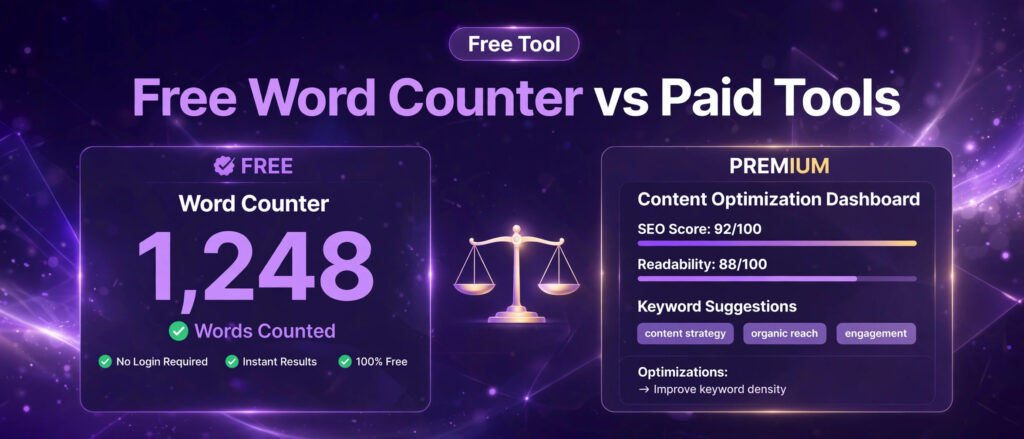
Free word counter vs paid content tools is a choice almost every writer faces sooner or later. You need to know how long a draft is, and a free counter answers that question in seconds. Then a paid tool promises much more, an optimisation score, keyword suggestions, grammar checks, briefs, and tracking, and the price tag makes you stop and ask whether any of it is worth paying for. This article answers that question properly. It compares the free Word Counter from LinkTrixx with six paid content tools, Surfer SEO, Frase, Clearscope, Semrush, Grammarly Premium, and Yoast SEO Premium, using prices and features reported in independent reviews published in October and November 2026. It explains what each paid tool adds beyond counting, what it costs, and when paying makes sense and when the free counter is enough.
The short version is simple. If you only need to know how many words, characters, sentences, and paragraphs a draft contains, and how long it takes to read, the free counter does the whole job, and paying for a bigger tool adds nothing to that specific task. If you publish several optimised articles every week, work in a team, or need a system that tells you which topics to cover and which terms to add, a paid tool can earn its subscription. Most writers sit between those two positions, and the right answer depends on how much you publish, who you publish for, and what else you already pay for. The rest of this article works through that decision step by step, with the numbers and the trade offs laid out in plain language.
Before the comparison begins, it helps to know where this article sits in the Word Counter set on LinkTrixx. The first article in the set is a practical guide, how to use a free word counter, which explains what each count means and how to use the numbers to edit a draft. The second article is a worked example, word counter worked example, which runs the tool on real LinkTrixx pages and shows what changed as a result. This article is the third in the set, the business and competitor angle, and it links to the tool itself throughout, so you can test every claim about the free counter in seconds.
Free word counter vs paid content tools: the short answer
A free word counter vs paid content tools comparison starts with an honest point. The two kinds of tool do different jobs, and comparing them only on word counting misses the point of the paid tools entirely. A word counter measures text. A paid content tool analyses text against the pages already ranking, suggests what to add, checks grammar and originality, and sometimes drafts or briefs the article for you. Counting is one small feature inside a much larger product, and the price pays for the larger product, not for the count.
That distinction makes the decision easier than it first looks. Ask what you actually need the tool to do. If the answer is counting, checking a character limit, or confirming a reading time, stop at the free tool. If the answer is planning a content calendar, briefing writers, optimising twenty articles a month against live search results, or checking every draft for plagiarism before it goes to a client, a free counter will not do that work, and a paid tool starts to look reasonable. The mistake is to buy the large tool for the small job, or to expect the small tool to do the large job.
Price is the other half of the short answer. The paid tools in this comparison start at about 12 dollars a month for a writing assistant and rise to about 399 dollars a month for a full content optimisation platform, with several steps in between. Those figures come from independent reviews published in October and November 2026 that cite the vendors own pricing pages, and prices change often, so check the vendor pricing page before you buy. Over a year, the difference between the cheapest paid option and the most expensive one in this article is several thousand dollars, which is why the decision deserves a careful look rather than a quick trial signup.
There is also a middle path that many writers miss. You can use the free counter for the counting, pair it with other free tools for the next checks, and only pay for the one paid feature you genuinely cannot get for free. The LinkTrixx free SEO tools hub, for example, includes a free meta tag generator for titles and descriptions, a free keyword density checker for keyword use, and a free robots.txt generator for crawl control, alongside the free Word Counter. Used together, those free tools cover a large part of the pre publish checklist that a paid tool would charge for, and the money you save can go toward the one thing no tool can replace, which is links from real publications to the pages you publish. That is the work LinkTrixx does through its link building services, and it is worth remembering that a perfectly optimised page with no authority behind it still struggles to rank.
What the free Word Counter actually does
The LinkTrixx Word Counter is a free online tool that counts words, characters, sentences, and paragraphs in any text you paste, and shows an estimated reading time, all in your browser. There is no account to create, no install, and no limit on use. You paste a draft into the box, or type directly into it, and the counts update live as you write. That live update matters more than it sounds. You can watch the word count grow as you add a section, or fall as you cut filler, and you can see at once whether a change moved the numbers in the direction you wanted.
The tool reports six counts. Words is the total number of words in the text. Characters with spaces counts every character including spaces. Characters without spaces counts only letters, numbers, and punctuation, which is the number that matters when a limit counts visible characters only. Sentences counts sentence breaks. Paragraphs counts blocks of text separated by blank lines. Reading time is estimated at 200 words per minute, so a 400 word draft takes about 2 minutes to read and a 1,000 word article takes about 5 minutes. Those six numbers together give you a complete picture of the size and shape of a draft, not just a single total.
Counting follows a clear method, and the tool page explains it in plain language. Words are counted as sequences of letters and numbers separated by spaces. Numbers count as words, and extra spaces between words do not change the count. That transparency matters, because different counters can give different totals for the same text if they divide by different totals or treat numbers differently. When you rely on a count for a client brief or a publisher limit, you need to know how the number was reached, and the LinkTrixx tool states its method openly.
The tool also includes practical extras that make it useful in a real workflow. A Load sample button fills the box with example text so you can see how the counts work before you paste your own draft. A Copy button copies the counts for a brief, a tracker, or a message to a client. A Download button saves the counts as a text file, which is useful as a record of a draft length before and after an edit. None of those features requires a login, and your text is never uploaded or stored, because the counting runs entirely in your browser. That privacy point matters for client drafts and unpublished work, which you should not paste into a tool that sends your text to a server unless you know exactly what happens to it.
What the tool does not do is equally important to understand. It does not tell you which keywords to add, it does not score your draft against competing pages, it does not check grammar or plagiarism, and it does not write any part of the article for you. Those are the jobs the paid tools in this comparison exist to do. Judging the free counter for lacking them is like judging a ruler for not being a sat nav. It measures one thing accurately and quickly, and it leaves the judgement about what to write to you.
Why word count still matters for SEO
Word count is not a ranking factor on its own, and Google has said so plainly. The Google guidance on creating helpful, reliable, people first content asks creators whether their content satisfies the reader, shows first hand experience, and answers the question in full, and it states directly that Google has no preferred word count. That guidance is the authority on this point, and any tool or guide that promises rankings from hitting a magic number is selling a shortcut that does not exist.
Word count still matters, because it is a practical measure of coverage. A page that covers a topic in full usually needs more words than a page that only touches it, and a page that is too short often leaves questions unanswered, while a page padded with filler loses readers before it reaches the point. The count is diagnostic. It tells you whether you have covered a topic in enough depth, whether your sentences are getting too long, and whether your reading time fits the format you promised in the title. It does not, on its own, make a page rank.
The research on length supports that careful reading. Backlinko analysed 11.8 million Google search results and found that the average first page result contained 1,447 words, a figure that is quoted widely because the sample is so large. Ahrefs, in its guide to how long blog posts should be, found a strong positive correlation between length and backlinks up to about 1,000 words, and a moderate positive correlation between length and organic traffic up to about 2,000 words, with both relationships turning negative beyond those points. The lesson Ahrefs draws is direct. Do not focus on length. Focus on including all link worthy points as succinctly as possible, and on covering all relevant subtopics. Length follows coverage, and coverage is what earns links and traffic.
Other authorities set practical floors rather than targets. Yoast, in its guide to word count and SEO, advises more than 300 words for a post or page, more than 200 words for a product description, and more than 900 words for cornerstone content, and it stresses that those numbers are a quality floor to prevent thin content, not a guarantee of rankings. Semrush, in its guide to organic content, puts the typical length of a blog post at 1,500 to 2,500 words. HubSpot, in its character count guide, puts the ideal blog post length at 1,400 to 2,100 words, with titles under 60 characters and meta descriptions under 155 characters. Those ranges differ because they measure different things, top performing posts, typical posts, and practical advice, but they agree on the underlying point. A post needs enough words to answer the question properly, and no more.
Reading time is the other reason the count matters, and it is easy to overlook. A reader who sees a 12 minute read knows this is a guide, not a quick update. A reader who sees a 2 minute read expects a direct answer. If your reading time does not match your format, readers feel misled, even if they cannot name why. Ahrefs cites research from Medium showing that engagement starts to drop for posts with a reading time longer than seven minutes, which at about 250 words per minute puts a 7 minute post at around 1,750 words. The LinkTrixx counter uses a more conservative 200 words per minute, which keeps the estimate honest for focused informational reading. Either way, checking reading time before you publish lets you set the right expectation in the title, the introduction, and the structure.
Sentence and paragraph counts matter for readability in the same way. A draft with very long sentences is hard to scan. A draft with very long paragraphs looks dense on a phone screen. A draft with many short paragraphs can feel fragmented. The counter does not fix those problems for you, but it makes them visible. When you see a sentence count that is low relative to the word count, you know sentences are running long. When you see a paragraph count that is high relative to the word count, you know the page may be broken up too much. Those are editing signals, not ranking signals, and they are often more useful than the headline word total.
Finally, word count matters because other people set limits in words and characters, and those limits are real even when Google has no opinion about them. A publisher brief may ask for 1,500 words. A guest post guideline may cap a post at 1,200 words. A meta description must fit in about 160 characters. A social post must fit a platform limit. A title must fit in about 60 characters to avoid being cut off in search results. Counting is how you check those limits before you submit, and a free counter that shows characters with spaces and without spaces side by side does that check in seconds. For a fuller explanation of how those limits work together, read our guide to how to write meta titles and descriptions, which covers the same numbers from the click through angle.
What paid content tools add beyond counting
Paid content tools add four kinds of value that a free counter does not offer, and it helps to name them separately, because different writers need different ones. The first is competitive analysis. A paid tool looks at the pages already ranking for your target keyword and tells you how long they are, which headings they use, which terms they cover, and how many images they include. That turns a vague target like write a good article into a specific brief, with a word count range, a list of terms to cover, and a structure to follow. The second is live scoring. As you write, the tool gives your draft a score, usually out of 100, that moves as you add or remove content, so you can see at once whether a change moved you closer to the ranking pages or further away.
The third kind of value is language help. Grammar checks, clarity suggestions, tone checks, vocabulary suggestions, and plagiarism detection all sit in this group. A free counter tells you a sentence is long. A paid writing assistant tells you the sentence is wordy, suggests a clearer version, and checks whether the wording already appears elsewhere on the web. The fourth kind of value is workflow help. Briefs for writers, content calendars, audits of existing pages, monitoring of pages that lose rankings over time, and reports for clients all sit here. For a solo writer publishing one post a week, that workflow help is rarely worth paying for. For an agency publishing for ten clients, it can be the difference between a process that works and one that falls apart.
It is also worth stating what paid tools do not do, because the marketing often implies more than the product delivers. A high optimisation score is a correlation measure, not a ranking guarantee. It identifies patterns in pages that already rank, and matching those patterns does not guarantee that your page will rank. A paid tool does not build links for you, and links remain one of the strongest ranking signals, which is why content optimisation and link building belong together rather than in competition. A tool that suggests terms to add cannot judge whether those terms belong in your article, or whether adding them makes the writing worse. The score is a guide, and the writer still has to decide. If you want to understand the link side of that partnership, our guide to link building strategies for 2026 explains which tactics still work, and our guide to how to measure link building ROI explains how to tell whether the links you earn are paying for themselves.
Surfer SEO: the content optimisation specialist
Surfer SEO is a content optimisation platform built around its Content Editor and a Content Score. You enter a target keyword, Surfer analyses the top ranking pages for that keyword, and the editor shows you a recommended word count range, a live list of terms to add or expand, heading structure recommendations, image count recommendations, and a Content Score from 0 to 100 that updates as you write. That live feedback is the product. A writer can see, sentence by sentence, whether the draft is moving toward the shape of the pages that already rank, and an editor can hand the same brief to a writer instead of explaining the requirements on a call.
Beyond the editor, Surfer includes a SERP Analyser that scores ranking pages across hundreds of factors, including word count, keyword density, heading structure, backlink profile, and page speed. It also includes a Content Audit module that spots published pages which could gain rankings with small updates, and a Topical Map feature that plans clusters of related topics to build authority in a subject area. In 2026 Surfer also added AI search tracking, which monitors how often a brand appears in ChatGPT, Perplexity, Google AI Overviews, and Gemini. The editor integrates with Google Docs through a browser extension and with WordPress through a plugin, so writers can work where they already write.
Pricing, as reported in independent reviews published in October and November 2026 that cite Surfer own pricing page, starts with the Discovery plan at 49 dollars a month when billed yearly, or 59 dollars a month when billed monthly, for 120 documents a year and one seat. The Standard plan is 99 dollars a month billed yearly, or 119 dollars a month billed monthly, for 360 documents and three seats. The Pro plan is 182 dollars a month billed yearly, or 219 dollars a month billed monthly, for five seats. The Peace of Mind plan is 299 dollars a month billed yearly, or 359 dollars a month billed monthly, with unlimited documents under a fair use policy and ten seats. There is also a separate AI Search Analytics product and an Enterprise plan with custom pricing. Surfer offers no free plan for the main platform, and the old one dollar trial has been discontinued, with a seven day money back guarantee as the safety net on paid plans. Check the vendor pricing page before you buy, because Surfer rebuilt its plan structure in 2026 and older reviews quote older plans and prices that no longer apply.
Who should consider Surfer, and who should not. Surfer makes sense for a writer or a small team that publishes optimised content every week and wants a live score to work against, especially when several writers need the same brief format. It makes less sense for someone who publishes one post a month, or who only needs a word count, because the cheapest plan costs about 588 dollars a year on annual billing, and that money buys a lot of free counting. It also makes less sense if you already pay for a full SEO suite that includes its own writing assistant, because you would be paying twice for overlapping features. The honest test is volume. If you optimise fewer than ten articles a month, the Discovery allowance of 120 documents a year is generous, but the price still needs to be justified by the rankings those articles earn, and rankings depend on links and authority as well as on page optimisation.
Frase: the cheaper brief and optimisation workspace
Frase is an AI powered content platform that researches a topic, builds a brief, optimises a draft, and tracks visibility in AI search, all in one workspace. You enter a keyword, Frase analyses the search results, identifies the topics and questions the ranking pages cover, and builds a content brief from that analysis. As you write, the editor gives the draft a real time score from 0 to 100 and updates it as you add or remove content. In 2026 Frase added a GEO score alongside its traditional SEO score, which aims to show how likely a passage is to be cited in AI generated answers, and it tracks brand visibility across eight AI platforms, including ChatGPT, Perplexity, Claude, Gemini, Google AI Overviews, Grok, Copilot, and DeepSeek. A GEO score is not a guarantee that ChatGPT will cite you, and it should be read as a guide to coverage rather than a promise, but for writers who care about AI answers as well as Google rankings, it is a useful extra signal.
Frase also includes a built in AI writer that can generate and rewrite content inside the editor, a content audit feature that watches published pages for decay, a content calendar from the Professional plan upward, internal link suggestions, and an agent that can draft and publish to WordPress, Webflow, Sanity, or Wix. That publishing automation is the clearest difference from Surfer. Frase is pitched as a content operating system that carries a piece from research to publication, while Surfer is pitched as an optimisation specialist that does one job deeply. Which pitch fits you depends on whether your bottleneck is writing the brief, writing the draft, or publishing it.
Pricing, as reported in independent reviews published in September and October 2026 that cite Frase own pricing page, runs from the Starter plan at 39 dollars a month billed yearly, or 49 dollars a month billed monthly, for one seat, one site, ten articles a month, and fifty audit pages a month, to the Professional plan at 103 dollars a month billed yearly, or 129 dollars a month billed monthly, for three seats, five sites, forty articles, and 250 audit pages a month, to the Scale plan at 239 dollars a month billed yearly, or 299 dollars a month billed monthly, for five seats, ten domains, one hundred articles, and 1,000 audit pages a month. Enterprise pricing is custom. A seven day trial is offered with no card required on the Professional feature set. One older review quotes different plan names and lower prices, Solo at about 15 dollars a month and Basic at about 45 dollars a month, which shows how fast Frase pricing has changed, so check the vendor pricing page before you buy and confirm which plan names and allowances are current.
Frase is the cheapest credible entry point among the full optimisation tools in this comparison, and that is its main strength. At 39 dollars a month on annual billing, it costs less than Surfer Discovery, and it includes briefs, scoring, AI writing, and AI visibility tracking in the same subscription. It makes sense for a freelancer or a small team that wants cheap research, fast briefs, and a scoring editor in one place, and that publishes around ten optimised articles a month. It makes less sense for a writer who only needs a count, because even the cheapest plan costs 468 dollars a year, and it makes less sense for a large agency that needs more than five seats or more than ten domains, because that pushes you to the Scale plan or to Enterprise pricing. The article allowance is the real ceiling to watch. Ten articles a month sounds generous until you count audits, updates, and rewrites alongside new drafts, and the plan that looks cheapest can change once you total your real monthly volume.
Clearscope: the polished editor for teams
Clearscope is a content optimisation platform with a reputation for being the polished, well made option in this market, and for being priced to match. You enter a keyword, Clearscope researches the topic, grades your draft against the top results, and shows you which terms and subtopics to cover. The editor is clean and simple to use, which is why teams that hand drafts to many writers like it. Every plan includes unlimited users and unlimited projects, which is unusual in this market and matters a lot for agencies, because you do not pay per seat. A team of ten writers costs the same as a team of one, as long as you stay within the plan limits on tracked queries, pages, topic explorations, and drafts.
Those four counters are the key to understanding Clearscope pricing, because they do not scale together. The Essentials plan, at 129 dollars a month, includes 50 tracked queries, 50 pages, 20 monthly topic explorations, and 20 monthly drafts. The Business plan, at 399 dollars a month, includes 300 tracked queries, 300 pages, 50 monthly topic explorations, and still only 20 monthly drafts, plus a dedicated account manager. Enterprise pricing is custom, with custom credits and agreements, crawler whitelisting, and single sign on. A 14 day free trial is offered, and the vendor states there are no contracts, so monthly plans can be cancelled without penalty. Those figures come from independent reviews published in September and October 2026 that cite Clearscope own pricing page, and they agree with each other closely, which gives them more weight than a single source. Check the vendor pricing page before you buy, because add on charges apply when you exceed the included draft or page capacity, with extra pages and extra drafts sold on top of the plan at different rates by tier.
Clearscope also now includes query tracking in ChatGPT and Gemini, and its product is sold as seven named modules covering prompt tracking, query discovery, AI drafting, optimisation, content analytics and monitoring, plus localisation and linking. That breadth can be confusing, and buyers should ask which modules are included in the plan they are considering rather than assuming the full set is included. The core value remains the editor and the grading, and the extra modules are useful only if your team will actually use them.
Who should consider Clearscope, and who should not. Clearscope makes sense for an editorial team that optimises pages it already owns, that has many writers and editors who all need access, and that values a simple editor over a long feature list. The unlimited users policy is genuinely valuable in that situation, and it is the main reason teams choose Clearscope over cheaper tools that charge per seat. It makes little sense for a solo writer, because 129 dollars a month is a lot to pay for an editor when a free counter and a free density checker cover the basic checks, and the 20 draft monthly limit is easy to hit if you write every day. It also makes little sense for a team that needs many new drafts a month, because the draft allowance stays at 20 even on the Business plan, and extra drafts cost extra. If your work is mostly new content rather than optimisation of existing pages, count your drafts before you count your users.
Semrush: the full suite with a writing assistant inside
Semrush is different from every other tool in this comparison, because its Writing Assistant is not a standalone product. It sits inside a much larger SEO suite that includes keyword research, site audits, backlink analysis, rank tracking, and social and advertising tools, more than fifty tools in total. The Writing Assistant, also called the SEO Writing Assistant, analyses your draft as you write inside Google Docs, WordPress, or Microsoft Word, and gives you an overall score out of ten, with separate scores for readability, SEO, originality, and tone of voice. It suggests keywords to include, checks readability, checks tone against your brand voice, checks originality with a plagiarism checker, and can rephrase sentences for clarity. The recommendations come from the top ten organic competitors for your target keywords, so the advice is tied to the same keyword data you used in your Semrush research.
That integration is the main reason to choose Semrush for writing help, and also the main reason not to. If you already pay for Semrush, the Writing Assistant is included in your subscription, and using it costs you nothing extra, which makes it the cheapest writing assistant in this comparison for existing Semrush users. If you do not already pay for Semrush, buying the whole suite only for the Writing Assistant is expensive, and a cheaper specialist tool will do the writing job for less. One review puts it plainly. The Writing Assistant is not a compelling enough product on its own to convince someone to subscribe to Semrush. It is a useful extra for people who are already subscribed.
Pricing needs care here, because Semrush has changed how it sells the Writing Assistant, and different reviews quote different figures. Recent reviews report that Semrush now sells a Content Toolkit at 60 dollars a month, with a seven day free trial, which includes content ideas, SEO briefs, content optimisation, and a set number of SEO boosted articles each month. The same reviews report that full Semrush One plans start at 199 dollars a month for the Starter option, and include the Writing Assistant alongside the rest of the suite. Older reviews quote a Pro plan at 129.95 dollars a month, and other reviews state that the Writing Assistant is available on Guru and Business plans at higher prices, which shows that plan names and inclusions have changed over time. Do not rely on any single figure in this paragraph without checking the current Semrush pricing page, because the structure has changed more than once, and the figure that matters is the price of the plan that actually includes the Writing Assistant today, not the price quoted in an old review.
Who should consider Semrush for writing, and who should not. Semrush makes sense if you already use it for keyword research, audits, and tracking, and you want your writing guidance to come from the same data, in the same account, without a second subscription. It makes sense for an agency that needs the full suite anyway, because the Writing Assistant then comes free with work you were already paying for. It makes little sense as a first purchase for someone who only wants help with writing, because 60 dollars a month for the Content Toolkit, or 199 dollars a month for a full plan, is a lot to pay for a score and some keyword suggestions when a free counter and a free density checker cover the basic checks. If you are already a Semrush user, open the Writing Assistant in Google Docs and try it on your next draft before you consider any other paid tool. If you are not a Semrush user, compare the Content Toolkit price with Frase and Surfer before you decide, and remember that none of these tools builds links, which is the other half of ranking. Our SaaS link building service exists for software companies that need that half, and our guide to link building for SaaS companies explains the nine strategies that work for software brands, and our guide to how much link building costs explains what that half typically costs, so you can budget for both sides honestly.
Grammarly Premium: the writing assistant, not an SEO tool
Grammarly Premium, now sold as Grammarly Pro, is a writing assistant rather than an SEO tool, and that distinction matters for this comparison. It does not analyse search results, it does not suggest keywords, and it does not score your draft against competing pages. What it does is check grammar, spelling, and punctuation, suggest clearer and more concise wording, detect tone, suggest stronger vocabulary, and check for plagiarism. It works everywhere you write, in Gmail, Google Docs, Microsoft Word, Slack, browsers, and social platforms, through a browser extension, a desktop app, and a web editor. For a writer whose main problem is clean, clear, professional prose, Grammarly is often the most useful paid tool in this article. For a writer whose main problem is ranking, it is the least useful, because it does not address ranking at all.
The free version of Grammarly covers basic grammar, spelling, and punctuation, tone detection, and 100 generative AI prompts a month, and it is genuinely useful on its own. The paid plan, Grammarly Pro, adds full sentence rewrites, tone rewriting, plagiarism detection and AI text detection, and 2,000 AI prompts a month, plus style guides and brand tone controls for teams. The clarity suggestions are the feature most reviewers praise, because they flag wordy sentences, redundant phrases, and weak word choices, which is the kind of help that improves a draft in a way a word count never can. The plagiarism checker scans text against billions of web pages and academic papers, which matters for guest posts and client work where originality is checked before publication.
Pricing, as reported in independent reviews published in 2026 that cite Grammarly own pricing page, is 12 dollars per member per month when billed annually, which is 144 dollars a year, or 20 dollars a month when billed quarterly, or 30 dollars a month when billed month to month. Paying monthly costs 360 dollars a year, so annual billing saves 216 dollars a year, which is a 60 percent saving. A seven day free trial is offered with no card required. Grammarly renamed the paid Premium plan to Grammarly Pro in late 2024, so older guides that say Premium and newer guides that say Pro are describing the same plan, and the plan you will see at checkout is called Pro. Enterprise pricing is custom. Check the vendor pricing page before you buy, because prices are tested by region and change often.
Who should consider Grammarly Pro, and who should not. Grammarly Pro makes sense for a professional writer, a marketer, or a student who writes every day and needs advanced grammar and clarity help across every app, and who values the plagiarism checker for client or academic work. At 12 dollars a month on annual billing, it is the cheapest paid tool in this comparison by a wide margin, and it is the only one that helps with the quality of the writing itself rather than with its optimisation. It makes little sense as an SEO purchase, because it will not tell you what to write about, how long to write, or which terms to include, and a writer who buys it expecting SEO help will be disappointed. The sensible combination for many writers is Grammarly Pro for language, plus the free Word Counter for length, plus the free keyword density checker for keyword balance. That combination costs 144 dollars a year and covers the writing checks that matter most, without paying for a full optimisation platform.
Yoast SEO Premium: the WordPress plugin with a word count check
Yoast SEO Premium is a WordPress plugin, not a standalone content tool, and that shapes everything about it. It lives inside WordPress, analyses each post or page as you write it, and gives you SEO and readability checks with plain language explanations of every warning. The free version covers the essentials, XML sitemaps, canonical handling, standard readability analysis, Open Graph metadata, and a text length check that flags pages below the advised minimum word count. Premium adds a redirect manager, multiple focus keyphrases per page, up to five, internal linking suggestions, orphaned content detection, AI powered title and meta description generation, and access to Yoast SEO Academy courses. It also outputs more schema types and offers social preview panels for Facebook and X.
The text length check is the feature most relevant to this comparison. Yoast checks the length of your content as part of its SEO analysis, and advises more than 300 words for a post or page, more than 900 words for cornerstone content, more than 200 words for a product description, and more than 30 words for a taxonomy description. Those numbers act as a quality floor, not a target, and Yoast states plainly that adding more words alone will not make a page rank. The check exists to stop you publishing pages that are too thin to be useful, and it works best as a safety net inside WordPress, where it catches a short page before you publish, rather than as a planning tool for deciding how long a new article should be.
Pricing, as reported in independent reviews published in July and August 2026 that cite Yoast own pricing page, is 118.80 dollars a year excluding VAT, for one site, which works out at 9.90 dollars a month billed annually. Older reviews quote 99 dollars a year, and that figure is now out of date, so do not rely on it. Yoast does not publish a separate renewal figure, so assume you pay the same again each year. The per site pricing is the detail that matters most for agencies, because Premium is priced per site, and managing ten client sites at 118.80 dollars each costs 1,188 dollars a year for the plugin alone. A separate Yoast SEO AI+ bundle is also sold, at 29.90 dollars a month billed yearly, which includes Premium plus WooCommerce, Local, News, and Video add ons, and AI Brand Insights, a weekly check of how your brand shows up in ChatGPT, Perplexity, and Gemini. Check the vendor pricing page before you buy, because Yoast prices are shown in euros in some regions and the dollar figure you see may differ.
Who should consider Yoast Premium, and who should not. Yoast Premium makes sense for a WordPress site owner who wants on page checks, redirects, and internal linking suggestions inside the editor, without opening a separate tool, and who values the plain language explanations that tell you why a check failed and how to fix it. It makes sense for a single site, where 118.80 dollars a year is reasonable for the features it adds. It makes little sense for a writer who does not use WordPress, because the plugin only works inside WordPress, and it makes little sense for an agency managing many sites, because the per site price multiplies fast. It also makes little sense as a word counting tool, because a free counter does the counting better and faster, and Yoast own length check is a minimum threshold rather than a planning tool. If you already use Yoast free, the upgrade decision should rest on the redirect manager and the internal linking suggestions, not on the word count check, because the free version already gives you the length check.
Free word counter vs paid content tools: side by side comparison
The table below brings the comparison together in one place, so you can see the trade offs without re reading every section. Prices are the entry level figures reported in independent reviews published in October and November 2026, and they are shown as monthly figures on annual billing where that billing option exists, because that is how most vendors present their headline price. Check the vendor pricing page before you buy, because prices, plan names, and allowances change, and the figure that matters is the current price of the plan that includes the features you need.
| Tool | What it does best | Entry price per month | Entry price per year | Best for |
|---|---|---|---|---|
| LinkTrixx Word Counter | Counts words, characters, sentences, paragraphs, and reading time, live, in the browser | 0 dollars | 0 dollars | Every writer, every day, for every draft |
| Grammarly Pro | Grammar, clarity, tone, vocabulary, and plagiarism checks everywhere you write | 12 dollars, billed yearly | 144 dollars | Professional writers who need clean prose daily |
| Frase Starter | Research, briefs, optimisation scoring, AI writing, and AI visibility tracking | 39 dollars, billed yearly | 468 dollars | Freelancers and small teams publishing about ten articles a month |
| Surfer Discovery | Content Editor with live Content Score against top ranking pages | 49 dollars, billed yearly | 588 dollars | Writers publishing optimised content every week |
| Semrush Content Toolkit | Content ideas, briefs, and optimisation inside the Semrush suite | 60 dollars | 720 dollars | Existing Semrush users, or teams that need the full suite |
| Yoast SEO Premium | WordPress SEO checks, redirects, internal linking, and AI titles | 9.90 dollars, billed yearly | 118.80 dollars, excluding VAT, per site | Single WordPress site owners |
| Clearscope Essentials | Polished optimisation editor with unlimited users and projects | 129 dollars | 1,548 dollars | Editorial teams optimising pages they already own |
Three patterns stand out in that table. First, the free counter is the only tool with no cost, no account, and no limit, and it is also the only tool that does exactly one job and does it instantly. Second, the price range is wide, from 12 dollars a month for a writing assistant to 129 dollars a month for a team editor, and the most expensive tool costs more than ten times the cheapest paid tool. Third, the tools are not substitutes for each other. Grammarly improves language, Surfer and Frase and Clearscope optimise against search results, Semrush bundles writing help into a full SEO suite, and Yoast works inside WordPress. Buying the wrong kind of tool, even at the right price, solves the wrong problem.
The table also hides a cost that buyers often miss, which is the cost of the limits. Frase Starter allows ten articles a month. Clearscope Essentials allows twenty drafts a month. Surfer Discovery allows 120 documents a year. Those allowances sound generous until you count audits, updates, rewrites, and briefs alongside new drafts, and the plan that looks cheapest can become the most expensive once you pay for extra capacity. Before you buy, count your real monthly volume for the last three months, including updates to old pages, and compare that number with the allowance on the plan you are considering. If you exceed the allowance every month, the next plan up is your real price, not the entry price.
The true cost of a paid content tool
The subscription price is only part of the true cost of a paid content tool. The rest is time, and it is easy to underestimate. A paid tool asks you to learn its interface, set up projects and sites, connect it to Google Docs or WordPress, train writers to use the score, and review the suggestions it makes on every draft. That setup time is real, and it is spent before the tool saves you any time at all. For a solo writer, the setup may take an afternoon. For a team of ten, it may take a week of training and a month of changed habits before the workflow settles. If you publish rarely, that setup cost is never repaid, because the tool sits unused for weeks at a time while the subscription keeps charging.
There is also a cost in writing quality when a score is followed too literally. A tool that suggests adding a term ten times will improve the score if you add it ten times, but it will not tell you whether the tenth mention makes the paragraph worse. A writer who chases a score of 100 can end up with a page that reads like a checklist, covers every term, and says nothing in a fresh way. Google guidance on helpful content warns against exactly that kind of writing, content made mainly to satisfy a system rather than to help a reader. The score is a guide, and the writer has to keep the authority to say no to a suggestion that harms the writing. That judgement takes time and experience, and it is a cost that no subscription price includes.
Then there is the cost of duplication. Many writers already pay for a full SEO suite, a grammar checker, and a WordPress plugin, and then add a specialist optimisation tool on top, so they pay three times for overlapping features. Before you buy any paid tool in this comparison, list what you already pay for and what each subscription actually includes. If you already pay for Semrush, you already have a Writing Assistant, and buying Surfer as well means paying twice for scoring. If you already pay for Yoast Premium, you already have readability and length checks inside WordPress, and buying a second tool for the same checks adds nothing. If you already pay for Grammarly, you already have plagiarism detection, and a second plagiarism checker in another tool is redundant. The free counter helps here, because it replaces the counting feature in every paid tool, so you never need to pay for counting at all.
Finally, there is the opportunity cost, which is the money that a subscription takes away from work that would move rankings more. A Surfer subscription at 588 dollars a year, plus a Clearscope subscription at 1,548 dollars a year, is more than 2,000 dollars a year spent on optimisation scores. That same money, spent on links from real publications, would buy several placements that build authority for your most important pages, and authority is the factor that optimisation scores cannot provide. That is not an argument against paid tools in general. It is an argument for budgeting honestly. If your pages already rank on page two and need a small optimisation push, a paid tool may be the right spend. If your pages rank on page five and have almost no links, links will move them further than a higher Content Score. Our guide to how to choose a link building agency explains how to vet a link partner, and our white label link building service exists for agencies that need that link work done under their own brand, so the two sides of SEO, content and links, can be bought in the right order.
When the free counter is enough
The free counter is enough in more situations than most paid tool marketing admits, and it helps to name them plainly. It is enough when you write for a publisher, an editor, or a client who sets the length, because the only question is whether the draft meets the brief, and the counter answers that in seconds. It is enough when you check a meta title or a meta description, because the only question is whether the text fits the character limit, and the counter shows characters with spaces and without spaces side by side. It is enough when you check reading time for a social post, a script, or a newsletter, because the only question is how long the piece takes to read, and the counter estimates that at 200 words per minute.
It is enough when you publish rarely, even if you publish well. A writer who publishes one careful article a month does not need a subscription that charges every month for a score they will use twelve times a year. They need a fast check before they publish, and the free counter provides it. It is enough when you work alone and you already know your topic well, because the main value of a paid tool is telling you what to cover, and an expert already knows what to cover. It is enough when your budget is tight and every dollar has to earn its place, because the counter costs nothing, and the money you save can go toward editing, design, or links, all of which improve a page more than a score does.
It is also enough when you pair it with other free tools, which is the workflow this article recommends for most writers. Use the free Word Counter for length, reading time, and sentence structure. Use the free meta tag generator for titles and descriptions. Use the free keyword density checker for keyword balance. Use the free robots.txt generator for crawl control. Read the guide to how to use a free word counter for the full method, and the word counter worked example for a real demonstration on LinkTrixx own pages. That combination covers the pre publish checklist for most articles, and it costs nothing, which leaves your budget free for the work that actually moves rankings, which is earning links from publications your buyers read. Our guest posting service does that work for companies that would rather buy placements than build them in house, and our link building services page explains the full process, from competitor gap analysis to live placement.
When paying makes sense
Paying makes sense when the volume justifies it. If you publish ten or more optimised articles a month, a paid tool that builds a brief in minutes rather than hours will save you real time, and the subscription can pay for itself in hours saved alone. If you manage a team of writers, a paid tool that gives every writer the same brief format, the same score, and the same quality bar will reduce editing time and arguments about what good looks like. If you optimise existing pages every week, a paid tool that audits your site, spots pages losing rankings, and tells you what to update will find work that a free counter never will, because a counter only measures the page you paste into it.
Paying makes sense when the feature you need cannot be had for free. If you need a live score against ranking pages, only a paid optimisation tool provides it. If you need plagiarism detection for client work, only a paid writing assistant provides it at scale. If you need briefs built from search results, only a paid research tool provides them. If you need AI visibility tracking across ChatGPT and Perplexity, only a paid platform that tracks those engines provides it. In each case, name the feature before you buy, and check that the plan you are considering actually includes it, because features are often gated behind higher plans, and the entry plan may not include the one feature you wanted.
Paying makes sense when the return is measurable. Before you subscribe, write down what success looks like. It might be five more articles published a month, or ten existing pages updated, or a higher average ranking for your target keywords, or fewer hours spent editing. After three months, check whether any of those numbers moved, and cancel if they did not. A paid tool that does not change your output or your rankings is an expense, not an investment, and the free trial or money back guarantee exists so you can test that return without committing for a year. Use the trial properly. Run the tool on real work, not on a sample, and count the hours it saves and the articles it improves. If the trial ends and you cannot name a concrete benefit, do not subscribe.
Paying also makes sense when you buy the right tool for your actual bottleneck. If your bottleneck is clean prose, buy Grammarly Pro. If your bottleneck is briefs and research, buy Frase. If your bottleneck is optimising drafts against ranking pages, buy Surfer. If your bottleneck is managing many writers on existing pages, buy Clearscope. If your bottleneck is that you already use Semrush for everything else, use its Writing Assistant. If your bottleneck is WordPress checks and redirects, buy Yoast Premium. Buying a tool for a bottleneck you do not have is the most common waste in this market, and it happens because the marketing for every tool promises to solve every problem. Start from your bottleneck, not from the feature list, and the choice becomes much clearer.
How to use the free Word Counter step by step
Using the free counter takes less than a minute once you know the page, and the steps below follow the same method as the guide in this set, so you can read that guide for more detail and the worked example for a real demonstration. Open the free Word Counter in your browser. There is nothing to install and no account to create. The page loads with an empty text box and a set of count cards.
Step 1. Paste or type your text
Paste your draft into the box, or type directly into it. The counts update live, so you can watch the word count grow as you write. Paste from a document, an email draft, or a Google Doc. The tool counts plain text, so formatting from your editor does not affect the numbers. If you paste a whole article, paste the body text only, not the navigation, footer, or sidebar, or those words will inflate the count.
Step 2. Check the six counts
Words, characters with and without spaces, sentences, paragraphs, and reading time all update as you type. Read them as a set, not as six separate numbers. Words tell you the overall size. Characters tell you whether the text fits a character limit. Sentences tell you about sentence length. Paragraphs tell you about structure. Reading time tells you how the piece will feel to a reader. Compare the numbers to your target before you edit a single sentence. If your brief asks for 1,500 words and you have 900, you need more coverage, not more adjectives.
Step 3. Try the sample text
Click Load sample to fill the box with example text and see how the counts work. This is the fastest way to learn the tool. Watch how the word count, character counts, sentence count, paragraph count, and reading time all change at once. Then delete the sample and paste your own draft. The sample is there to show the mechanics, not to be counted as your content.
Step 4. Copy or download your results
Click Copy to copy the counts, or Download to save them as a text file for your records or a client report. Copy is useful when you need to paste the counts into a brief, a content tracker, or a message to a client. Download is useful when you want a record of the draft length at a point in time, for example before and after an edit, or for a monthly content report.
Step 5. Use the counts to edit
Trim or expand your draft until it matches the length your brief, publisher, or the top ranking pages ask for. Do not add words for the sake of a number. Add a missing answer, a worked example, a clarification, or a step that a reader needs. Do not cut words for the sake of a number either. Cut repetition, cut a paragraph that restates the introduction, and cut sentences that add no new information. Edit in passes. First, check the word count against your target. Second, check the sentence count and shorten any sentence that runs past 25 to 30 words without a clear reason. Third, check the paragraph count and break up any paragraph that runs past 5 to 6 lines on a desktop screen. Fourth, check reading time and ask whether the piece feels like the format you promised in the title.
Step 6. Check the title and description with the same habit
Paste your page title into the counter and check its character count. Keep it under 60 characters so it is not cut off in search results. Paste your meta description into the counter and check its character count with spaces. Keep it to 160 characters or fewer, and put the most important words in the first 120 characters, because mobile results show less. For a full check of titles and descriptions, use the Meta Tag Generator next, and read our guide on how to use a free meta tag generator for the full workflow.
Step 7. Recheck after every major edit
Run the counter again after you finish editing. A draft that was 1,450 words before editing can easily become 1,200 words after you cut filler, or 1,800 words after you add a missing section. Both changes are good if they improve coverage, but you need to know the new total before you publish. A final count also catches accidental duplication, such as pasting the same paragraph twice, because the word count jumps in a way that is easy to spot.
A simple decision framework
If the comparison still feels close, use this framework, which turns the discussion above into five questions you can answer in a few minutes. Answer them honestly, and the right choice usually becomes clear.
- How many optimised articles do you publish a month. If the answer is fewer than five, start with the free counter. If the answer is ten or more, a paid tool is worth testing.
- What is your bottleneck. If it is clean prose, test Grammarly Pro. If it is briefs, test Frase. If it is optimisation scoring, test Surfer. If it is team editing, test Clearscope. If it is WordPress checks, test Yoast Premium.
- What do you already pay for. If you already pay for Semrush, use its Writing Assistant before you buy anything else. If you already pay for Yoast Premium, use its length and readability checks before you buy a second tool.
- What is your real monthly volume, including updates and rewrites. Compare that number with the allowance on the entry plan, not with the headline price. If you exceed the allowance, the next plan up is your real price.
- What will you measure after three months. Write down one number, such as articles published, pages updated, or hours saved, and cancel if that number does not move.
Work through those five questions with a colleague if you can, because a second view often spots a subscription you forgot or a bottleneck you misnamed. If you answer them and the free counter still covers your needs, that is a good result, not a failure. It means you can spend the money you saved on the work that moves rankings, which is links from real publications, or on editing that improves the writing itself. If you answer them and a paid tool clearly fits, subscribe for a month first, test it on real work, and only then commit to annual billing, because the annual discount is only a saving if you would have paid for twelve months anyway.
Common mistakes when choosing between free and paid tools
The first common mistake is buying a paid tool for a free job. A writer who only needs to know how many words are in a draft does not need a subscription, a score, or a brief. They need a counter, and the free counter does that job in seconds. The second mistake is the opposite, expecting a free tool to do a paid job. A counter will not tell you which terms to add, which headings to use, or whether your draft is original, and blaming the counter for that gap is unfair to the tool and unhelpful to the writer.
The third mistake is chasing the score instead of serving the reader. A score of 100 on a page that reads badly is worse than a score of 70 on a page that reads well, because readers and Google both reward pages that satisfy the searcher, not pages that match a pattern. The fourth mistake is comparing headline prices instead of real prices. Annual billing, monthly billing, per seat pricing, per site pricing, and add on charges for extra drafts or pages all change the true cost, and the cheapest headline price is often not the cheapest real price once your volume is counted.
The fifth mistake is forgetting the link half of SEO. Content optimisation improves a page, and links help that page rank, and a budget spent entirely on optimisation tools leaves nothing for links. The strongest content strategy pairs a free or cheap counting and checking workflow with a link building plan that earns placements on publications your buyers read. That is the work LinkTrixx does, and it is worth budgeting for both halves from the start, rather than discovering after a year of subscriptions that your pages are well optimised and still invisible.
Frequently Asked Questions
Is the LinkTrixx Word Counter really free
Yes. The Word Counter is completely free to use, with no signup, no account, and no limits. Your text is counted in your browser, so nothing is uploaded or stored. You can use it as often as you like, for drafts of any length, without paying anything.
Do I need a paid content tool to rank on Google
No. Google has no preferred word count, and its guidance on helpful content asks whether a page satisfies the reader, shows first hand experience, and answers the question in full. A paid tool can help you cover a topic more completely, but it cannot rank a page on its own. Ranking also needs authority, which comes from links from real publications, and quality, which comes from clear writing and real expertise.
Which paid tool is cheapest in this comparison
Grammarly Pro is the cheapest paid tool in this comparison, at 12 dollars per member per month when billed annually, which is 144 dollars a year, or 30 dollars a month when billed month to month. Yoast SEO Premium is next at 118.80 dollars a year excluding VAT for one site. Frase Starter, at 39 dollars a month billed yearly, is the cheapest full optimisation tool in this comparison. Prices change often, so check the vendor pricing page before you buy.
Is Surfer SEO worth it for a solo writer
It depends on volume. Surfer Discovery costs 49 dollars a month billed yearly, or 588 dollars a year, for 120 documents a year. If you publish ten or more optimised articles a month and you value a live Content Score against ranking pages, that price can be justified. If you publish one or two articles a month, or you only need a word count, the free counter covers your needs and Surfer is hard to justify.
Can I use the free Word Counter with a paid tool
Yes, and that combination is often the best value. Use the free Word Counter for length, characters, sentences, paragraphs, and reading time, and use the paid tool only for the features the free counter does not offer, such as optimisation scoring, briefs, grammar checks, or plagiarism detection. That way you never pay for counting, and you only pay for the extra features you actually use.
When should I cancel a paid content tool
Cancel when you cannot name a concrete benefit after three months of real use. If the tool has not helped you publish more articles, update more pages, save measurable hours, or improve rankings, it is an expense rather than an investment. Cancel also when your volume falls below the plan allowance for several months in a row, because you are paying for capacity you do not use, and the free counter plus the other free SEO tools will cover your checks until your volume rises again.