

Using a Free Word Counter on Real Pages: A Worked Example
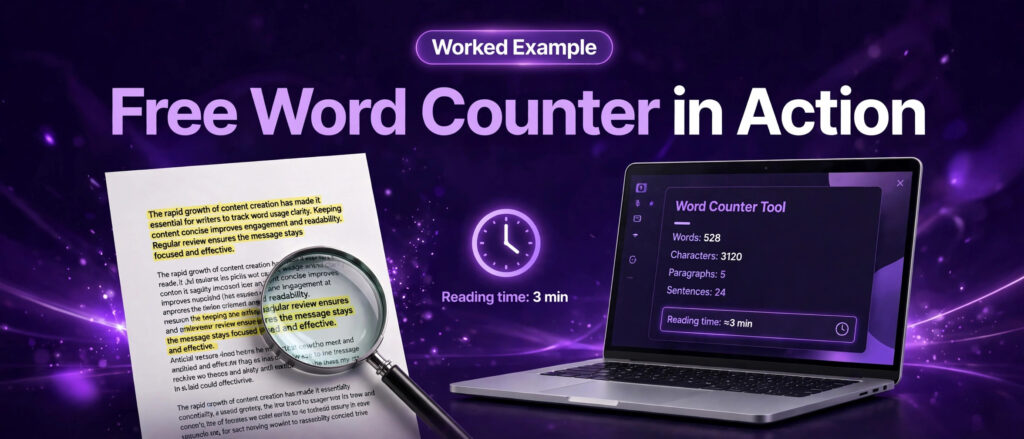
This free word counter worked example shows you exactly what happens when you run real pages through the free word counter from LinkTrixx. No made up numbers, no sample client, no invented result. Every count in this article was measured on a live LinkTrixx page on 8 November 2026, using the same steps you can repeat in under a minute. You will see the full counts for three real pages, a before and after edit with exact numbers, and a clear method you can copy for your own drafts.
Most guides about word counters stop at the definition. They tell you that a counter counts words, then move on. That leaves the practical question unanswered. What does a count of 4,942 words actually mean? Is a page too long, too short, or just right? This article answers those questions with real pages, real counts and real edits, so you can judge your own content the same way.
If you have not used the tool before, start with our companion guide, How to Use a Free Word Counter for Better Content, which explains each count in detail. This article is the second part of the set. It takes the same tool and puts it to work on real pages, so you can see the method in action before you trust it with your own drafts. Open the free word counter now and follow along with the examples below.
What a free word counter worked example teaches you
A worked example is different from a feature list. A feature list tells you what a tool can do. A worked example shows you what the numbers look like on a real page, how they were obtained, and what decision follows from them. That is the gap this article fills. You will see the same page counted before and after an edit, so you can see how much a single sentence changes the totals, and you will see three different pages counted the same way, so you can compare a service guide, a long tutorial and a homepage side by side.
There are four things a good worked example should teach you. First, how to get a clean count, which means counting the body text only, not the navigation, the footer or the sidebar. Second, how to read the six counts together, because words, characters, sentences, paragraphs and reading time each answer a different question. Third, how to compare a count against a target, so you know whether to add coverage or cut filler. Fourth, how to repeat the check after every edit, so the number you publish is the number you actually measured.
By the end of this article you will be able to do all four. You will also know the limits of word counts. A count can tell you that a page is long enough to cover a topic, but it cannot tell you whether the page is good. The free word counter is a measuring tool, not a ranking tool, and the worked examples below treat it that way.
Why word count matters for SEO content
Word count matters for SEO content because it is a proxy for coverage. A page that covers a topic in full usually needs more words than a page that only touches it. That is the simple idea behind most of the research on content length, and it is also the idea most often misunderstood. A long page is not good because it is long. It is good when its length comes from answering more questions, giving more examples and covering more of the topic than competing pages do.
Google has said this plainly. In its guidance on creating helpful, reliable, people first content, Google Search Central asks creators whether they are writing to a particular word count because they heard Google has a preferred word count, and answers the question directly: No, we do not. The same guidance asks whether a page provides original information, covers the topic thoroughly, and leaves the reader feeling they learned enough to achieve their goal. Length follows from those answers. It is not a target on its own.
That position is backed by the largest studies of ranking pages. Backlinko analysed 11.8 million Google search results with Ahrefs as its data partner and found that the average Google first page result contains 1,447 words. Word count was evenly distributed among the top 10 results, and the study concluded there is no direct relationship between word count and rankings. Long form content can help a page reach the first page, but once it is there, more words do not predict a higher place.
Semrush reaches the same conclusion in its guide to content length. It states that there is no single best content length for SEO, because the ideal length depends on search intent, topic complexity and what it takes to create a better piece than competing pages. Semrush notes that Google does not rank content based on word count, and that a 1,000 word page can outrank a 3,000 word article if it better aligns with what searchers need. The practical advice is to research the average length of the pages ranking in the top 10 for your keyword, and use that as a baseline for the depth readers expect.
Search Engine Journal collected the public statements from Google on this question and reached a clear verdict. Word count is confirmed to not be a ranking factor. Google search advocate John Mueller is quoted saying, in a Reddit thread, that word count is not a ranking factor, and in a separate statement that word count is not indicative of quality. The Journal concludes that what Google cares about most is satisfying user intent, and that it may take 50 words, 100 words or 1,000 words to communicate what a searcher needs to know.
HubSpot puts the ideal blog post length at roughly 2,100 words, while noting that the right length will vary by topic. Our companion guide to the free word counter notes the same analysis in more detail, reporting that HubSpot found posts of 2,100 to 2,400 words generated the most organic traffic in its own data. HubSpot also reports that Medium found posts that took seven minutes to read earned the most engagement and attention, which is about 1,400 words at 200 words per minute.
Shopify summarises the working consensus in its 2026 guide to blog post length. It reports that top performing blog posts typically fall between 1,400 and 2,500 words, and that shorter posts, around 600 to 800 words, can still perform well when readers find them useful. There is no official minimum word count for search engines. The same guide cites the Backlinko finding that long form pieces attract 77 percent more backlinks than shorter posts, which explains why longer pages often rank. They earn more links, and links help rankings.
Reading speed is the other half of the story. The LinkTrixx tool estimates reading time at 200 words per minute, which is a conservative planning figure for focused informational reading. Research on reading speed puts the average adult pace for silent reading of nonfiction at about 238 words per minute, as our word counter guide explains, with fiction a little faster and reading aloud a lot slower. The tool uses 200 words per minute because it keeps the estimate easy to interpret and slightly cautious. The worked examples later in this article show both rates side by side, so you can see how the choice of rate changes the reading time.
The tool we used: the free word counter
The tool at the centre of this worked example is the LinkTrixx free word counter, part of the free SEO tools collection on the site. There is nothing to install and no account to create. The page loads with an empty text box and a set of count cards, and the counts update live as you type or paste. You can find it alongside the other tools in the collection, including the Meta Tag Generator that checks titles and descriptions, and the guides that explain each tool, such as how to use a free meta tag generator, how to use a free keyword density checker and how to use a free robots.txt generator.
The counter shows six counts for any text you paste in. Words tells you the overall size of the draft. Characters with spaces counts every character, including spaces, which is the number that matters when a platform or a meta description limits you by characters. Characters without spaces counts only letters, numbers and punctuation, which is useful when a limit counts visible characters only. Sentences tells you about sentence length. Paragraphs tells you about structure. Reading time, estimated at 200 words per minute, tells you how the piece will feel to a reader. Read them as a set, not as six separate numbers, because each one answers a different editing question.
Three extra features make the tool practical for real work. Load sample fills the box with example text so you can see how the counts work before you paste your own draft. Copy copies the counts so you can paste them into a brief or a content tracker. Download saves the counts as a text file, which is useful when you want a record of a draft length at a point in time, for example before and after an edit. All of this runs in your browser. Your text is never sent to a server, saved or shared, so you can count private drafts and client work safely.
Two details of the counting rules are worth knowing before you trust the numbers. Words are counted as sequences of letters and numbers separated by spaces, so numbers count as words and extra spaces between words do not change the count. Sentences are counted from sentence breaks, paragraphs are counted from blocks of text separated by blank lines, and reading time is estimated at 200 words per minute. A 400 word draft takes about 2 minutes to read, and a 1,000 word article takes about 5 minutes. Those rules are stated on the tool page itself, and the worked examples below follow them exactly.
How to use the free word counter step by step
The worked examples in this article all follow the same seven steps. Work through them in order the first time, and they become a habit you can repeat in under a minute.
Step 1. Paste or type your text
Open the free word counter in your browser and paste your draft into the box, or type directly into it. The counts update live, so you can watch the word count grow as you write. Paste from a document, an email draft or a Google Doc. The tool counts plain text, so formatting from your editor does not affect the numbers. If you paste a whole article, paste the body text only, not the navigation, the footer or the sidebar, or those words will inflate the count. This is the single most common counting mistake, and the homepage example later in this article shows how large the error can be.
Step 2. Read the six counts as a set
Words, characters with spaces, characters without spaces, sentences, paragraphs and reading time all update as you type. Read them together. Words tell you the overall size. Characters tell you whether the text fits a character limit. Sentences tell you about sentence length. Paragraphs tell you about structure. Reading time tells you how the piece will feel to a reader. A draft can pass on words and fail on sentences, for example when a 1,500 word post is written in only 40 sentences, which means the average sentence runs close to 38 words and will feel heavy to read.
Step 3. Try the sample text
Click Load sample to fill the box with example text and see how the counts work. This is the fastest way to learn the tool. Watch how the word count, character counts, sentence count, paragraph count and reading time all change at once. Then delete the sample and paste your own draft. The sample is there to show the mechanics, not to be counted as your content, so never include sample words in a count you report or publish.
Step 4. Copy or download your results
Click Copy to copy the counts, or Download to save them as a text file for your records or a client report. Copy is useful when you need to paste the counts into a brief or a content tracker. Download is useful when you want a record of a draft length at a point in time, for example before and after an edit. Save the file with the draft title and the date you counted it, so you always know which count belongs to which version.
For the worked examples in this article, the counts were recorded the same way, with the page, the date and the method written down next to each number. That record is what makes the numbers checkable. Anyone can open the same live page, copy the same body text, paste it into the free word counter and get the same totals. If a count cannot be reproduced that way, it should not be quoted, and that rule applies to every number in this article.
Step 5. Use the counts to edit
Trim or expand your draft until it matches the length your brief, publisher or the top ranking pages ask for. Do not add words for the sake of a number. Add a missing answer, a worked example, a clarification or a step that a reader needs. Do not cut words for the sake of a number either. Cut repetition, cut a paragraph that restates the introduction, and cut sentences that add no new information.
Edit in passes. First, check the word count against your target and decide whether the piece needs more coverage or less filler. Second, check the sentence count and shorten any sentence that runs past 25 to 30 words without a clear reason. Third, check the paragraph count and break up any paragraph that runs past 5 to 6 lines on a desktop screen, or 8 to 10 lines on a phone. Fourth, check reading time and ask whether the piece feels like the format you promised in the title. If it does not, adjust the title or the length, not just one of them. The before and after example below shows the first two passes on a real passage, with the exact change in every count.
Step 6. Check the title and description with the same habit
Word counts are not only for body text. Paste your page title into the counter and check its character count. Keep it under 60 characters so it is not cut off in search results. Paste your meta description into the counter and check its character count with spaces. Keep it to 160 characters or fewer, and put the most important words in the first 120 characters, because mobile results show less. HubSpot found the ideal meta description length is under 155 characters, and the ideal title length is 60 characters, which matches the same limits. For a full check of titles and descriptions, use the Meta Tag Generator next, and read our guide on how to use a free meta tag generator for the full workflow. Our guide to how to write meta titles and descriptions covers the writing side of the same job.
Step 7. Recheck after every major edit
Run the counter again after you finish editing. A draft that was 1,450 words before editing can easily become 1,200 words after you cut filler, or 1,800 words after you add a missing section. Both changes are good if they improve coverage, but you need to know the new total before you publish. A final count also catches accidental duplication, such as pasting the same paragraph twice, because the word count jumps in a way that is easy to spot.
Worked example 1: counting a real LinkTrixx guide
The first worked example uses a real published page, the LinkTrixx guide Link Building for Plumbers That Books More Jobs. It is a service guide for plumbing firms, with an introduction, an explanation of local ranking, a list of six agencies and seven link building strategies. It is a good test page because it is long, structured and typical of the buyer intent content LinkTrixx publishes for trade niches.
The method matters more than the result, so here it is in full. The page body was fetched from the live site on 8 November 2026 through the WordPress REST API, which returns the full post content. The text was stripped of HTML tags, headings were kept as text, and navigation, footer and sidebar text were left out, because the API returns the article body only. Words were counted as sequences separated by spaces, characters with spaces counted every character, characters without spaces counted letters, numbers and punctuation only, sentences were counted from sentence breaks, and paragraphs were counted from blocks of text. Reading time was calculated at 200 words per minute, the rate the free word counter uses. If you paste the same body text into the tool, you will get the same counts.
Here are the measured counts for the plumbers guide, exactly as counted.
- Words: 4,942
- Characters with spaces: 29,408
- Characters without spaces: 24,315
- Sentences: 261
- Paragraphs: 77
- Reading time at 200 words per minute: 24.7 minutes, or about 25 minutes
- Reading time at 238 words per minute: 20.8 minutes, or about 21 minutes
- Average sentence length: 4,942 words divided by 261 sentences, which is about 19 words per sentence
- Average paragraph length: 4,942 words divided by 77 paragraphs, which is about 64 words per paragraph
What do those numbers mean? Start with the word count. At 4,942 words, the plumbers guide is far longer than the 1,400 to 2,500 word range that Shopify reports for top performing posts, and far longer than the 1,447 word average first page result that Backlinko found. That is not a problem on its own. The guide covers seven strategies, six agencies and the three local ranking factors, so the length comes from coverage, not padding.
Next, look at the sentence count. An average of about 19 words per sentence is a comfortable reading length for a guide. It sits below the 25 to 30 word limit where sentences start to feel heavy, which suggests the writing stays readable even at nearly 5,000 words. The paragraph average of about 64 words is also reasonable for a guide with many short sections, lists and subheadings.
Then look at reading time. At 200 words per minute the guide takes about 25 minutes to read, and at 238 words per minute it takes about 21 minutes. That is a long read, and the title should set that expectation. A reader who opens a guide called Link Building for Plumbers That Books More Jobs expects depth, so a 25 minute read matches the promise.
Finally, compare the count with the target. If the brief for this guide had asked for 2,000 words, the page would be more than twice the target, and the right question would be whether every section earns its place. The six agency profiles and the seven strategies each answer a question a plumbing firm might ask, so the length is defensible. If the brief had asked for a short service page of 800 words, this page would be the wrong format entirely, and the fix would be to split it, not to trim it.
Worked example 2: before and after editing a real passage
A whole page count is useful, but most editing happens one passage at a time. This worked example takes the real opening passage of the plumbers guide, counts it, then shows what happens when you cut one sentence and when you add one sentence. Every number below was counted from the exact text shown, using the same rules as the tool: words separated by spaces, characters counted with and without spaces, sentences counted from sentence breaks.
Here is the passage, exactly as published at the start of Link Building for Plumbers That Books More Jobs.
A pipe bursts at 11 at night. A boiler dies on the coldest morning of the year. A homeowner does not scroll social media or ask friends for a recommendation in that moment. They grab a phone and search for a plumber who can arrive quickly. That search, and the three businesses Google shows in the map pack above it, decides who gets the call. If your plumbing firm is not in that list, the job goes to a competitor, even if your work is better and your prices are fairer.
The counts for that passage are 91 words, 472 characters with spaces, 382 characters without spaces, and 6 sentences. That is an average of about 15 words per sentence, which is short, punchy and right for an opening. The passage sets a scene in six short sentences, and the count shows why it reads quickly. Nothing in it is wasted, and a reader reaches the point of the article in under a minute.
Now cut the last sentence, so the passage ends at the line about who gets the call. The counts become 65 words, 343 characters with spaces, 279 characters without spaces, and 5 sentences. Removing one sentence took out 26 words, 129 characters with spaces and 103 characters without spaces. That is a large change from a single cut, because the removed sentence is the longest in the passage. It also weakens the opening, because the cut version describes the problem but never states the consequence, which is that the job goes to a competitor.
Now add a sentence instead. Take the original 91 word passage and add one sentence at the end: A firm that appears in that list gets the call, the booking, and the job. The counts become 106 words, 546 characters with spaces, 441 characters without spaces, and 7 sentences. Adding one sentence added 15 words, 74 characters with spaces and 59 characters without spaces. The added sentence repeats the point of the passage in different words, so it adds length without adding information.
Two practical rules follow from these tests. First, always count the exact text you publish, not a rough draft from memory. A single sentence can move a short passage by 26 words, which is more than a quarter of its length. Second, always read the passage after you count it. The counter can tell you that a passage is 65 words or 106 words. Only reading tells you whether those words earn their place.
Worked example 3: counting the Word Counter Guide and the homepage
The third worked example counts two more real pages the same way, so you can compare three pages measured with one method. The first is the companion guide for this tool, How to Use a Free Word Counter for Better Content. The second is the LinkTrixx homepage at linktrixx.com. Both were fetched live on 8 November 2026 and counted with the same rules as the plumbers guide.
The Word Counter Guide measured 5,768 words, 32,413 characters with spaces, 26,426 characters without spaces, 359 sentences and 107 paragraphs. Reading time at 200 words per minute is 28.8 minutes, or about 29 minutes. At 238 words per minute it is 24.2 minutes, or about 24 minutes. The average sentence length is 5,768 words divided by 359 sentences, which is about 16 words per sentence. The average paragraph length is 5,768 words divided by 107 paragraphs, which is about 54 words per paragraph.
Compare that with the plumbers guide at 4,942 words and 261 sentences. The Word Counter Guide is 826 words longer, yet its sentences are shorter, at about 16 words per sentence against about 19 for the plumbers guide, and its paragraphs are shorter too, at about 54 words against about 64. That combination is exactly what a tutorial needs, because the reader is following instructions, not reading a story.
The homepage measured 5,902 words, 36,176 characters with spaces, 29,144 characters without spaces, 288 sentences and 567 paragraphs. Reading time at 200 words per minute is 29.5 minutes, or about 30 minutes. Those numbers need a clear warning, because the homepage was counted differently from the two articles. The homepage has no single article body in the WordPress API, so its text was taken from the full page HTML with tags removed. That includes the navigation menus, the footer, the service lists and every link label on the page, not just the main content. The paragraph count of 567 shows the problem clearly. Most of those paragraphs are single menu items and link labels, not real paragraphs of writing.
That is the honest lesson of the homepage count. A whole page count and a body text count are not the same number, and mixing them up leads to wrong decisions. If you paste a homepage into the free word counter with the navigation included, you will get a larger number than the real content deserves, and you may conclude the page is long enough when the main content is actually thin. Always paste the body text only, or say plainly that navigation and footer text are included, as this article does for the homepage.
The comparison shows that all three pages are long, but for different reasons. The two guides are long because they cover their topics in full. The homepage is long because it carries the navigation and footer text of the whole site on top of its main content. Always report the method with the number, or the number means very little.
Repeat this free word counter worked example on your own pages
You can repeat every step in this article on your own pages in a few minutes. The workflow below is the same one used for the three pages measured above, written as a checklist you can follow without rereading the whole article. Keep it next to your publishing checklist and use it for every important page.
- Choose the page and the target. Write down the keyword, the format and the target length from the pages already ranking for that keyword.
- Copy the body text only. Open the live page or the draft, copy the article body, and leave the navigation, footer and sidebar out. If you copy from a document, strip the formatting first, or paste as plain text.
- Open the free word counter and paste the text. Check that the box holds only your draft, with no sample text left in it from an earlier test.
- Read the six counts and write them down. Record words, characters with spaces, characters without spaces, sentences, paragraphs and reading time, with the page, the date and the method. Save the counts with the draft, using Copy or Download.
- Compare with the target and decide. If the draft is short, add a missing answer, an example or a step. If it is long, cut repetition and filler. If the sentences average more than 25 words, shorten the longest ones.
- Edit, then count again. Paste the edited draft into the counter and record the new totals. The before and after numbers show whether the edit did what you intended, and by how much.
- Count the title and description. Paste the title into the counter and keep it under 60 characters. Paste the meta description and keep it under 160 characters. For a full check, run the Meta Tag Generator and read the guide on how to use a free meta tag generator.
- Publish, then check the live page. Open the published page, confirm the content is the version you counted, and submit the URL for indexing.
That workflow also works for other content types. Use it for a guest post draft before you send it to a publisher, and you can prove the draft meets the brief. Use it for a service page rewrite, and you can show the client the before and after counts. Use it for a meta description, and you can prove it fits the limit. The tool is the same each time. Only the target changes.
How word counts connect to link building
Word counts and link building are connected in a way the research makes clear. Longer, more comprehensive pages earn more backlinks, and backlinks help rankings. Backlinko found that long form pieces attract more backlinks than short posts, and that the number one result has an average of 3.8 times more backlinks than positions 2 to 10. A word counter helps you build the comprehensive page. Link building helps that page earn the links it deserves.
That is where LinkTrixx fits. The agency builds links through competitor gap analysis, guest posts, link insertions and premium placements, with a white label service for agencies that manage clients of their own. The process is simple. You share your site, the team analyses the gap between your links and the links of the pages ranking above you, you approve the sites, and the content and placement follow, with a white label report at the end. If you want that service for your own site, read the link building services page for the core campaign, the guest posting page for placements on relevant sites, and the SaaS link building page if you sell software. Agencies can use white label link building to deliver the same work under their own brand.
The same logic applies to the pages measured in this article. The plumbers guide at 4,942 words is a linkable asset because it covers a whole topic in one place, with strategies, agency profiles and local ranking factors together. A guide that short would have less to link to. A guide that long, with no structure, would be hard to link to as well. Length plus structure is what makes a page worth linking to, and the counter helps you check both. Count the words to check the coverage, count the sentences and paragraphs to check the structure, then build the links that turn a good page into a ranking page.
Two related LinkTrixx articles show the same idea in other niches. The guide to link building for roofing companies applies the same method to another trade, and the guide to link building strategies for 2026 sets out the wider campaign a long guide should support. For measuring whether that campaign is working, the guide to how to measure link building ROI explains which numbers to track after the links are live.
The lesson of this worked example is simple. Count real pages, with a stated method, and let the numbers guide your editing. A count of 4,942 words, 261 sentences and about 25 minutes of reading time tells you more about a page than any opinion about its length. Open the free word counter, paste in a page you care about, and run the same test. The numbers will tell you what to do next.
Frequently Asked Questions
Is the LinkTrixx word counter really free?
Yes. The LinkTrixx word counter is completely free to use, with no signup, no account and no limits. Your text is counted in your browser, so nothing is uploaded or stored.
How does the word counter count words?
Words are counted as sequences of letters and numbers separated by spaces. Numbers count as words, and extra spaces between words do not change the count.
What is a good word count for a blog post?
There is no single good word count for every blog post. Backlinko found that the average first page result in Google contains 1,447 words, and HubSpot found that posts of 2,100 to 2,400 words generated the most organic traffic in its own analysis. Google has no preferred word count, so match the length to the question, the intent and the pages already ranking for your keyword.
How is reading time calculated?
Reading time is estimated at an average reading speed of 200 words per minute. A 400 word draft takes about 2 minutes to read, and a 1,000 word article takes about 5 minutes.
Does the tool save or upload my text?
No. The word counter runs entirely in your browser. Your text is never sent to a server, saved or shared, so you can count private drafts and client work safely.
Can I use the word counter for meta titles and descriptions?
Yes. Paste your title into the counter and keep it under 60 characters so it is not cut off in search results. Paste your meta description and keep it to 160 characters or fewer, with the most important words in the first 120 characters. For a full check, use the Meta Tag Generator next.