

Free Meta Tag Generator vs Paid SEO Tools: What You Actually Need
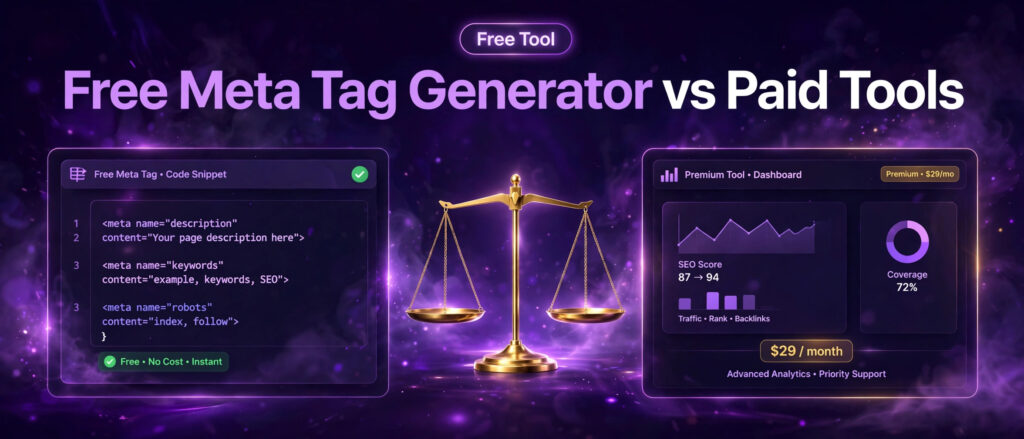
Choosing between a free meta tag generator vs paid SEO tools starts with a simple question: what job are you actually trying to do? If the job is writing a good title and description for one page, a free tool does it in a minute. If the job is auditing thousands of pages, tracking thousands of keywords and reporting to clients every month, a free tool cannot do it, and that is when a paid subscription earns its price. This guide compares the free LinkTrixx Meta Tag Generator with Ahrefs, Semrush, Screaming Frog and Moz Pro, using prices checked in October 2026, so you can see exactly what each option gives you and when paying makes sense.
Meta tags are small, and that is why the comparison matters. A title tag and a meta description will not save a weak page, and they will not replace links, content or technical health. What they do is decide how your page looks in search results, and that look decides whether a person who already found you actually clicks. Paying a monthly subscription to write two lines of text is wasteful if that is all you need. Paying nothing and missing broken titles across a whole site is wasteful in the other direction. The honest answer sits between those two mistakes, and it depends on the size of your site, the number of pages you manage, and how often you publish.
This article is the third in our three part set about the Meta Tag Generator. The first part is our guide to using the free meta tag generator, which walks through every field and every result. The second part is our guide to writing meta titles and descriptions that earn clicks. This third part answers the business question: should you pay for a big SEO suite to handle meta tags, or is the free generator enough? Read it alongside the other two, because the writing advice in part two is what makes any tool, free or paid, worth using.
Free meta tag generator vs paid SEO tools: the short answer
If you run one website with a small number of pages, publish a few times a month, and want clean title and description tags with correct lengths, the free generator is enough. Open the free Meta Tag Generator, type the title and description, watch the live counters, copy the finished tags and paste them into the page. There is no account, no subscription and no cost, and the tags it produces are the same HTML any paid tool would produce for a single page.
If you manage many pages, many clients or many sites, the free generator is not enough on its own. It writes tags for one page at a time, and it does not crawl your site, find your missing titles, flag your duplicates or track your rankings. That is the work paid tools do. Ahrefs, Semrush, Screaming Frog and Moz Pro all include site audits that scan every page and list every title and description problem in one report. You pay for the scan, the scale and the reporting, not for the tags themselves.
The price gap is large. The free generator costs nothing, ever. Screaming Frog costs 199 pounds a year for a licence, which its own site lists as 279 dollars. Moz Pro starts at 99 dollars a month for its Standard plan on monthly billing. Ahrefs starts at 129 dollars a month for Lite on monthly billing, with a 29 dollar Starter product below it. Semrush starts at 139 dollars and 95 cents a month for its SEO plan on monthly billing. Over a year, even the cheapest paid option costs more than a thousand dollars, while the free generator costs nothing. That gap is only worth closing when the paid tool saves you real time or finds real problems across many pages.
A useful rule follows from that. If you can name the pages that need new tags, use the free generator. If you cannot name them, because there are too many pages or too many clients, you need a crawler first, and a crawler is what the paid tools sell. The rest of this guide shows you how each tool handles meta tags, what each one costs, and how to decide with a clear head.
What the free LinkTrixx meta tag generator actually does
The free Meta Tag Generator is a single purpose tool. It turns a short form into clean HTML tags for one page. You type a page title and a meta description, add optional keywords and an author if you want them, choose your robots settings, and the tool builds the finished tags at once. You copy them or download them, then paste them into the head section of the page. The whole job takes a minute once you know what the page is about.
The tool runs entirely in your browser. Nothing you type is sent to a server, there is no signup, and there is no limit on how many sets of tags you generate. That matters for privacy and for speed. Client page details stay on your own device, and you can generate tags for ten pages in ten minutes without creating an account or starting a trial that asks for a card.
The five tags it builds
The generator builds five pieces of output. The title tag names the page and becomes the clickable headline in search results. The meta description gives the short summary that can appear under that headline. The keywords tag lists relevant keywords separated by commas, though Google lists it as unsupported and says it has no effect on indexing and ranking, so treat it as optional. The author tag names the person who created the page. The robots tag tells search engines whether to index the page and follow its links, using index and follow for normal pages and noindex for pages you do not want in search results.
Each tag has one job, and the tool keeps them separate so you can see what you are publishing. That separation is useful, because the most common meta tag mistake is loading one tag with work it was never meant to do, such as stuffing the description with keywords or writing the title as a list of phrases. Our guide to using the free meta tag generator explains each result in detail, and our guide to writing meta titles and descriptions shows how to write the words themselves.
The counters that stop truncation
The most useful feature of the generator is also the simplest: live length counters. The title counter shows characters out of 60, and the description counter shows characters out of 160. Google sets no fixed character limit, and it truncates title links and snippets as needed to fit the device width, but the practical targets are 50 to 60 characters for titles and 120 to 160 characters for descriptions. The counters warn you when you go over, so you trim before you publish instead of discovering the cut off in search results days later.
Google explains this in its own guidance on influencing title links, which asks for descriptive and concise titles, warns against keyword stuffing and repeated boilerplate text, and notes that title links are truncated as needed to fit the device width. HubSpot makes the same practical point in its guide to meta tags, recommending titles of about 60 characters and descriptions between 140 and 160 characters. The generator turns that advice into a number you can watch as you type.
What it does not do
Honesty about limits is part of the comparison. The free generator does not crawl your site, so it cannot tell you which pages are missing titles. It does not check for duplicate titles across pages. It does not track rankings, measure clicks or report on performance. It does not write the words for you. It is a formatting tool with counters, not an audit tool and not a writing tool. If you need a list of every title problem on a site with hundreds of pages, you need a crawler, and that is exactly what the paid tools in the next sections provide.
That limit is also the reason the generator pairs well with other free tools. Once the tags are written, our guide to the free Word Counter helps you check the length of the page itself, our guide to the free Keyword Density Checker shows whether you have used the target phrase too often or too rarely, and our guide to the free Robots.txt Generator covers the file that controls crawling. All of them sit in our free SEO tools hub, and none of them asks for an account.
Why meta tags matter, and what they cannot do
Meta tags matter because they are the only part of most pages that a searcher reads before deciding. The title is the clickable headline. The description is the short summary underneath it. Together they form the result, and the result competes with nine others on the same page. A page can rank well and still lose traffic to a better described competitor sitting just below it. That is the whole case for caring about meta tags: rankings decide who gets seen, and titles and descriptions decide who gets chosen.
The evidence for that claim is consistent across studies. Our guide to writing meta titles and descriptions reports that Backlinko analysed 4 million Google search results and found that the top result takes 27.6 percent of all clicks on average, while the top 3 results together take 54.4 percent. You cannot always control your position, but you can control the two lines that represent your page once it appears. A better title and description will not move you from page 2 to page 1 on their own, yet they can win you a larger share of the clicks your current position already earns.
There is also a limit that every honest guide states, and this one states it plainly. Meta tags do not rank a page on their own. Google has confirmed that the meta description is not used as a direct ranking factor. The title tag is a relevance signal, but a small one, and Google rewrites titles when it finds a better match for the query. Google says title link generation is completely automated, that it draws on the title element, the main visible title, headings, Open Graph title tags and other page content, and that it may take a few days to a few weeks of recrawling before it notices your changes. Good tags help Google understand the page and help people choose it. They do not replace helpful content, and they do not replace links from other sites.
That limit shapes the buying decision. If someone sells you a subscription mainly to write meta tags, you are paying for the wrong thing. The tags are the cheap part. The expensive parts of SEO are content that answers the question better than the competition, and links that show other sites trust the page. Our link building services exist for the second half of that job, because outreach and editorial links are what move a page once the on page basics are right. A paid SEO suite is worth its price when it helps with the audit, the research and the tracking around those basics, not when it merely formats two lines of HTML.
The title tag
The title tag names the page for search engines and for readers. It appears as the clickable headline in search results, in the browser tab, and often as the text shown when a link is shared. Google advises that every page has a title specified in the title element, that the text is descriptive and concise, that it avoids vague words like Home, and that it avoids repeated or boilerplate text across pages. Put the main topic near the beginning, in plain words, and add the brand name only if it helps the reader recognise the page. Keep it to about 50 to 60 characters so it is not cut off on desktop, and remember that mobile shows even less.
The title tag is also the tag Google rewrites most often. When the title is vague, too long, stuffed with repeated words, or out of step with the visible heading, Google builds its own title from the page. That is not a punishment. It is Google choosing text that matches the query better. The fix is to write a title that already matches the page and the query, so there is nothing to rewrite. The free generator helps here by showing the length as you type, and the paid tools help by listing every page where the title is missing, duplicated or too long, so you can fix them in bulk instead of one by one.
The meta description
The meta description is a short summary of the page that search engines can show under its title in results. It does not decide ranking directly, but it decides whether a person who already found your result clicks it. Write it for the reader first, with the main keyword included once in a natural way, and a clear reason to click. Lead with the value: what the page offers, who it is for, and why it is worth opening. Put the most important words in the first 120 characters, because mobile results show around 120 characters and the rest may be cut off.
Google may not show your description at all. It primarily creates snippets from the page content itself, and uses the meta description when it describes the page better than the on page text does. That means your description is a bid, not a guarantee. Write it as if it will be shown, because when it matches the query it usually is, and keep the page content strong so the fallback snippet is also good. A blank description leaves the choice entirely to Google, and the result is often an out of context snippet that neither represents the content nor invites the click.
The robots tag
The robots tag controls how search engines interact with the page in terms of indexing and link following. The default values are index and follow, and it is not necessary to specify them in most cases. Use noindex for pages you do not want in search results, such as thank you pages, staging copies or internal search pages. Be careful here, because a noindex tag left on a live page by mistake can remove that page from search results entirely. Check the setting before you copy the code, and check it again after you publish. Every tool in this comparison can flag a wrong robots tag, but only a human can decide which pages should be indexed, so the decision stays with you whatever you pay.
How to use the free generator step by step
Before comparing prices, it helps to see the free workflow in full, because the paid tools are judged against it. The steps below use a real example: the LinkTrixx guide blog itself. Its published title is How to Use a Free Meta Tag Generator for Better Clicks and Rankings. That title is 70 characters, which is longer than the 50 to 60 character target, and it shows why a counter matters. A tighter version, such as Free Meta Tag Generator: Better Clicks in Minutes, is 49 characters and keeps the topic first. The generator makes that kind of edit visible before you publish.
Step 1. Open the tool and read the page
Open the free Meta Tag Generator. The page is free, needs no signup, and runs entirely in your browser. Read the short how to use steps on the page itself, then work through the fields in order. Each step takes less than a minute once you know what the page is about.
Step 2. Write the page title
Type the title of the page into the Page title field. This becomes the title tag, the clickable headline in search results and the text shown in the browser tab. Keep it under 60 characters so it is not cut off in search results. Put the main topic first, in plain words, and add the brand name only if it helps the reader recognise the page. Watch the live counter as you type. It shows characters out of 60, so you can see at once when you are close to the limit. If the counter goes over 60, shorten the title before you move on.
Step 3. Write the meta description
Type a short summary of the page into the Meta description field. Aim for one or two plain sentences that say what the page offers, who it is for, and why it is worth opening. Keep it to 160 characters or fewer. The live counter shows characters out of 160, so you can trim as you go. Put the most important words first, because mobile results show around 120 characters and the rest may be cut off. Write it as a sentence about the page, not as a string of keywords.
Step 4. Add keywords and an author only if you want them
The page also shows optional Keywords and Author fields. Both are optional and only appear in the output when you fill them in. Add a few relevant keywords separated by commas if you want a keywords tag, and add the author name if the page has a named author. Do not treat either field as a ranking tool. Google lists the meta keywords tag as unsupported, and says it is not used by Google Search and has no effect on indexing and ranking at all.
Step 5. Choose your robots settings
Use the Robots indexing and following controls to tell search engines how to treat the page. For a normal public page that you want in search results, use index and follow. For a page you do not want in search results, such as a thank you page or a staging copy, use noindex. Be careful here, because a noindex tag left on a live page by mistake can remove that page from search results entirely. Check the setting before you copy the code, and check it again after you publish.
Step 6. Copy or download the tags, then test the page
Entering a page title and meta description updates the generated output immediately, so read the finished tags as you type and check that the title reads cleanly and the description ends in a complete thought. Click Copy to copy the generated tags to your clipboard, or click Download to download a meta tags file you can open and review. Paste the tags between the opening and closing head tags of your page and save the page. In WordPress, add them through your theme header or an SEO plugin, and avoid duplicate tags if your theme or plugin already generates them.
Then test the page after you publish. Open the live page in your browser and view its page source. Search for the title, description and robots tags to confirm they are present in the head section. Then check how the title and snippet actually appear in search results after the page has been crawled. If Google shows a different title or snippet, read the page again and ask whether the title was vague, too long, or out of step with the visible heading. Fix the tag, republish, and request a recrawl. Google notes that it has to recrawl and reprocess a page to notice updates to title sources, which may take a few days to a few weeks, so allow time before you judge the result.
What Ahrefs offers for meta tags
Ahrefs is a full SEO suite, and meta tags are a small part of what it does. Its Site Audit crawls your site and flags missing, duplicate, long and short titles and descriptions across every page, so you can see the whole problem in one report instead of checking pages one by one. Its Page Inspect shows how Google sees a single URL, including the title and description it found. Its SERP comparison and Keywords Explorer help you research what competitors rank for, and its Rank Tracker follows your positions over time. None of those features writes a title for you. They find the pages that need attention and show you the competitive context, and then you still write the words.
The price is the highest barrier in this comparison. Independent checks of the Ahrefs pricing page in October 2026 put the monthly prices at 29 dollars for Starter, 129 dollars for Lite, 249 dollars for Standard, 449 dollars for Advanced and 1499 dollars for Enterprise, all on monthly billing and before tax. Annual billing saves up to 17 percent, according to the pricing page itself. Each plan includes one user, with extra users charged at 40 dollars a month on Lite, 60 dollars on Standard and 80 dollars on Advanced. There is no free trial, and the pricing page states plainly that Ahrefs never runs discounts, though a free plan with limited access to Site Explorer and Site Audit is available for your own verified sites.
What you get for that price is scale. Lite covers 5 projects, 750 tracked keywords, 6 months of historical data and 100,000 crawl credits a month. Standard covers 20 projects, 2,000 tracked keywords, 2 years of history and 500,000 crawl credits. Advanced covers 50 projects, 5,000 tracked keywords, 5 years of history and 1.5 million crawl credits. Those limits matter because a meta tag audit is only useful if the crawl can cover the whole site, and a site with tens of thousands of pages needs the higher tiers. A small site with 40 pages will never use those limits, which is why the price feels high when meta tags are the only job.
Check the live pricing page before you buy, because prices and limits change. The figures above come from independent checks in October 2026, and you can verify the current numbers on the Ahrefs pricing page. When you check, look at the crawl credits and the project limits first, because those are the numbers that decide whether the plan fits your site. If you only need to write tags for a handful of pages, the free generator does the same formatting for nothing, and the money is better spent on content or on links.
Ahrefs makes sense when the audit is the bottleneck. If you manage several client sites, if pages are published every day, or if nobody on the team knows which titles are duplicated, a monthly crawl that lists every problem in one place saves hours of manual checking. It also makes sense when keyword research and competitor analysis are daily work, because those features share the same subscription. It does not make sense as a meta tag writer, because that is not what it is. For that single job, the free Meta Tag Generator produces the same HTML in less time and for no money.
What Semrush offers for meta tags
Semrush is also a full SEO suite, and it treats meta tags as part of its Site Audit and on page SEO tools. Its Site Audit crawls the site and reports title and description problems, including missing, duplicate and over long tags, alongside technical issues such as broken links, crawl errors and slow pages. Its on page SEO checker gives improvement ideas for individual pages, and its position tracking follows rankings for the keywords those pages target. As with Ahrefs, the tool finds the problems and shows the context, and a human still writes the title and description.
The price is close to Ahrefs at the entry level. Independent checks of the Semrush pricing pages in October 2026 put the SEO Classic monthly prices at 139 dollars and 95 cents for Pro, 249 dollars and 95 cents for Guru, and 499 dollars and 95 cents for Business, all on monthly billing. Annual billing brings the monthly equivalent down to about 117 dollars and 33 cents for Pro, 208 dollars and 33 cents for Guru, and 416 dollars and 66 cents for Business. Semrush now also sells SEO plus AI Search bundles under new names, with the SEO bundle at 139 dollars a month, Starter at 199 dollars, Pro Plus at 299 dollars and Advanced on a custom price, so check which ladder you are looking at before you compare. The figures here come from independent checks in October 2026, and you can verify the current numbers on the Semrush pricing page.
What you get for that price is breadth. Pro covers 5 websites and 500 keywords tracked daily. Guru covers 15 websites and 1,500 keywords, and adds historical data, content marketing tools and multilocation tracking. Business covers 40 websites and 5,000 keywords, and adds API access and extended limits. Every plan includes one user, with extra users from 45 dollars a month. Semrush also offers a free account with a small daily allowance of reports, which is enough to test the interface but not enough to run a real audit.
Semrush makes sense when one subscription has to cover many jobs. If the same team does keyword research, content planning, position tracking, site audits and competitor research, a single suite is cheaper than five separate tools, and the meta tag audit is a bonus inside that bundle. It makes less sense when meta tags are the only job, because the cheapest plan still costs more than 1,600 dollars a year on monthly billing, and the free generator writes the same tags for nothing. It also makes less sense for a single small site, because the project and keyword limits are built for portfolios, not for one blog.
One caution applies to Semrush more than to the other tools here. Its pricing has changed shape during 2026, with the older Pro, Guru and Business names sitting alongside the newer SEO plus AI Search bundles. The two ladders overlap, and the plan names do not always match between the pricing page and older guides. Before you buy, open the pricing page, confirm which ladder you are on, and confirm that the plan you choose includes the Site Audit limits your site needs. If the answer is unclear, the free generator and a manual check of your most important pages will cover you while you decide.
What Screaming Frog offers for meta tags
Screaming Frog SEO Spider is different from Ahrefs and Semrush, because it is a desktop crawler rather than a cloud suite. You install it on your computer, point it at a site, and it crawls every page it can reach, reporting broken links, redirects, duplicate content, missing titles, duplicate titles, long titles, missing descriptions and duplicate descriptions. Its own product page says it audits a site for over 300 SEO issues, and lists page titles and meta descriptions among the data it collects on every crawl. For meta tags specifically, it is the most direct tool in this comparison: it shows you every title and description on the site in a table you can sort, filter and export.
The price is the lowest of the paid tools here, and the pricing model is the simplest. The free version crawls up to 500 URLs per crawl, with no signup and no payment. The paid licence costs 199 pounds a year, which the product page lists alongside 279 dollars, and it removes the crawl limit and unlocks advanced features such as saved crawls, scheduling, JavaScript rendering, crawl comparison and API integrations. The licence lasts one year and must be renewed. There is no monthly billing, and volume discounts start at five licences. You can verify the current price on the Screaming Frog SEO Spider page, which states the 199 pounds a year figure directly.
Screaming Frog makes sense when the audit is the job and nothing else is needed. If you run technical audits for clients, if you need to find every duplicate title on a site with thousands of pages, or if you want a crawl you can save and compare month to month, it is the cheapest way to get a professional result. It also makes sense for a single large site, because one licence covers unlimited crawling, and the only limit is your own computer memory and storage. It does not track rankings, it does not research keywords, and it does not report on backlinks, so it is not a replacement for a full suite. It is a crawler, and it is honest about that.
The free version deserves a note of its own. For a site with fewer than 500 pages, the free crawl already finds every title and description problem, which means many small sites never need to pay at all. Combine the free crawl with the free generator and you have a complete meta tag workflow for nothing: Screaming Frog finds the broken titles, and the free Meta Tag Generator writes the replacements. That pairing is the best value in this whole comparison for anyone who manages one small to medium site.
What Moz Pro offers for meta tags
Moz Pro is a cloud SEO suite built around campaigns, rank tracking, link research and site crawls. Its site crawl checks titles and descriptions among other on page issues, its rank tracker follows keyword positions, and its link tools show who links to you and to your competitors. It is the oldest of the four paid tools here, and it is known for being the easiest to learn, which matters if the person doing the work is not a full time SEO. As with the other suites, it finds the problems and shows the data, and a human writes the tags.
The price sits below Ahrefs and Semrush. Independent checks of the Moz pricing page in October 2026 put the monthly prices at 99 dollars for Standard, 179 dollars for Medium and 299 dollars for Large, all on monthly billing. Annual billing brings the monthly equivalent down to about 79 dollars for Standard, 143 dollars for Medium and 239 dollars for Large, a saving of about 20 percent. Standard covers 1 user, 3 tracked sites and 300 tracked keywords. Medium covers 2 users, 10 tracked sites and 1,500 tracked keywords. Large covers 3 users, 25 tracked sites and 3,000 tracked keywords. Some 2026 checks also list a 49 dollar Starter plan for one site, while one October 2026 check notes that it no longer appears on the pricing page, so treat the three main tiers as the current picture and check the live pricing page before you buy.
Moz Pro makes sense for a small business or a small agency that wants one simple suite and does not need the deepest data. Its crawl limits are generous for the price, its interface is friendly, and its Domain Authority metric is widely used as a quick shorthand for site strength, though it is a Moz metric rather than a Google metric, and it should never be treated as a ranking factor. It makes less sense for heavy technical audits, where Screaming Frog is cheaper and deeper, and it makes less sense for large scale keyword research, where Ahrefs and Semrush hold more data. For meta tags alone, the same rule applies as everywhere else in this guide: the free generator writes the tags, and Moz Pro earns its price only when the crawl, the tracking and the reporting save real time across many pages.
One warning applies to Moz renewals. Reviewers who checked the pricing page in October 2026 note that the yearly prices read as billed for your first year, and that the page does not say whether renewal costs the same. Check the cost of the second year, not just the first, before you commit to annual billing. The same advice applies to every subscription in this comparison: the first year price is the advertisement, and the renewal price is the real cost.
Free meta tag generator vs paid SEO tools: the full cost comparison
The table below puts the whole comparison in one place. Prices are monthly billing unless stated otherwise, and they come from checks in October 2026, with Screaming Frog verified on its own product page on the day this article was written. Check the live pricing page of any tool before you buy, because prices and limits change, and vendors sometimes change plan names without changing the features.
| Tool | Cost | What it does for meta tags | Best for |
|---|---|---|---|
| LinkTrixx Meta Tag Generator | Free, no account | Writes title, description, keywords, author and robots tags for one page, with live length counters | Single pages, small sites, quick checks |
| Screaming Frog SEO Spider, free version | Free, no account | Crawls up to 500 URLs and lists missing, duplicate, long and short titles and descriptions | Finding every title problem on a small site |
| Screaming Frog SEO Spider, paid licence | 199 pounds a year, listed as 279 dollars | Unlimited crawling, saved crawls, scheduling, JavaScript rendering, crawl comparison | Technical audits on larger sites |
| Moz Pro Standard | 99 dollars a month, 79 dollars a month on annual billing | Site crawl with title and description checks, rank tracking, link research | Small businesses that want one simple suite |
| Ahrefs Lite | 129 dollars a month, with a 29 dollar Starter product below it | Site Audit with title and description flags, Page Inspect, rank tracking, keyword research | Freelancers and small teams doing daily SEO |
| Semrush SEO plan | 139 dollars and 95 cents a month, about 117 dollars and 33 cents a month on annual billing | Site Audit with title and description checks, on page checker, position tracking | Teams that need one suite for many SEO jobs |
Read the table from the bottom up and the lesson is clear. The paid tools do not write better meta tags. They find more problems, across more pages, faster. The free generator writes tags that are identical in quality to anything a paid tool produces for a single page, because the output is the same HTML. The difference is discovery: a crawler tells you which pages need work, while a generator waits for you to tell it which page to work on. When the number of pages is small, you already know which pages need work, so discovery has no value. When the number of pages is large, discovery is the whole value.
Do the yearly maths before you decide. Ahrefs Lite at 129 dollars a month costs 1,548 dollars a year on monthly billing. Semrush Pro at 139 dollars and 95 cents a month costs about 1,679 dollars a year. Moz Pro Standard at 99 dollars a month costs 1,188 dollars a year. Screaming Frog at 199 pounds a year costs a fraction of any of those. The free generator costs nothing. Ask what that money buys that you cannot get for free. If the answer is a monthly audit across many pages, rank tracking and client reports, the money is well spent. If the answer is a title and a description for a blog post, it is not.
When paying makes sense, and when it does not
Paying makes sense in four situations. First, when you manage many pages. A site with hundreds or thousands of pages cannot be checked by hand, and a crawl that lists every missing and duplicate title in one report saves days of work. Second, when you manage many clients. An agency that reports to ten clients a month needs scheduled crawls, saved reports and white label exports, which are features the free tools do not offer. Third, when you publish every day. A site that adds pages daily needs a regular audit, because new pages bring new title problems, and a monthly crawl catches them before they sit broken for months. Fourth, when keyword research and competitor analysis are daily work. If you already live in Ahrefs or Semrush for research, the meta tag audit inside the same subscription costs nothing extra.
Paying does not make sense in four other situations. First, when you run one small website. A site with fewer than 50 pages can be checked by hand in an afternoon, and the free generator writes every tag you need. Second, when you publish rarely. A site that adds a page a month does not need a monthly crawl, because there is nothing new to find. Third, when the budget is tight and the basics are not yet done. Money spent on a subscription is money not spent on content or on links, and content and links move rankings far more than a title audit does. Fourth, when nobody will act on the report. A crawl that lists 400 problems nobody fixes is worse than useless, because it creates guilt without progress. Buy the tool when the fixes will happen, not before.
There is also a middle path that suits most readers. Use the free tools for the writing, and pay only for the discovery when the site grows large enough to need it. Start with the free Meta Tag Generator for every new page, run the free Screaming Frog crawl up to 500 URLs once a month, and keep a simple list of pages that need new titles. When the site passes 500 pages, or when you take on clients, buy the Screaming Frog licence first, because it is the cheapest discovery tool and it does the audit job well. Add a full suite only when keyword research, rank tracking and reporting become daily needs, and choose between Ahrefs, Semrush and Moz Pro on the features you will actually use, not on the size of the feature list.
For agencies, the maths is different, and it favours paying sooner. If your team writes tags for client sites, the time saved by a crawl and a bulk export is worth more than the subscription, because your time is billed by the hour. Our white label link building service follows the same logic: clients pay for outcomes and reporting, not for the individual tags, and the tools that produce clean reports are part of the service. If you are a SaaS company with a growing product and comparison pages, the same logic applies, and our SaaS link building service and our guide to link building for SaaS companies show how the on page basics connect to the links that actually move those pages.
The hidden costs nobody puts on the pricing page
The monthly price is not the full cost of a paid SEO tool. There are four hidden costs, and they change the comparison more than most buyers expect. First, extra users. Every suite in this comparison includes one user on its entry plan, and extra seats cost real money: 40 dollars a month per user on Ahrefs Lite, 45 dollars a month on Semrush, and 49 dollars a month on Moz Pro according to October 2026 checks. A team of three can easily double the headline price. The free generator has no users, no seats and no login, so a team of any size uses it for nothing.
Second, add ons. Ahrefs sells Report Builder, Traffic Analytics and Content Kit as extras, with prices from 99 dollars a month. Semrush sells extra users, lead generation and reporting add ons. These are optional, but the features that make a suite useful for client reporting are often the ones that cost extra, so the price you compare is rarely the price you pay. Third, learning time. A full suite takes weeks to learn properly, and a team that uses only 10 percent of it is paying for 90 percent waste. A single purpose tool takes a minute to learn, because it does one job and shows you the result at once.
Fourth, renewal prices. Vendors advertise the first year price, and the renewal price is sometimes higher, sometimes the same, and sometimes unclear on the pricing page. The October 2026 checks of Moz Pro note this directly: the yearly prices read as billed for your first year, with no statement about renewal. Ahrefs states that it never runs discounts, which is at least honest, and Semrush offers up to 17 percent off for annual billing, paid up front. Before you commit to a year, ask what the second year costs, and check whether the subscription renews automatically. The free generator has no renewal, no card on file and nothing to cancel, which is a cost saving in attention as well as in money.
There is one more hidden cost, and it is the largest: the cost of not fixing what the tool finds. A suite that lists 400 title problems creates a backlog, and that backlog needs writing time, development time and review time. Budget for the fixes, not just for the subscription, or the report will sit unread while the problems stay live. If you cannot budget the fix time yet, start with the free generator on your ten most important pages, and let the results earn the budget for a wider audit. Our guide to how much link building costs makes the same point about link budgets: the tool or the service is only part of the spend, and the work around it is where the money goes.
A simple decision framework
Use the five questions below to decide in a few minutes. Answer honestly, because the framework only works if you do.
- How many pages does the site have? Under 50, use the free generator. Between 50 and 500, use the free generator plus the free Screaming Frog crawl. Over 500, buy the Screaming Frog licence or a suite with a crawl.
- How often do you publish? Less than once a week, use the free generator. Every day, schedule a monthly crawl so new pages are checked.
- How many people need access? One person, any tool works. A team, check the per user price before you choose, because seats can double the bill.
- Do you need keyword research, rank tracking and backlink data as well? If yes, a suite is good value, because those features share one subscription. If no, do not buy a suite for the audit alone.
- Will someone fix the problems the audit finds? If yes, buy the audit. If no, fix the ten most important pages with the free generator first, and buy the audit when the fix time is booked.
If the answers point to the free generator, you are done, and you can spend the saved money on the work that moves rankings. If they point to a paid tool, choose on the limits that matter: crawl credits and project counts for Ahrefs, website and keyword counts for Semrush, crawl size and saved crawls for Screaming Frog, and campaign and keyword counts for Moz Pro. Ignore the feature list and read the limits, because the limits are what you will hit first. And whatever you choose, keep writing the titles yourself, because no tool in this comparison writes a good title. They find the pages, count the characters and show the data. The words are still yours.
How meta tags fit into a wider SEO plan
Meta tags are the first step, not the whole plan. A page with perfect tags and weak content will not rank, and a page with perfect tags and no links will not outrank a competitor that has both. The wider plan has three parts, and the tags support all three. First, content that answers the search better than the pages already ranking. Second, technical health, so search engines can crawl, understand and index the page. Third, links from real sites, which show that other publishers trust the page enough to reference it.
The free tools cover the first two parts in small ways. The Meta Tag Generator handles the tags. The Word Counter checks that the page is long enough to compete, and our guide to the free Word Counter shows how to use it. The Keyword Density Checker shows whether the target phrase appears too often or too rarely, and our guide to the free Keyword Density Checker explains the numbers. The Robots.txt Generator controls crawling, and our guide to the free Robots.txt Generator walks through the rules. Together they form a small, free on page toolkit that covers a new page from draft to publish.
The third part, links, is where most sites need help, and it is also where a free tool cannot substitute for real work. Links have to be earned from real publications through outreach, content and relationships, and that work takes time and judgement. Our link building services handle that work for clients, our guest posting service earns placements on relevant sites, and our guides to link building strategies for 2026, how to choose a link building agency and anchor text strategy show how to judge quality before you spend. If you take one idea from this article, take this one: spend your money on links and content, and spend your time on titles and descriptions with a free tool, because that split puts the money where it moves rankings and the time where it wins clicks.
The comparison in this article will age, because prices change and vendors rename plans. The principle behind it will not age. A tool is worth paying for when it does a job you cannot do by hand, at a scale you cannot reach alone, and the free alternative is worth using when the job is small, clear and already in your hands. Meta tags are usually the second kind of job. Open the free Meta Tag Generator, write a good title and description for your next page, and save the subscription money for the audit, the research or the links that your site actually needs next.
Frequently Asked Questions
Is a free meta tag generator enough for a small website?
Yes, for most small websites it is enough. If your site has fewer than 50 pages and you publish a few times a month, the free generator writes every title and description you need, with live counters that keep both inside the practical length limits. Pair it with the free Screaming Frog crawl up to 500 URLs once a month to find any pages you missed, and you have a complete meta tag workflow for nothing. You only need a paid tool when the number of pages grows past the point where you can check them by hand.
Do paid SEO tools write better meta tags than a free generator?
No. A paid tool produces the same HTML for a single page, because a title tag and a meta description are the same code whoever writes them. What paid tools do better is discovery: they crawl the whole site and list every missing, duplicate, long and short title and description in one report. You pay for the scan, the scale and the reporting, not for better tags. The words themselves still have to be written by a human who understands the page and the searcher.
How much does Ahrefs cost for meta tag auditing?
Based on independent checks of the Ahrefs pricing page in October 2026, monthly billing starts at 29 dollars for Starter, 129 dollars for Lite, 249 dollars for Standard, 449 dollars for Advanced and 1499 dollars for Enterprise, before tax. Annual billing saves up to 17 percent. Every plan includes one user, with extra users charged per month. Check the live pricing page before you buy, because prices and limits change. For meta tags alone, that price is hard to justify, because the free generator writes the same tags for nothing.
Can I cancel a paid SEO tool after fixing my meta tags?
Yes, most paid SEO tools are monthly subscriptions that you can cancel at any time, with access running to the end of the billing period. Ahrefs states that there are no contracts or setup fees and that you can cancel at any time. Semrush allows cancellation, downgrade or upgrade at any time unless you have custom terms. That makes a short subscription a sensible option: buy one month, run the full audit, fix the problems, then cancel and maintain the site with the free generator. Just remember to export your reports before the access ends, and to check the renewal terms before choosing annual billing.
Will a meta tag generator improve my Google rankings?
Not on its own. Google has confirmed that the meta description is not used as a direct ranking factor, and the title tag is only a small relevance signal. What good tags do is improve clicks: a clear title and description win a larger share of the clicks your current position already earns, and Google may rewrite a vague or over long title with text of its own choosing. Real ranking gains come from helpful content, technical health and links from other sites. Use the generator to win the clicks, and put your main effort into the content and links that earn the position.
Which free tool should I use alongside the meta tag generator?
Start with the free Screaming Frog crawl up to 500 URLs, because it finds the pages that need new tags. Then use the free Word Counter to check the length of the page itself, the free Keyword Density Checker to see whether you have used the target phrase too often or too rarely, and the free Robots.txt Generator to control crawling. All four tools are free, run in the browser, and need no account. Together they cover the on page basics for a new page, and the money you save can go to content and links, which are the parts of SEO that no free tool can do for you.