

What Is a Keyword Combination Generator? A Complete Guide
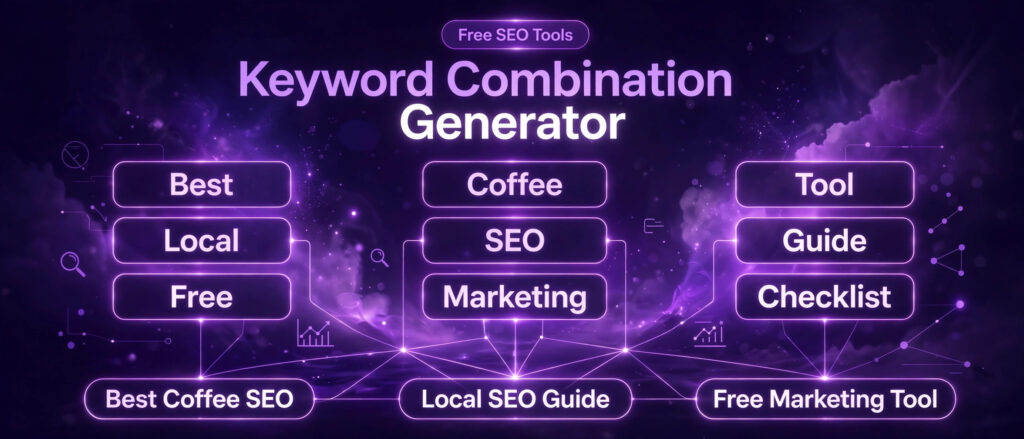
A keyword combination generator is one of the simplest tools in SEO, and one of the most useful. You give it two or three short lists of words. It joins every word in the first list with every word in the second list, and every word in the third list if you fill it in, and it hands you back every possible combination. A few short lists become a long list of keyword ideas in seconds, with no typing of each phrase by hand.
The free LinkTrixx Keyword Combination Generator does exactly that, in your browser, with no signup and nothing uploaded. This guide explains what a keyword combination generator is, why combinations matter for SEO and for ads, how the maths works, how to use the LinkTrixx tool step by step with the real example lists from the tool itself, how to build good lists, how to clean the output, and how combinations fit beside the other free tools on this site.
What is a keyword combination generator, in simple words
A keyword combination generator, also called a keyword combiner or a keyword mixer, takes separate lists of words and joins them into every possible combination. You put a list of core terms in the first column, a list of modifiers in the second column, and an optional list of qualifiers in the third column. The tool joins one item from each column, in order, to produce every combination.
The example on the LinkTrixx tool makes the idea concrete. Column 1 holds link building, seo services, and guest posting. Column 2 holds for small business, for startups, and in 2026. With 3 words in each column, the tool shows the message 9 keyword combinations generated, because 3 times 3 is 9. The first 6 combinations, in order, are link building for small business, link building for startups, link building in 2026, seo services for small business, seo services for startups, and seo services in 2026. To run the tool yourself, follow How to Use a Keyword Combination Generator, which works through the same example step by step.
Add 3 words in Column 3, near me, online, and services, and the count becomes 27 keyword combinations generated, because 3 times 3 times 3 is 27. The first 3 are link building for small business near me, link building for small business online, and link building for small business services. Each new word you add multiplies the list, which is why a combiner is powerful and why it needs a filter afterwards.
That multiplication is the whole trick. You never type the 27 phrases. You type 9 short entries, 3 in each column, and the tool does the joining. With 10 entries in each of three columns, the same trick produces 1,000 combinations. With 20 in each, it produces 8,000. The tool does the arithmetic. Your job is to choose the lists well and to prune the output afterwards.
Why keyword combinations matter for SEO
Keyword combinations matter because searchers rarely type a single word. They type a core term plus a modifier that says who they are, where they are, what they want, or when they want it. Link building on its own is a head term with heavy competition. Link building for startups in 2026 is a long tail phrase with a clear searcher behind it: a startup founder, looking now, for a service that fits a young company. The combination turns a vague topic into a page idea with an audience.
Our guide What Are Long Tail Keywords explains why that specificity wins. Long tail keywords are longer, more specific phrases with relatively low search volume and low competition, and they tend to convert better because the searcher is further along in the buying cycle. Backlinko reports that 92 percent of all keywords get 10 or fewer searches per month, citing Ahrefs data, which means the long tail is where most of the phrases live. A combiner is the fastest way to map that territory for a topic you already know. A related check is where the keyword sits in the copy, which our guide What Is a Keyword Position Checker? explains.
Combinations also matter for coverage. A single guide about link building can rank for its head term and for a cluster of nearby long tail phrases, but only if you know which phrases exist. A combiner lists them all, including the awkward ones, and the awkward ones are often the phrases competitors missed. The phrases you would never think to type by hand are exactly the phrases a combiner finds for you.
There is a third reason, and it is about planning rather than ranking. A combination list is a content plan in raw form. Each sensible combination is a candidate page, a candidate section, or a candidate heading. A list of 27 combinations from the example above is a month of content ideas for a link building agency, once the nonsense pairs are removed and the survivors are checked for demand. For a large organisation, that month of ideas feeds a bigger plan: our guide Enterprise Link Building: A Complete Guide for 2026 shows how those pages earn links at scale, and LinkTrixx Enterprise Link Building: How It Works shows how the service runs.
Why keyword combinations matter for ads
In paid search, combinations matter even more, because structure is the campaign. A Google Ads account is built from ad groups, and each ad group holds keywords that share a theme. A combiner builds those themed lists in seconds: one column for the service, one column for the audience or location, one column for the intent word, and the output is a ready made ad group list.
Match types decide how closely a search must relate to your keyword before your ad can show. Google Ads Help explains that broader match types capture all the searches of the narrower ones, plus more. Broad match is the default and can show your ad on related searches, including some that do not contain your keyword words at all. Phrase match shows your ad on searches that include the meaning of your keyword. Exact match gives the most control and the smallest reach, showing your ad on searches with the same meaning or intent. Read the official page, About keyword matching options, before you build an ads list from any generator output, because the behaviour of each match type decides how much of your budget a combination list can spend.
A combiner output fits ads work because it is already structured. The combinations from one set of columns share a theme, so they belong in one ad group with one landing page and one message. The combinations from a different set of columns belong in a different ad group. That structure is what keeps an ads account readable when it grows to hundreds of keywords.
Negative keywords belong in the same workflow. A combiner will produce phrases you do not want to bid on, such as free or cheap variants for a premium service, or job seeking phrases for a hiring page. Those phrases go on the negative list, not in the bin, because the same list that builds your targets also builds your exclusions.
How a combiner works under the hood
A combiner is list maths, not magic. It takes the items in each column, one per line, and walks through them in nested order: for every item in Column 1 it pairs every item in Column 2, and if Column 3 is filled, every item in Column 3 as well. The order is fixed: Column 1, then Column 2, then Column 3. It never reorders the words, so it gives you best running shoes online but never running shoes best online. That fixed order is a feature, because search phrases have a natural word order, and a combiner that shuffled the words would produce phrases nobody types.
The count is the product of the list sizes. Two lists of 3 items give 9 combinations. Three lists of 3 items give 27. Two lists of 10 give 100. Three lists of 10 give 1,000. The maths is simple, and it is worth doing before you paste a long list, because a few extra words in each column can produce a list far longer than you expected. Short lists are a discipline, not a limitation.
The output is raw. The combiner does not know which phrases people actually search for, so it pairs everything, including the nonsense pairs, and it does not remove duplicates, sort the list, or check demand. You still filter for relevance, check volume, and prune the nonsense afterwards. A combiner makes candidates, not data. Feed the candidates to a tool that holds search data, such as Google Keyword Planner, before you build pages or ad groups around them.
Most combiners run entirely in your browser, and the LinkTrixx tool is one of them. Nothing you type is sent to a server, which matters when the lists encode unreleased products, client campaigns, or competitive strategy. The combining happens on your own computer, and the only thing that leaves it is the file you choose to download.
The LinkTrixx Keyword Combination Generator, column by column
The free tool lives at Keyword Combination Generator. It is free, with no signup, and everything runs in your browser. The page header and footer match the rest of the site. There is no Related guides section on the tool page yet.
The tool has three columns. Column 1, Column 2, and Column 3, which is optional. You type one word or phrase per line in each column. The instruction under the columns says, in full: One word or phrase per line in each column. Combinations update live as you type. There is no Generate button to press. The combinations appear as you type, and the count updates with them.
The placeholders show the intended shape of each list. Column 1 suggests link building, seo services, and guest posting. Column 2 suggests for small business, for startups, and in 2026. Column 3 suggests near me, online, and services. Those placeholders are examples, not a fixed sample. You replace them with your own words, and the tool works with whatever you type.
Three buttons sit below the columns, on the left: Load sample, Copy, and Download. Load sample fills the tool with a sample so you can see it work before you type your own lists. Copy copies the combination list to your clipboard. Download saves the list as a file. Copy shows the message Copied to clipboard. Download shows a confirmation message and saves a file called keyword-combinations.txt.
Before you type anything, the tool shows two empty states that explain what it needs. One reads: Add words to Column 1 and Column 2 to see keyword combinations here. The other reads: Add at least one word to Column 1 and Column 2 to generate combinations. Column 3 is optional throughout: the tool works with two columns, and the third column only multiplies what the first two already produce.
The note under the results states the privacy promise in plain words: the tool is free with no signup, your combinations are generated in your browser, and they are never uploaded. That promise is the reason the tool can be used for client campaign lists and unreleased product names without worry.
Step by step: using the tool with the real example lists
Follow these steps exactly, and you will see the same numbers the live tool shows: 9 combinations from two columns, then 27 from three.
Step 1: open the tool
Open the Keyword Combination Generator. You will see three empty columns, the instruction line, and the three buttons below them. No account, no email address, and no settings stand between you and the tool.
Step 2: fill Column 1 with core terms
Type one core term per line in Column 1. Use the placeholder shape as your guide: link building on the first line, seo services on the second, guest posting on the third. Core terms are the services or topics you actually offer. Keep them short, keep them in the words your customers use, and do not mix two different services into one line.
Step 3: fill Column 2 with modifiers
Type one modifier per line in Column 2: for small business on the first line, for startups on the second, in 2026 on the third. Modifiers say who the searcher is, or when they are searching. As soon as Column 2 has its first entry, combinations appear, and the count reads 9 keyword combinations generated once all three lines are in place in both columns.
Step 4: read the 9 combinations
The 9 combinations, in the order the tool shows them, are: link building for small business, link building for startups, link building in 2026, seo services for small business, seo services for startups, seo services in 2026, guest posting for small business, guest posting for startups, and guest posting in 2026. The first 6 are listed in that order on the live tool, and the pattern continues through guest posting in the same way. Read them slowly. Three of them may be strong page ideas. Two may be weak. One may be nonsense. That judgement is your job, and it is the most valuable step in the whole workflow.
Step 5: add Column 3 and watch the count jump
Type near me on the first line of Column 3, online on the second, and services on the third. The count jumps to 27 keyword combinations generated. The first 3 are link building for small business near me, link building for small business online, and link building for small business services. Every combination from step 4 now appears three times, once with each Column 3 word on the end. That is the multiplication in action, and it is also the warning: a third column triples the pruning work as well as the output.
Step 6: copy or download the list
Press Copy to put the full list on your clipboard, ready to paste into a spreadsheet or into Keyword Planner. Press Download to save the list as a file called keyword-combinations.txt. Copy shows the message Copied to clipboard. Work from the downloaded file from here on, so the browser tab can be closed without losing the list.
Step 7: prune before you use anything
Delete every combination that no real searcher would type, every duplicate, and every phrase that points at the wrong intent. In the example above, link building for small business services is awkward, and guest posting in 2026 is thin as a page idea on its own. Keep the survivors, and check them for demand before you build anything around them. The pruning step is covered in full later in this guide.
A second worked example: a link building agency list
The example above uses the tool placeholder lists. Here is a second example built from the services a link building agency actually sells, so you can see how the columns change when the business changes.
Column 1 holds the services: link building, guest posting, and white label link building. Column 2 holds the audiences: for SaaS, for startups, and for agencies. Column 3 holds the qualifiers: pricing, services, and in 2026. Three lists of 3 give 27 combinations, from link building for SaaS pricing through to white label link building for agencies in 2026.
Read the 27 with a buyer eye. Link building for SaaS pricing is a strong commercial phrase, and it maps to a pricing page. White label link building for agencies is a strong service phrase, and it maps to the white label service page. Guest posting for startups in 2026 is weaker, because the year adds little to a service search, and it may work better as a section inside a guide than as a page of its own. Link building for agencies services is awkward and should be cut. The pattern is the same in every example: about a third of the output is strong, about a third is usable with editing, and about a third should be deleted.
That ratio is normal, and it is not a defect in the tool. A combiner cannot know which phrases carry demand, so it gives you everything and trusts you to judge. The judgement is fast once you practise it: read each phrase aloud, ask who would type it, and ask what page would satisfy them. If you cannot answer both questions, delete the phrase.
Building good lists: what goes in each column
Good output starts with good lists. The combiner multiplies what you give it, so a careless list gives you a long list of careless phrases. Three rules govern all three columns.
Column 1: core terms, the thing you sell or write about
Column 1 holds the core terms: the services, products, or topics at the centre of the work. Use the words your customers use, not the words your industry uses internally. Link building is a core term. Guest posting is a core term. Seo services is a core term. Keep each entry to one phrase, keep the list short, and keep every entry at the same level: do not mix a broad service with a narrow feature in the same column, or the combinations will mix levels too.
Column 2: modifiers, the who, where, and when
Column 2 holds the modifiers: who the searcher is, where they are, or when they are searching. For small business and for startups say who. Near me says where. In 2026 says when. For SaaS and for agencies say who, in a business to business sense. A good modifier column has one kind of modifier in it, not three kinds mixed together, because a mixed column produces mixed phrases and half of them will be nonsense.
Column 3: qualifiers, the intent word
Column 3 holds the qualifiers: the word that says what the searcher wants to do. Pricing, cost, services, guide, and checklist are qualifiers. Online and near me can work as qualifiers too, though they also work as modifiers, and the choice of column matters less than the consistency of the list. Keep qualifiers short, keep them at the same level, and remember that Column 3 is optional: if the two column output already covers your need, leave the third column empty.
Five list building habits that save hours
First, one phrase per line, always. A line with two phrases in it produces combinations that contain both, and the output doubles in confusion. Second, no duplicates across a column, because a duplicated entry produces duplicated combinations. Third, consistent form: if one entry is plural and the next is singular, the output will mix them, so pick one form per column. Fourth, short lists first: start with 3 entries per column, read the 27, then grow the lists only where the output stays clean. Fifth, write the lists from real customer language: sales calls, support tickets, and search console queries beat brainstorming from memory every time.
Using combinations for SEO: from list to content plan
A combination list becomes a content plan in four moves: filter, check, group, and map. Skip any one of them and the list stays a list.
Filter for sense and intent
Delete every phrase no real searcher would type, every phrase that points at the wrong intent, and every near duplicate. In the agency example above, link building for agencies services goes, guest posting for startups in 2026 is demoted to a section idea, and link building for SaaS pricing stays. Judge each survivor by two questions: who would type this, and what page would satisfy them. If you cannot answer both, delete the phrase.
Check demand in Keyword Planner
Paste the survivors into Google Keyword Planner, which sits inside a Google Ads account and is free to use. Planner returns keyword ideas with search volume, trends, competition level, and bid ranges. For accounts without active ad campaigns, Google often shows volume in ranges, such as 100 to 1,000 searches per month, instead of exact numbers. That is enough to sort the survivors into real demand, thin demand, and no demand. Drop the no demand phrases, and keep the thin demand phrases only where the intent is clearly commercial, because a commercial phrase with thin volume can still be worth a page.
Our comparison guide Free Long Tail Keyword Generator vs Paid SEO Tools explains the paid side of the same check: Ahrefs, Semrush, Moz, KWFinder, and Long Tail Pro all add difficulty scores, click data, and competitor gaps that Planner does not offer. Use the free check first, and pay for the difficulty check only when the shortlist justifies it.
Group the survivors into clusters
Group the survivors by topic, not by column. All the link building for SaaS phrases belong together, whether they came from Column 2 or Column 3. All the guest posting phrases belong together. Each cluster is a topic, and each topic gets one strong page plus supporting sections. A cluster of long tail phrases with individual volumes as low as 30 can add up to a collective volume near 1,000, as Semrush reports in its long tail guide, which is why clusters beat single keywords as a planning unit.
Map each cluster to a page
Give each cluster a page that matches its intent. A pricing cluster maps to a pricing page. A guide cluster maps to a guide. A services cluster maps to a service page. Never map two clusters to the same page, and never map one cluster to two pages, because both mistakes split the ranking signal. Google Search Central advice on creating helpful content makes the same point: useful content should satisfy the searcher need and purpose. The page that wins is the page that answers the whole cluster better than any other page answers any part of it.
Using combinations for Google Ads: ad groups that make sense
For ads, the same four moves apply, with match types and negatives added. Build one ad group per cluster, not one ad group per combination, because an ad group with 27 near identical keywords and one landing page is harder to manage than an ad group with 9 strong keywords and a message that matches them all.
Set match types deliberately. Exact match gives the most control and the smallest reach, and it suits the proven converters you already know. Phrase match is the practical middle ground for new non brand keywords. Broad match reaches the widest set of related searches, and it works best paired with Smart Bidding and clean conversion data, because the bidding algorithm can price each auction individually. Google Ads Help states that broader match types capture all the searches of the narrower ones, plus more, so you do not need to repeat keywords across match types to cover the same ground.
Add negatives from the same list. The combiner output always contains phrases you do not want to bid on: free and cheap variants for a premium service, job seeking phrases, and location phrases outside your service area. Put those on the negative list at the ad group or campaign level before the campaign goes live, not after the budget has been spent on them.
Keep the landing page matched to the ad group. A combination list that promises link building for SaaS pricing should land on a page that shows SaaS pricing, not on a general homepage. The match between the keyword, the ad, and the landing page is what turns clicks into enquiries, and a combiner list that is well grouped makes that match easy to keep.
Using combinations for local SEO and programmatic pages
Combinations are the quickest way to map location pages and blog topics for local SEO. Put services in Column 1, towns, cities, or neighbourhoods in Column 2, and modifiers such as near me or services in Column 3. The output is a full map of the location pages you could build, and it shows the gaps in your coverage at a glance.
The caution is as important as the technique. A location page only deserves to exist if it says something real about that location: a local case, a local team member, a local service difference, or local proof. A page that swaps only the town name and repeats the same paragraph is a thin page, and a site full of thin pages is worse than a site with fewer, stronger pages. Use the combiner to find the locations, then write each page as if it were the only page on the site.
The same caution applies to programmatic SEO, where many pages are built from one template and a list of data, such as a page for each city and each kind of workspace. A combiner can generate the page titles and the keyword lists for that programme in minutes. It cannot supply the local detail that makes each page worth ranking. Generate the list with the tool, then earn each page with real content.
Common mistakes with keyword combinations
The first mistake is building a huge list nobody filters. Three lists of 20 items give 8,000 combinations, and nobody reads 8,000 phrases. Start with 3 items per column, read the 27, and grow the lists only where the output stays clean. A short list you actually read beats a long list you never open.
The second mistake is keeping the nonsense pairs. A combiner pairs everything, including phrases no searcher would type, and those phrases pollute every later step if they survive: they waste Planner checks, they bloat ad groups, and they become thin pages. Prune ruthlessly. Deleting is the work, not generating.
The third mistake is treating the output as a keyword list ready to publish. The output is candidates, not data. It carries no volume, no difficulty, and no intent label. Every phrase needs a demand check before it earns a page or a bid.
The fourth mistake is duplicating entries across a column, or mixing levels inside a column. A duplicated entry doubles its combinations. A column that mixes audiences with locations produces phrases that mix both, and half of them will be nonsense. One kind of word per column, one form per column, no duplicates.
The fifth mistake is building thin location or programmatic pages from the list. A combiner can generate a thousand page ideas in a minute. A thousand thin pages is a liability, not an asset. Build the pages that deserve to exist, with real local detail, and leave the rest as ideas.
The sixth mistake is forgetting the searcher. A combination is a phrase, not a person. Read each survivor aloud, ask who would type it, and ask what page would satisfy them. If the answer is vague, the phrase is vague, and vague phrases make vague pages.
Combiners, generators, and Keyword Planner: what each one does
Three free tools are often confused, and the confusion wastes time. Each one does a different job, and the workflow uses all three in order.
A keyword combination generator multiplies your own lists. You supply the words, it supplies the joining. It is best when you already know your services, your audiences, and your qualifiers, and you want every pairing between them. The LinkTrixx Keyword Combination Generator is the tool for this step.
A long tail keyword generator builds ideas from a single seed. You supply one word, it supplies pattern based variations around it. It is best when you have a topic and you want to discover phrasing you had not thought of. The LinkTrixx Long Tail Keyword Generator gives 23 ideas from any seed, and our guide What Are Long Tail Keywords explains the phrases it returns, while the worked example How to Use a Long Tail Keyword Generator shows the full lists for real seeds.
Google Keyword Planner checks demand. You supply a list, it supplies volume ranges, trends, competition, and bid data from Google own auction data. It is best after the other two tools have built the list, because it answers the question neither of them can: how many people search for this phrase.
Use them in that order: generate ideas from a seed, multiply your own lists into combinations, then check demand. A paid tool adds difficulty and competitor data after that, and our comparison Free Long Tail Keyword Generator vs Paid SEO Tools sets out when that extra data is worth paying for.
How to judge and clean your output
Cleaning is a repeatable pass, not a feeling. Run every combination list through these six checks, in order, and keep only the phrases that pass all six.
First, sense: would a real person type this phrase into Google? Delete anything you cannot imagine a person typing. Second, intent: does the phrase point at the page you want to build, or at a different job entirely? Delete the mismatches, and move the job seeking and freebie phrases to the negative list for ads. Third, duplicates: remove exact duplicates and near duplicates that would split one page into two. Fourth, demand: check the survivors in Keyword Planner and drop the phrases with no visible demand, unless the intent is clearly commercial. Fifth, difficulty: search the survivors in Google and read the top ten pages. A results page full of major publications is a harder target than a page full of thin posts, and that reading costs nothing. Sixth, mapping: give each survivor a page, a section, or an ad group. A phrase with no home is not a keyword, it is a note, and notes belong in a backlog, not in a campaign.
Keep the cleaned list in a spreadsheet with four columns: the phrase, the volume range, the intent, and the page it maps to. That sheet is your content plan and your ads plan in one place, and it is the document the combiner output was always meant to become.
A weekly workflow that puts it all together
Run this workflow once a week and the combiner becomes a habit rather than a one off exercise. Monday, pick one topic and brainstorm 3 seeds in the long tail generator. Tuesday, build 3 lists in the combination tool and download the output. Wednesday, prune the list to 15 survivors and check them in Keyword Planner. Thursday, search the survivors in Google, read the top ten pages, and group them into clusters. Friday, write one page for the strongest cluster, or build one ad group from it, and record the mapping in your sheet. The next Monday, start the next topic.
That rhythm produces about four pages a month from combination lists, which is a sustainable pace for a small site, and each page arrives with its demand checked, its intent matched, and its cluster mapped. The tool does the multiplying in seconds. The week does the judging, and the judging is the work that ranks.
Related free tools and the link building connection
Keyword combinations sit at the start of a publishing checklist, and the other free tools on this site cover the steps that follow. The SERP Preview guide and the walkthrough How to Use a SERP Preview Tool check the title and description before you publish. The image compression guide and the walkthrough How to Use the Image Compressor keep pages fast. The JSON guide and the walkthrough How to Use a JSON Formatter and Validator keep schema valid. Research the phrase, write the page, check the preview, compress the images, validate the schema, then publish.
Keyword research and link building are two halves of the same job. Research finds the phrases worth ranking for. Links help the pages behind those phrases rank. A long tail page built from a combination list is also a page that earns links more easily, because other writers can point at it as the clearest answer to that specific question. That is why the guides on this site pair keyword tools with link building from the start.
For SaaS companies, the pattern is direct: find the long tail phrases your buyers search for, write the pages that answer them, then build links to those pages. Our SaaS link building work follows that order, and our guide How to Build Backlinks for a SaaS Website sets out the link building side. For agencies that resell the work, the same pages sit inside a white label delivery, and our white label link building service covers that. For guest posting, where the article lives on someone else site, the keyword research happens before the pitch, not after, and our guest posting service follows that rule on every placement. If you are planning that kind of campaign, our link building services page is the place to start.
The short answer to the question in the title is this. A keyword combination generator joins your own word lists into every possible combination, so a few short lists become hundreds of keyword ideas. The free LinkTrixx Keyword Combination Generator does that in your browser with no signup, showing 9 combinations from two lists of 3 and 27 from three lists of 3. Your job is to choose the lists well, prune the output, check demand, and build pages and ad groups only for the phrases that survive. The tool does the multiplying. You do the judging.
Frequently Asked Questions
What is a keyword combination generator?
A keyword combination generator, also called a keyword combiner or a keyword mixer, takes two or three short lists of words and joins them into every possible combination. You put core terms in the first column, modifiers in the second, and optional qualifiers in the third, and the tool joins one item from each column, in order, to produce every combination. With 3 words in each of two columns you get 9 combinations, and with 3 words in each of three columns you get 27.
How do I use the LinkTrixx Keyword Combination Generator?
Open the free Keyword Combination Generator and type one word or phrase per line in each column. Column 1 holds core terms such as link building, seo services, and guest posting. Column 2 holds modifiers such as for small business, for startups, and in 2026. Column 3 is optional and holds qualifiers such as near me, online, and services. Combinations update live as you type, and the count shows how many were generated. Press Copy to copy the list, or Download to save it as a file called keyword-combinations.txt. Load sample fills the tool with a sample so you can see it work before you type your own lists.
Does a keyword combination generator show search volume?
No. A combiner makes candidates, not data. It joins your lists and shows every combination, but it does not know which phrases people actually search for, because it holds no search data. Check the cleaned list in Google Keyword Planner for volume ranges, and check difficulty by reading the top ten pages in Google, or in a paid tool. Our comparison Free Long Tail Keyword Generator vs Paid SEO Tools explains what paid tools add.
What is the difference between a keyword combiner and a keyword generator?
A combiner multiplies lists you supply: you give it the words, it gives you every pairing. A generator builds ideas from a single seed: you give it one word, it gives you pattern based variations around it. Use a generator when you want to discover phrasing you had not thought of, and use a combiner when you already know your services, audiences, and qualifiers and you want every pairing between them. The two tools work best in order, generator first for discovery, combiner second for coverage, then Keyword Planner for demand.
Can I use keyword combinations for Google Ads?
Yes, and ads work is one of the best uses for a combiner. Build one ad group per cluster, set match types deliberately, and add negatives from the same output. Broad match is the default and reaches the widest set of related searches. Phrase match shows your ad on searches that include the meaning of your keyword. Exact match gives the most control and the smallest reach. Google Ads Help explains that broader match types capture all the searches of the narrower ones, plus more, so you do not need to repeat keywords across match types. Keep the landing page matched to the ad group, and put free, cheap, and job seeking variants on the negative list.
Is the LinkTrixx Keyword Combination Generator free?
Yes. The tool is free with no signup, and everything runs in your browser, so nothing you type is uploaded. It has three columns, with the third optional, combinations that update live as you type, a count of how many combinations were generated, and Copy and Download buttons. Before you type anything it shows the message Add words to Column 1 and Column 2 to see keyword combinations here, and the tool works with two columns alone, adding the third only when you want the list multiplied further.