

Free SERP Preview Tool vs Paid SEO Tools: Which One Do You Need
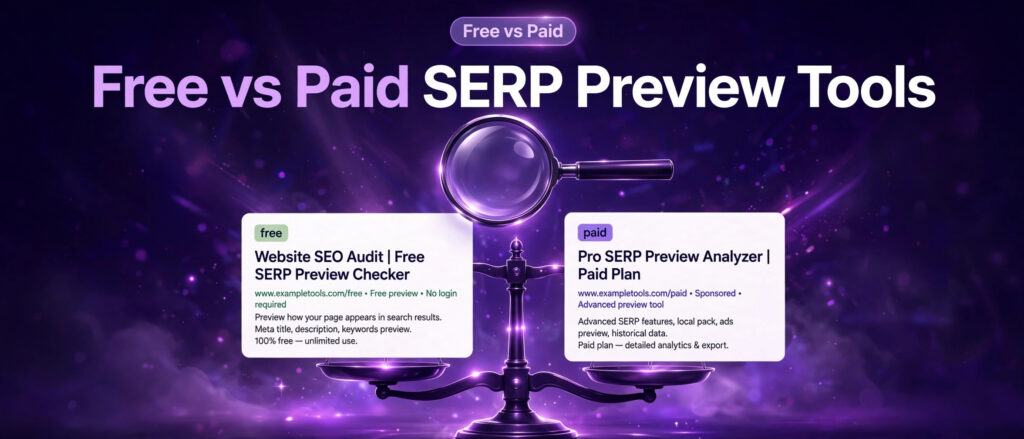
A free SERP preview tool and a paid SEO suite both show you how a page looks in Google search results. That shared feature makes the choice look confusing. If the free tool shows the same blue title, the same address, and the same description as the paid one, why would anyone pay? The answer is that the preview is only one small feature inside a paid suite, and the suite earns its price from everything around the preview, not from the preview itself. The free tool does one job well. The paid suite does many jobs, and charges for all of them. The same free versus paid question comes up for keyword tools, and our comparison Free Long Tail Keyword Generator vs Paid SEO Tools works through it for keyword research.
This article compares the two honestly, with prices verified from the official pricing pages on 14 November 2026, and with a plain statement wherever a price could not be verified. It covers what the free LinkTrixx SERP Preview Tool does, what Semrush, Ahrefs, SE Ranking, Moz, Yoast SEO Premium, Rank Math PRO, and Screaming Frog add on top of a preview, when the free tool is enough, and when a paid plan earns its price. It does not invent prices, and it does not pretend a preview tool can do the job of a rank tracker or a backlink database.
If you have not used a preview tool yet, read the first two articles in this set first. Our guide to what a SERP preview is explains the idea, and our article on how to use a SERP preview tool works through the LinkTrixx tool step by step on real pages, with every character counted. This article is the commercial half of the set. It assumes you know how a preview works, and it helps you decide what to pay for.
The Job a SERP Preview Does
A SERP preview shows how a page could look in Google search results before it is published: a blue title link on top, the page address below it, and the meta description underneath in grey text. It is a simulation, not a live result. Nothing is fetched from Google, nothing is ranked, and the preview changes nothing on Google. It only changes the quality of the words you publish, by showing you a title that runs too long, a description that ends in the middle of a sentence, or a keyword buried at the end where nobody reads it, while there is still time to fix it.
That job is small, and it is the same job in every tool that offers it. A free preview tool and a paid suite both take a title, a URL, and a description, and both lay them out as a Google result. The difference is never the preview itself. The difference is what else the tool does, how much of it is free, how many pages it covers, and whether the preview sits inside a workflow you already pay for.
Keep that in mind through the whole comparison. If a sales page lists fifty features and you only need one of them, you are not buying a tool, you are renting a warehouse for a single box. And if you need twenty of those features every week, a free tool that does one of them will cost you more in time than the suite costs in money. The right choice depends on the work you actually do, not on the size of the feature list.
What the Free LinkTrixx Tool Gives You
The free SERP Preview Tool on LinkTrixx does the preview job with the fewest moving parts. It gives you three fields, one for the title, one for the URL, and one for the description. As you type, it builds two previews side by side, one for desktop and one for mobile, so you can see how the same listing reads on a wide screen and on a phone. Character counters sit with the fields and warn you as soon as the title passes 60 characters or the description passes 160 characters. When the listing reads well, a Copy button copies the title and description, and a Download button saves the preview details as a text file.
It is free, with no sign up, no account, and no limits on how many previews you run. Everything runs in your browser, so your title, URL, and description are never uploaded or stored. There is no trial period, because there is nothing to trial, and no usage cap to hit. You can check one page or one hundred pages, and the tool works the same way on the hundredth as on the first.
What it does not do is just as important. It does not track rankings, so it cannot tell you where a page sits in the results today or where it sat last month. It does not fetch live data from Google, so it cannot show you the snippet Google actually shows, only the snippet Google would show if it used your words. It does not store your checks, so there is no history to compare, no alert when a title changes, and no report to send a client. It does not audit the page, research keywords, or look at backlinks. It is a preview tool, and it stays one.
For many site owners, that is enough. If you publish a few pages a month and you want each listing to read well before it goes live, the free tool covers the whole job. The limits only start to matter when the work grows: many pages, many clients, daily ranking checks, or reports that need to be saved and shared. That is where the paid options begin to earn their price, and the next sections show what they add.
What Paid Tools Add on Top of a Preview
Paid SEO tools fall into three groups, and each group adds a different set of features around the preview. Knowing which group a tool belongs to makes the comparison much clearer than comparing feature lists line by line.
The first group is the all in one suite: Semrush, Ahrefs, SE Ranking, and Moz. These are large platforms that bundle keyword research, rank tracking, site audits, backlink data, competitor research, and content tools into one subscription. A snippet preview sits inside them as a small feature, usually in an on page checker, a writing assistant, or a site audit report. You do not buy a suite for the preview. You buy it for the tracking, the data, and the reporting, and the preview comes along with the rest.
The second group is the WordPress plugin: Yoast SEO Premium and Rank Math PRO. These live inside the WordPress editor, where the writing happens, and they show a Google preview of the title and description as you write, next to readability checks, keyword checks, schema controls, and redirect tools. The preview here is part of the writing workflow rather than a separate check. You open the post, write the title and description, see the preview in the same screen, and publish without leaving the editor.
The third group is the desktop crawler: Screaming Frog is the best known example. It crawls a whole site and reports on every page at once, including title and description lengths, missing tags, duplicates, and a built in SERP snippet emulator that shows how each page would look in the results. The preview here is a bulk check, not a single page check. You do not open one page and type its title in. You crawl five hundred pages and see which ones need attention.
There is also a fourth category worth naming, because it confuses the comparison: free checkers inside paid suites. Semrush offers a free SERP checker that shows the top 10 Google results for a keyword, with 5 free checks a day and no sign up. Ahrefs offers a free SERP checker that shows the top 10 results with Domain Rating, URL Rating, backlinks, referring domains, traffic, and Keyword Difficulty. SE Ranking offers 5 free checks a day. These are rank checkers, not preview tools: they show who ranks for a keyword, not how your page would look in the results. They are useful for research before you write, and they are free, but they do not replace a preview tool, and they do not replace a paid tracker either, because they save nothing and track nothing over time.
The Paid Options, One by One
This section looks at each paid option in turn: what preview feature it offers, what else it does, and what it costs, with every price tied to the official pricing page it was read from on 14 November 2026. Where a price could not be verified, the article says so plainly instead of guessing.
Semrush
Semrush is the largest of the all in one suites. Its plans cover keyword research, position tracking, site audits, competitor analysis, content tools, and AI visibility tracking across Google search, ChatGPT, Perplexity, and Gemini. The entry plan covers 5 websites to monitor and 500 keywords to track daily, with position tracking and site audit included. Higher plans raise those limits to 15 websites and 1,500 keywords, then to 40 or more websites and 5,000 or more keywords, and add historical data, content optimisation, and API access. A free SERP checker sits outside the paid plans, showing the top 10 results for a keyword with 5 free checks a day and no sign up.
The price could not be verified today. The official Semrush pricing page was read on 14 November 2026, and the readable text of the page did not show the plan prices, so no Semrush price is stated in this article. Third party comparisons published in November 2026 cite figures for Semrush plans, but those figures were not verified from the official page today, and this article does not repeat them as fact. If you are considering Semrush, open the official pricing page and read the price there before you decide, because Semrush changes its plan names and prices more often than most tools, and a figure from last month may already be out of date.
Ahrefs
Ahrefs is the other large suite, built on its own web crawler and backlink database. Its plans cover Site Explorer, Keywords Explorer, Site Audit, Rank Tracker, Competitive Analysis, and Brand Radar for AI prompt tracking. The entry plan tracks 750 keywords, with weekly updates, and includes 6 months of historical data and 100,000 crawl credits a month. Higher plans raise those limits to 2,000 and then 5,000 tracked keywords, with 2 and 5 years of historical data, and add Content Explorer, Batch Analysis, and SERP comparison. A free SERP checker shows the top 10 results for a keyword with link metrics, and a free Ahrefs account gives limited access to Site Explorer and Site Audit for a site you own.
The price could not be verified today. The official Ahrefs pricing page was read on 14 November 2026, and the readable text of the page did not show the plan prices, so no Ahrefs price is stated in this article. Third party comparisons published in November 2026 cite figures for Ahrefs plans, but those figures were not verified from the official page today, and this article does not repeat them as fact. If you are considering Ahrefs, open the official pricing page and read the price there before you decide.
SE Ranking
SE Ranking is a full suite at a lower entry point than the two above, and it is the first paid option in this comparison with a price verified from its official pricing page today. The Core plan costs $103.20 a month when billed annually, or $129.00 a month when billed monthly. It covers 10 projects, 1 manager seat, 2,000 keywords tracked daily, 250,000 audit pages a month, and includes rank tracking, keyword and competitor research, website and on page audit, an on page checker and SERP analyser, and AI visibility tracking for 25 prompts a day. The Growth plan costs $223.20 a month when billed annually, or $279.00 a month when billed monthly, and raises the limits to 30 projects, 3 manager seats, 5,000 keywords tracked daily, and 2 million audit pages a month, with historical data, guest links, page change monitoring, and dedicated support. A 14 day free trial is included, and the trial covers up to 10 projects and 750 tracked keywords a day.
For a small agency or a site owner who wants daily rank tracking plus a preview, SE Ranking is the most direct paid alternative to the two suites above, and it is the only one of the three whose price could be verified in full today. The preview feature itself is the on page checker and SERP analyser, which checks a page against the results and shows how it would appear, alongside the audit data for the same page.
Moz
Moz Pro is the fourth large suite, known for its on page grader, keyword research, and link data. Its plans cover rank tracking, site audits, and on page optimisation, and its preview feature sits inside the on page tools, showing how a title and description would appear in the results.
No Moz price is stated in this article. The Moz website could not be read from this environment on 14 November 2026, because the domain is blocked by the network policy in place here, so no price was verified from the official pricing page today. If you are considering Moz, open the official pricing page and read the price there before you decide.
Yoast SEO Premium
Yoast SEO Premium is a WordPress plugin, not a suite, and its price was verified from its official page today. It costs $118.80 a year for one site. The plan includes the Yoast SEO Premium plugin, plus the Local SEO, News SEO, and Video SEO plugins, one seat for the Yoast SEO Google Docs add on, full access to Yoast SEO Academy, and 24 hour support. Bulk purchases qualify for a discount, and managing 100 client sites or more has custom licensing.
The preview feature in Yoast is the snippet preview in the WordPress editor. As you write a post, Yoast shows how the title and description would look in Google results, next to readability feedback, keyphrase checks for up to five keyphrases, internal linking suggestions, and an orphaned content check that finds pages nothing links to. It also drafts titles and descriptions with AI, fills metadata gaps in bulk, and handles redirects when a page moves. The preview is part of the writing screen, not a separate tool, which is the whole point of a WordPress plugin: the check happens where the words are written, so it is hard to skip.
For a WordPress site owner who publishes regularly and wants the preview inside the editor, Yoast SEO Premium is the cheapest paid route to a preview that is verified in this article, at $118.80 a year. The free version of Yoast SEO also includes a basic snippet preview, so the paid plan is worth it for the extra keyphrases, the AI drafting, the redirect manager, and the extra plugins, not for the preview alone.
Rank Math PRO
Rank Math PRO is the other large WordPress SEO plugin, and its price was verified from its official pricing page today. The PRO plan renews at $8.99 a month when billed annually, for unlimited personal websites, with rank tracking for 500 to 1,000 keywords, a schema generator, a broken link checker, automated keyword linking, and 24 hour support. A Black Friday sale on the day this article was written offered the first year at $4.99 a month, billed annually. The Business plan renews at $27.99 a month, for 100 to 200 client websites and rank tracking for 10,000 to 20,000 keywords. The Agency plan renews at $64.99 a month, for 500 to 750 client websites and rank tracking for 50,000 to 75,000 keywords.
The preview feature in Rank Math is the Google preview inside the WordPress editor, shown alongside the SEO score, the focus keyword checks, and the schema settings for each post. Rank Math also generates XML sitemaps automatically and updates them as pages change, which pairs with the preview check: the sitemap helps Google find the page, and the preview helps the page get clicked once it is found. Our guide to what an XML sitemap is explains that half of the job, and our guide to how to create an XML sitemap walks through it step by step.
For a WordPress site owner, Rank Math PRO is the lowest priced paid option verified in this article, at a renewal price of $8.99 a month billed annually, or $4.99 a month for the first year under the sale running today. The free version of Rank Math also includes a Google preview, so as with Yoast, the paid plan is worth it for the rank tracking, the schema tools, and the client website limits, not for the preview alone.
Screaming Frog
Screaming Frog is a desktop crawler, and it works differently from every tool above. You install it on your computer, point it at a site, and it crawls every page, reporting title and description lengths, missing tags, duplicates, and more, with a built in SERP snippet emulator that shows how each page would look in the results. The preview here is a bulk check across hundreds of pages, not a single page check.
The price was verified on 13 November 2026, the day before this article was written, at €245 per licence per year. It is stated here with that date, because it was not rechecked from the official pricing page today. The free version of Screaming Frog crawls up to 500 URLs, which is enough for a small site, and the paid licence removes the limit and adds the full feature set, including the snippet emulator, custom extraction, and integration with Google Analytics and Search Console data.
For a site with hundreds of pages, Screaming Frog earns its price in a different way from the suites. It does not track rankings or research keywords. It finds the pages whose titles and descriptions are broken, all at once, so you can fix them in bulk instead of checking them one by one in a preview tool. That is a job the free LinkTrixx tool cannot do, because it checks one page at a time.
Prices Verified Today
The table below brings the verified prices together, so you can compare them at a glance. Every price in it was read from the tool’s official pricing page on 14 November 2026, except for Screaming Frog, which was verified on 13 November 2026 and is marked as such. Prices that could not be verified are listed separately, with the reason, rather than filled in with a guess.
Free: LinkTrixx SERP Preview Tool, $0, no sign up, no limits. Preview, desktop and mobile views, character counters, copy and download. No tracking, no audit, no keyword data.
SE Ranking Core, $103.20 a month billed annually, or $129.00 a month billed monthly. 10 projects, 2,000 keywords tracked daily, on page checker and SERP analyser, site audit, 14 day free trial.
SE Ranking Growth, $223.20 a month billed annually, or $279.00 a month billed monthly. 30 projects, 5,000 keywords tracked daily, all Core features plus historical data and dedicated support.
Yoast SEO Premium, $118.80 a year for one site. Snippet preview in the WordPress editor, up to five keyphrases, AI drafting, redirect manager, Local, News, and Video SEO plugins, Academy access, 24 hour support.
Rank Math PRO, renews at $8.99 a month billed annually. First year $4.99 a month under the Black Friday sale running today. Unlimited personal websites, rank tracking for 500 to 1,000 keywords, schema generator, Google preview in the editor. Business renews at $27.99 a month, Agency renews at $64.99 a month.
Screaming Frog, €245 per licence per year, verified 13 November 2026. Desktop crawler, SERP snippet emulator, bulk title and description checks, free version crawls up to 500 URLs.
Not verified today, and not stated: Semrush plan prices, because the official pricing page read today did not show prices in its readable text. Ahrefs plan prices, for the same reason. Moz plan prices, because the Moz website could not be read from this environment today. If you are considering any of those three, open the official pricing page and read the price there before you decide, and treat any price quoted in a third party comparison as unconfirmed until you have seen it on the official page.
Read the table as a range, not a ranking. The cheapest paid option verified here, Rank Math PRO at $8.99 a month on renewal, costs about $108 a year. The most expensive paid option verified here, SE Ranking Growth at $223.20 a month on annual billing, costs about $2,678 a year. The free tool costs nothing. The gap between those numbers is the whole decision: what work, between a single preview and a full tracking suite, do you actually do every week?
Feature Comparison: What Paid Tools Do That Free Cannot
A price table alone does not settle the choice, because the tools do different things. This section compares them on the features that matter for the preview job and the jobs around it.
Preview quality. The free LinkTrixx tool, Yoast, Rank Math, and Screaming Frog all show a desktop and mobile preview of the title, address, and description, and all of them flag titles over 60 characters and descriptions over 160 characters. The suites add pixel width measurement, which is more precise than character counting, because Google cuts titles by width, not by character count. If you want the most precise preview, a suite or a pixel measuring free tool is better. If you want a quick check that the listing reads well, the free tool is enough.
Rank tracking. Only the suites track rankings over time: SE Ranking tracks 2,000 keywords daily on Core and 5,000 on Growth, Rank Math PRO tracks 500 to 1,000 keywords, and Semrush and Ahrefs track hundreds to thousands depending on the plan. The free tool does not track anything. If you need to know whether a page moved up or down after an edit, you need a tracker, and that alone can justify a paid plan.
Backlink data. Only the suites hold backlink data: Ahrefs is built on its own crawler, Semrush and SE Ranking hold their own link indexes, and Moz holds its own link data. The free tool, the WordPress plugins, and Screaming Frog do not show backlinks. If your work is link building, that data is the reason to pay, not the preview. Our link building services explain how that data is used in practice, starting from competitor backlink profiles to find the links a page is missing, and our SaaS link building service applies the same method to software pages.
Site audits. The suites audit whole sites, SE Ranking covers 250,000 audit pages a month on Core and 2 million on Growth, and Screaming Frog crawls a site and reports every title, description, and technical issue at once. The free tool audits nothing. If you manage a site with hundreds of pages, a bulk audit finds the broken listings in one run, while a single page preview tool would take weeks to cover the same ground.
Keyword research. The suites hold keyword databases and show search volume, difficulty, and intent for any phrase. The free tool does not research keywords, and neither do the WordPress plugins beyond the keyphrases you type in yourself. If you are choosing what to write about, you need research data, and that is a suite feature.
History and reporting. The suites save every check, show position history, and build reports you can send to a client. SE Ranking includes white label reporting on its Agency Pack add on, at $69 a month on annual billing. The free tool saves nothing, except the text file you download yourself. If you report to clients, history and reporting are the features you are paying for, and a free tool cannot replace them.
Ease of use. The free tool wins here. It opens, it takes three fields, and it shows the answer. A suite needs projects, keywords, and settings before it shows anything useful, and a WordPress plugin needs the editor open and the post loaded. For a single quick check, the free tool is faster than any paid option, including the ones that cost hundreds of dollars a month.
When the Free Tool Is Enough
The free tool is enough in more situations than most sales pages admit. If any of the following describes you, start with the free tool and spend the money elsewhere.
You run one site, or a small handful of sites, and you publish a few pages a month. The preview job is the whole job: check each new page before it goes live, fix what the preview flags, and publish. There is nothing to track daily, nothing to report to a client, and no audit to run across hundreds of pages. The free tool covers it, and the money stays in your pocket.
You are a writer or an editor, not an SEO specialist. Your job is the words, not the rankings. You need to see how the listing reads, fix the title and description, and hand the page on. A suite would give you fifty features you never open, and a WordPress plugin preview would do the same job inside the editor, but the free tool does it in a browser tab with no setup at all.
You are checking pages before they exist. A preview tool works on words you have not published yet, which makes it useful for writers and editors before publishing, not only for pages that already rank. A rank tracker cannot help with a page that has never been indexed. A preview tool can, and the free one does it as well as any paid one for a single page.
You already use Google Search Console. Search Console is free, it holds 16 months of history, and it reports the impressions, clicks, click through rate, and average position for every query and every page on your site, straight from Google. It is the only ranking data that comes directly from Google, and it covers the measurement half of the job that a preview tool cannot do. Pair the free preview tool with Search Console and you have the two most important checks, the listing before publishing and the performance after it, for no money at all.
You are a link builder or an agency that already pays for data elsewhere. If your budget goes to backlink data, outreach, and content, a free preview tool keeps the snippet check free while the money goes where the rankings actually come from. Our white label link building service works this way for agencies, keeping fulfilment under the agency brand while the agency keeps its own tool stack lean, and our guest posting service earns the links that move pages, which is work no preview tool can do.
When a Paid Suite Earns Its Price
A paid suite earns its price when the work around the preview is regular, repeated, and worth more than the subscription. If any of the following describes you, a free tool will cost you more in time than a suite costs in money.
You track rankings for many keywords. A suite that tracks 2,000 keywords daily, as SE Ranking Core does, replaces hours of manual checking every week. The moment you find yourself opening a rank checker every morning for the same set of keywords, the suite has already earned its price, because the check is automatic, saved, and comparable over time. A free checker that shows one keyword at a time, with nothing saved, cannot do that job.
You manage many pages or many clients. A site with hundreds of pages needs a bulk audit, not a single page preview. A crawler like Screaming Frog finds every long title and missing description in one run. An agency with many clients needs projects, seats, history, and white label reports, which is what the higher suite plans and the SE Ranking Agency Pack add on are built for. The free tool checks one page at a time, and at agency scale that is not a workflow, it is a bottleneck. The same agency still needs content worth linking to, and our guide to how to create linkable content that earns backlinks covers that side of the work, while our guide to the best link building agencies for healthcare companies covers choosing an agency for regulated niches such as healthcare.
You need backlink and competitor data every week. If your work starts from competitor backlink profiles, as link building does, you need a backlink database, and only the suites hold one. A preview tool cannot tell you which links a competitor has that you do not, and no amount of preview checks will replace that data. The suite is not an expense in that case. It is the raw material of the work itself.
You report to clients or to a team. A suite saves history, builds charts, and exports reports with your branding. A free tool saves nothing, and a downloaded text file is not a client report. The first time a client asks why a page moved, the suite has the answer in its history, and the free tool has nothing to show. Reporting is a real feature, and it is worth paying for when someone else reads the report.
You write and publish inside WordPress every day. A plugin preview sits in the editor where the writing happens, so the check is part of the workflow rather than a separate step. Yoast SEO Premium at $118.80 a year, or Rank Math PRO renewing at $8.99 a month billed annually, puts the preview, the readability checks, the keyphrase checks, and the schema controls in one screen. For a daily WordPress publisher, that convenience is worth the small price, even though the preview itself is free elsewhere.
The Middle Path: Free Preview Plus Free Search Console
There is a middle path that suits many site owners, and it costs nothing: the free preview tool before publishing, plus Google Search Console after publishing. It is worth setting out plainly, because it is the combination this article recommends for most readers.
Before publishing, open the free SERP Preview Tool, type the title, paste the URL, write the description, and read both previews as a searcher would. That is the check the first two articles in this set teach in full, and it catches the mistakes that are invisible in a content system but obvious in the results.
After publishing, open Search Console and look at the Performance report for the page. It shows the queries the page appeared for, the impressions, the clicks, the click through rate, and the average position, all from Google itself, with 16 months of history. Sort by impressions, look for queries where the page appears often but is rarely clicked, and open the preview for that page. The problem is usually visible at once: a title that does not mention the query, a description that says nothing specific, or a snippet that ends before the point is made. Fix the words, check the preview again, publish, and watch the next few weeks of data.
That loop, preview before publishing and Search Console after it, covers the two halves of the snippet job without a paid tool. The paid tools add speed, scale, history, and reporting around that loop. They do not replace it. Even with a suite, you still write the title, preview it, publish it, and measure it in Search Console. The suite only makes the loop faster and the record easier to keep.
If you also need help with the pages themselves, our content writing services cover researched, keyword mapped articles, and our guide to what linkable assets are explains how content earns the links that move pages. The preview and the links work together: links earn the ranking, the preview earns the click, and Search Console shows whether both are working.
A Decision Checklist
If you are still unsure, answer these questions honestly. The pattern of your answers points to the right choice more reliably than any feature list.
How many pages do you publish each month? One or two points to the free tool. Ten or more points to a plugin preview inside the editor. Fifty or more points to a crawler or a suite with bulk audit.
How many keywords do you need to track? None, or a handful you can check by hand, points to the free tool. Hundreds, checked daily, points to a suite with rank tracking.
Do you report to clients? No points to the free tool. Yes points to a suite with history and white label reporting, or to the SE Ranking Agency Pack add on.
Do you need backlink data? No points to the free tool. Yes, every week, points to a suite with a backlink database, and the preview becomes a side benefit rather than the reason to buy.
Do you work in WordPress? Yes, every day, points to Yoast SEO Premium or Rank Math PRO, where the preview sits in the editor. No, or rarely, points to the free tool in a browser tab.
How many sites do you manage? One points to the free tool or to a single site plugin licence. Many points to a suite with projects and seats, or to Rank Math PRO, which covers unlimited personal websites on one plan.
What is your monthly budget for SEO tools? Zero points to the free tool plus Search Console, which is a complete workflow for a small site. Under $10 a month points to Rank Math PRO on renewal. Around $100 a month points to SE Ranking Core or Yoast SEO Premium, depending on whether you need tracking or a WordPress workflow. More than that points to the larger suites, once you have verified their prices on their official pages.
If your answers point in two directions at once, start with the free tool and add a paid option only when a specific job, tracking, reporting, bulk audit, or backlink data, becomes a weekly need. It is easy to upgrade later. It is harder to get a refund for a suite you never open.
The Cost of Getting It Wrong
It is worth naming what a wrong choice costs, because the cost is not only the subscription. There are two ways to get it wrong, and they cost different things.
The first way is paying for a suite you do not use. A suite that costs $100 a month and is opened twice a month is not a tool, it is a subscription you forgot to cancel. The preview inside it works no better than the free one, the tracking data goes unread, and the reports are never sent. The cost is the money, month after month, plus the time spent learning a platform that never earns its keep. The fix is simple: cancel it, use the free tool, and buy the suite again later, when the work actually needs it.
The second way is using a free tool for a job that needs a paid one. A free preview tool cannot track rankings, audit hundreds of pages, or report to a client, and pretending it can costs time instead of money. An agency that checks fifty pages one at a time in a free tool, or that tracks keywords by hand every morning, is paying in hours what a suite would charge in dollars. The fix is also simple: add the paid tool that covers the specific job, whether that is tracking, audit, or reporting, and keep the free tool for the single page checks it does well.
The honest position is between those two mistakes. Use the free tool for the preview job, which it does as well as any paid option for a single page. Pay for the jobs around the preview only when they are regular, repeated, and worth more than the subscription. And check the prices on the official pages before you pay, because the prices in this article were verified today, and they will change.
Closing: Our Recommendation
For most readers of this article, the answer is the free tool. Open the free SERP Preview Tool, check every page before it goes live, pair it with Google Search Console after publishing, and spend the money you save on the work that actually moves rankings: better content, and links from real publications. That combination covers the preview job completely, and it costs nothing. The same free versus paid question comes up for image compression, and our comparison of free image compressor tools against paid image tools answers it the same way, with verified prices and the same verdict: free wins for manual work.
For WordPress publishers who write every day, add a plugin. Rank Math PRO, renewing at $8.99 a month billed annually, or Yoast SEO Premium at $118.80 a year, puts the preview in the editor where the writing happens, along with readability checks, keyphrase checks, and schema tools. Either one is a small price for a daily workflow, and either one is easy to cancel if it does not earn its keep.
For agencies and site owners who track many keywords, manage many pages, or report to clients, add a suite. SE Ranking Core, at $103.20 a month on annual billing, is the lowest priced full suite verified in this article, with daily tracking for 2,000 keywords and a 14 day free trial. Semrush and Ahrefs are the larger alternatives, and their prices should be read on their official pricing pages before you decide, because they could not be verified here today. Screaming Frog, at €245 per licence per year as verified on 13 November 2026, is the right add on when the job is a bulk audit of hundreds of pages rather than tracking.
Whatever you choose, keep the habit. Check the preview before every page goes live, read both the desktop and the mobile views, and fix what the preview flags while the fix is still free. The tool you pay for matters less than the check you actually run. A free tool used every time beats a paid suite opened twice a month, and a listing that reads cleanly on both devices beats a listing that was never checked at all.
Start with the free tool today. Open the SERP Preview Tool, take the page you are about to publish, and run the check the way our worked example shows it, with the real title, the real address, and the real description, counted and read as a searcher would read them. If the listing reads well, publish with confidence. If it does not, fix it now, and decide about paid tools later, when the work tells you what you actually need. For the same honest comparison in a different tool category, read our comparison of free JSON formatter tools against paid JSON tools, with prices verified from the official pages. The same free versus paid logic applies to keyword research, and our guide to how to use a long tail keyword generator walks through the free tool with a real worked example.
Frequently Asked Questions
Is a free SERP preview tool enough for a small site?
Yes, for most small sites it is enough. A free preview tool checks the title, address, and description on desktop and mobile, which is the whole preview job for a single page. It is not enough when you need rank tracking, bulk audits, backlink data, or client reporting, because a preview tool does none of those things. Pair it with Google Search Console, which is also free, and you have the listing check before publishing and the performance data after it.
Do Semrush and Ahrefs include a SERP preview?
Yes, both suites include preview features inside their on page and content tools, and both offer a free SERP checker that shows the top 10 results for a keyword. Their plan prices could not be verified from their official pricing pages today, because the readable text of those pages did not show the prices, so no Semrush or Ahrefs price is stated in this article. Open the official pricing page for either tool and read the price there before you decide.
What is the cheapest paid option that includes a preview?
Of the prices verified from official pages today, Rank Math PRO is the cheapest, renewing at $8.99 a month when billed annually, with the first year at $4.99 a month under the Black Friday sale running today. Yoast SEO Premium costs $118.80 a year for one site. Both are WordPress plugins, and both show a Google preview inside the editor. The free version of each plugin also includes a preview, so the paid plan is worth it for the rank tracking, keyphrase checks, and extra tools, not for the preview alone.
Can I check my snippet without any tool?
You can see the snippet Google actually shows by searching for your page, and Google Search Console shows the queries, impressions, and clicks for every page, but neither of those checks a page before it is published. A preview tool is the only way to see how a listing would look before searchers see it, and the free LinkTrixx tool does that with no sign up and no cost. Use Search Console after publishing to measure the result.
When should an agency pay for a paid SEO suite?
An agency should pay when the work around the preview becomes regular and repeated: tracking hundreds of keywords daily, auditing many pages at once, reporting to clients with history and white label reports, or researching backlinks and competitors every week. A single page preview is free in any tool, so the suite earns its price from the tracking, the data, and the reporting, not from the preview itself.
Does a paid SEO tool improve my rankings on its own?
No. A paid tool measures, tracks, and guides, but it does not rank a page by itself. Rankings come from content that answers the query and links from other sites that pass authority to the page. A preview tool helps the listing earn the click once the page ranks, and a suite helps you find the keywords and links worth chasing, but the work itself, the content and the links, is what moves the page. Our link building services explain how editorial links support pages that already read well.