

What Is an XML Sitemap and Why Does Your Website Need One
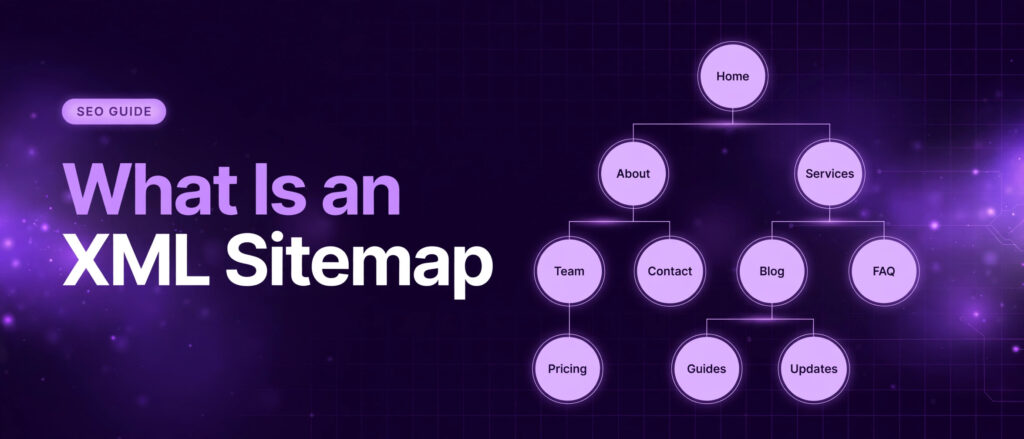
What is an XML sitemap? It is a file that lists the pages of your website in a format search engines can read, so Google and other search engines can find every page you want them to see. Think of it as a map you hand to Google when it visits your site, showing each important page and when it was last changed. Without that map, Google has to find your pages by following links from one page to the next, and pages with few links or no links at all can stay hidden for weeks or longer.
This guide explains what an XML sitemap is, how search engines use it, what goes inside the file, how it differs from robots.txt, when your site needs one, the limits Google sets, the mistakes that make a sitemap useless, and how to build one free and submit it in Google Search Console. Everything here follows the current guidance in the Google Search Central sitemaps overview and the open sitemap protocol, and every source is linked where it supports a claim.
What Is an XML Sitemap?
An XML sitemap is a text file written in XML, short for Extensible Markup Language, that lists the URLs of a website together with extra details about each page. Search engines read the file to discover pages and crawl a site more efficiently. The file usually lives at the root of a domain, at an address such as yourdomain.com/sitemap.xml, and it is made for search engines, not for people. Visitors never see it, and it does not change how a page looks or works.
Each entry in the file names one page and can add three optional details: the date the page was last changed, how often the page is likely to change, and how important the page is compared with the other pages on the site. Google reads the last changed date when it is consistently accurate, and it ignores the other two. That point matters, because many older guides still treat all three as ranking signals. They are not, and the Google Search Central documentation says so plainly.
A sitemap is a hint, not an order. Google describes it in exactly those terms. Submitting a sitemap asks Google to look at your pages. It does not force Google to crawl them, and it does not force Google to index them. Indexing stays a separate decision Google makes about each page, based on quality, originality, and usefulness. A sitemap removes the discovery barrier. It cannot remove a quality barrier.
A Simple Example of an XML Sitemap
Here is a small sitemap with two pages, using example.com as a placeholder domain. A real sitemap for your own site would list your own URLs in the same shape.
<?xml version="1.0" encoding="UTF-8"?>
<urlset xmlns="http://www.sitemaps.org/schemas/sitemap/0.9">
  <url>
    <loc>https://example.com/</loc>
    <lastmod>2026-11-01</lastmod>
    <changefreq>weekly</changefreq>
    <priority>1.0</priority>
  </url>
  <url>
    <loc>https://example.com/about/</loc>
    <lastmod>2026-10-20</lastmod>
    <changefreq>monthly</changefreq>
    <priority>0.8</priority>
  </url>
</urlset>
The first line declares the file as XML. The urlset element opens the list and names the sitemap protocol, version 0.9, which Google, Bing, and Yahoo all support. Each url block describes one page. The loc tag holds the page address, and the other three tags are optional. The file closes with the matching urlset tag. Nothing else belongs in a basic sitemap: no descriptions, no keywords, and no ranking instructions.
The format itself is defined by the open protocol at sitemaps.org, which Google, Yahoo, and Microsoft support. That shared standard is why one sitemap file works for every major search engine, and why the same file can be submitted to Google Search Console and to Bing Webmaster Tools without changes.
XML Sitemap vs HTML Sitemap
People often confuse the two kinds of sitemap, because the names sound alike and both list pages. They serve different readers. An XML sitemap is written for search engine crawlers. It lives in a file, uses code, and visitors never open it. An HTML sitemap is a normal web page, written for people, with clickable links to the main sections of a site. It helps a lost visitor find a page, and it can help a crawler too, but its first job is navigation for humans.
Most sites need an XML sitemap. An HTML sitemap is optional, and it suits large sites where visitors benefit from a full page index. If you can only build one, build the XML sitemap, because that is the one search engines ask for. A good site usually has both, with the HTML sitemap linked in the footer and the XML sitemap submitted in Search Console, but the XML file is the one that does the technical work.
The two files also differ in what they contain. An XML sitemap can list thousands of URLs with last changed dates. An HTML sitemap lists a small number of links a person can scan, usually the main pages and categories. Putting thousands of links on an HTML sitemap page would make it useless for visitors, so keep it short and keep the XML file complete.
How Search Engines Use Your Sitemap
Before a page can rank, Google has to do two things: crawl it, which means read the page, and index it, which means store it in the search index. A sitemap helps with the first step, discovery, and that makes it the starting point of all technical SEO. The guide to how to create a sitemap from Ahrefs puts it well: just as it is hard to find a new destination without a map, it is sometimes hard for Google to find all the pages on a website without a sitemap.
Discovery: Finding Pages Google Has Not Seen
Google normally finds pages by following links. Googlebot starts from pages it already knows, reads them, and follows every link it finds to new pages. That works well on a small site where every page links to every other page. It breaks down when a page is new, buried several clicks deep, or barely linked to from anywhere. A sitemap is the safety net for those pages: even when your internal links miss a page, the sitemap still names it.
Orphan pages are the clearest example. An orphan page is a page with no internal links pointing to it at all. Googlebot cannot reach it by following links, because there is no path to follow. Without a sitemap, an orphan page often stays unindexed entirely. With a sitemap, Google at least knows the page exists and can decide whether to crawl it. The same logic applies to a brand new site, where few outside links point to it yet, so Google has almost no entry points to start crawling from.
Crawling: Spending Crawl Budget Wisely
Search engines do not crawl every page of every site every day. Each site gets a crawl budget, the number of pages Google will fetch from it in a given period. A sitemap helps Google spend that budget on the pages that matter, because it shows the full list of important pages in one place instead of forcing the crawler to guess from links alone. On a large site, that difference is real: pages buried deep in the structure can wait a long time for a crawl if Google has to find them through links, while a sitemap puts them in front of the crawler on the next visit.
A sitemap also tells Google which pages have changed. When the lastmod date on a page moves, Google can prioritise crawling that page again to pick up the update. That is why accurate lastmod dates matter so much. If every page claims it changed today, Google learns to ignore the dates, and the signal is wasted. If only the pages that really changed carry a new date, Google can trust the file and crawl the fresh content sooner.
Indexing: From Found to Listed
Discovery is not indexing. A page that Google finds through a sitemap still has to pass the indexing decision, and Google may choose not to index a page it considers low quality, duplicated, or thin. The sitemap gets the page into the queue. Quality gets it into the index. That is why a sitemap never fixes a content problem: a site full of thin pages will still see most of them left out of the index, sitemap or not.
The honest way to think about it is this. A sitemap fixes the discovery problem, not the ranking problem. It makes sure Google can find every page worth finding, which is the essential first step before any page can compete in search. Ranking then depends on content, relevance, and authority, which is where links come in. A page needs to be found before it can rank, and it needs links before it can rank well. The sitemap handles the first half, and the link building services from LinkTrixx handle the second half, by earning the links that give a found page the authority to compete.
What Goes Inside an XML Sitemap
A sitemap entry has one required tag and three optional tags. The table below summarises all four, and the sections after it explain each one in detail, including which ones Google actually uses.
| Tag | Required | What it means | Does Google use it |
|---|---|---|---|
| loc | Yes | The full address of the page | Yes |
| lastmod | No | The date the page was last changed | Yes, when accurate |
| changefreq | No | How often the page is likely to change | No, ignored |
| priority | No | How important the page is, from 0.0 to 1.0 | No, ignored |
The loc Tag
The loc tag is the only tag a sitemap entry must have. It holds the full address of the page, including the https part, and it must be the canonical address, the one you want shown in search results. Never list a redirect in a sitemap, never list a duplicate version of a page with tracking parameters, and never list a page that returns an error. Every URL in the file should return a 200 status when Google fetches it, because a sitemap full of broken or redirected addresses sends a worse signal than no sitemap at all.
Use the same form of address everywhere in the file. If your site uses https and www, every entry should use https and www. If it uses https without www, every entry should match that. Mixing forms creates duplicate entries for the same page, and Google has to sort out which one is real. Consistency here costs nothing and removes a whole class of errors.
The lastmod Tag
The lastmod tag records the date a page was last changed, in year month day form, such as 12 November 2026. Google uses it to decide when to crawl a page again, and the Google guidance on building a sitemap asks for dates that reflect real changes to the page content, not the date the file was generated. A lastmod date that updates every time the sitemap is rebuilt, even when the page itself did not change, teaches Google to distrust the file.
The rule is simple: update lastmod only when the page content changes in a way a visitor would notice. A corrected fact, a new section, or a refreshed example counts. A template change, a footer tweak, or a rebuild of the sitemap file does not. If you cannot track real change dates, leave lastmod out entirely. A sitemap without lastmod is still valid, and it is better than a sitemap with dates Google cannot trust.
The changefreq Tag
The changefreq tag says how often a page is likely to change, using values such as always, hourly, daily, weekly, monthly, yearly, or never. Google officially ignores this tag, and has done so for years. The tag survives in the protocol because other systems may read it, but for Google it changes nothing about how often a page is crawled.
You can include changefreq if you like, and the free XML Sitemap Generator from LinkTrixx lets you set it, but do not spend time tuning it for Google. Spend that time on accurate lastmod dates instead. If you set changefreq, keep the values honest: a blog homepage that gains new posts several times a week is weekly or daily, while a terms page that has not changed in a year is yearly. A value of always on a page that never changes is a small lie, and small lies add up across a whole file.
The priority Tag
The priority tag rates how important a page is compared with the other pages on your site, on a scale from 0.0 to 1.0, with 1.0 the most important. Google also ignores this tag. It does not raise a page in the rankings, and it does not make Google crawl the page sooner. The value only compares pages inside your own site, never against other sites, and Google has said it does not use it.
Like changefreq, priority is harmless to include and useless to tune for Google. A common pattern is to give the homepage 1.0, main service pages 0.8, and ordinary blog posts 0.5, which at least keeps the file readable for humans. The free generator defaults priority to 0.8 for every URL, and that is fine, because the number carries no ranking weight either way. What matters is the list of URLs itself, and whether each one is a page worth indexing.
XML Sitemap vs Robots.txt
An XML sitemap and a robots.txt file are often mentioned together, and beginners mix them up, but they do opposite jobs. A sitemap tells search engines which pages to find. A robots.txt file tells search engines which parts of a site not to crawl. The sitemap is a list of invitations. The robots.txt file is a list of closed doors. A healthy site uses both, and the two files work together.
| Feature | XML sitemap | robots.txt |
|---|---|---|
| Job | Lists pages to discover and crawl | Blocks crawlers from parts of a site |
| Reader | Search engine crawlers | Search engine crawlers |
| Location | Usually at yourdomain.com/sitemap.xml | Always at yourdomain.com/robots.txt |
| Effect if missing | Pages may be found late or never | Crawlers may crawl admin and utility pages |
| Effect if wrong | Broken or duplicate URLs confuse crawlers | Blocking the wrong path can hide whole sections |
The two files also reference each other. A robots.txt file can carry a line that points to the sitemap, such as Sitemap: https://yourdomain.com/sitemap.xml, and that line helps any crawler that reads robots.txt first to find the sitemap without a Search Console submission. The free Robots.txt Generator builds that line for you, and the guide on how to use the free robots.txt generator walks through the whole file, including where the sitemap line belongs.
One warning matters here. A robots.txt block does not remove a page from the search index, and it does not hide a page from Google. It only asks crawlers not to fetch the page. If a page is blocked in robots.txt and also listed in your sitemap, the two files contradict each other, and Google will follow the block. The fix is to keep the two files consistent: a page listed in the sitemap must be crawlable, and a page blocked in robots.txt must stay out of the sitemap. The worked example in the robots.txt generator worked example shows that consistency check on real pages.
Does Every Website Need an XML Sitemap?
Not strictly, but for most business sites the answer is yes. Google says a sitemap helps most when a site is large, new, or hard to crawl through links alone, and the Search Central overview lists exactly those cases. If your site is none of those, a sitemap is still worth having, because it costs nothing and it gives you a reporting surface in Search Console, where you can see when Google last read the file and how many URLs it found.
Sites That Need One Most
New sites need a sitemap most of all. A new domain has almost no outside links pointing to it, so Google has few entry points to start crawling from. A sitemap gives Google the full list on day one, instead of waiting for links to appear. The same applies to a new section on an established site, such as a blog launched months after the main site, where the new pages sit deep in the structure with few links pointing at them.
Large sites are the second case. A site with hundreds or thousands of pages, such as an ecommerce store, a directory, or a content site with years of articles, cannot rely on links alone to surface every page. Pages buried four or five clicks from the homepage are easy for a crawler to miss, and a sitemap lists them all in one place. The LinkTrixx blog itself is a good example: the blog index lists recent articles, but older posts sit several clicks deep, and the sitemap is what keeps them on Google radar.
Poorly linked sites are the third case, and this one catches more small businesses than the first two. A service page reachable only from a dropdown menu, a location page nothing else points at, or a landing page built for one campaign and never linked from the main navigation are all exactly the kind of pages that sit unfound. A sitemap names them, even when the navigation does not.
Sites with rich media are the fourth case Google names. Pages with video, images, or news content benefit from a sitemap because Google uses the file to discover media it might otherwise miss. A video page with no text links around it, or an image gallery that loads through scripts, can stay invisible to a link following crawler while sitting plainly in the sitemap.
Sites That Can Manage Without One
A tiny site with a handful of pages, all linked from the main menu and all one or two clicks from the homepage, will be found without a sitemap. Googlebot can crawl the whole site in one visit, following the menu links, and nothing will be missed. A five page brochure site is the classic example: homepage, about, services, contact, and one blog page, all in the header navigation.
Even then, the file is worth having. It takes minutes to build with a free tool, it gives Search Console something to report on, and it protects the site against the day the structure grows and a page slips out of the navigation. The cost of a sitemap is near zero. The cost of a missing page that never gets found is a lost chance to rank, and that chance may never come back. For a business site that wants leads from search, the sensible choice is to have one.
If your site is already bringing in leads through search, the sitemap also becomes a maintenance habit rather than a one off task. Every time you publish a new page, the sitemap should gain a new entry, and every time you delete a page, the sitemap should lose one. That habit is what keeps the file accurate, and an accurate file is what Google trusts. The companion guide on how to create an XML sitemap shows the whole build, from picking the pages to submitting the finished file, using real LinkTrixx pages as the worked example.
The Limits: 50,000 URLs and 50 MB
A single XML sitemap can hold up to 50,000 URLs and must be no larger than 50 MB when uncompressed, whichever limit comes first. Those are the limits in the sitemap protocol, and Google enforces them. A file that breaks either limit will not be read properly, so a large site must split its pages across several sitemaps instead of forcing them into one oversized file.
Most sites will never come close to these numbers. A business site with a few hundred pages, or even a content site with a few thousand articles, fits easily in one file. The limits matter for ecommerce stores with tens of thousands of product pages, marketplaces, directories, and news sites that publish at volume. If your site is in that range, the split is not a problem, it is a design choice, and the sitemap index file exists to make it clean.
Sitemap Index Files
A sitemap index file is a sitemap of sitemaps. It lists the addresses of several sitemap files, and Google reads the index first, then fetches each file it names. A large store might split its pages by type, with one sitemap for products, one for categories, and one for blog posts, and the index ties them together. Each file in the split still obeys the same limits: no more than 50,000 URLs and no more than 50 MB uncompressed.
Here is what an index file looks like, listing two sitemaps for one site. The sitemapindex element replaces urlset, and each sitemap block names one file with its own lastmod date.
<?xml version="1.0" encoding="UTF-8"?>
<sitemapindex xmlns="http://www.sitemaps.org/schemas/sitemap/0.9">
  <sitemap>
    <loc>https://example.com/sitemap-products.xml</loc>
    <lastmod>2026-11-12</lastmod>
  </sitemap>
  <sitemap>
    <loc>https://example.com/sitemap-blog.xml</loc>
    <lastmod>2026-11-11</lastmod>
  </sitemap>
</sitemapindex>
You submit the index file in Search Console, not the individual files, and Google follows the links inside it. The Google guide to large sitemaps explains the splitting rules in full, including how to name the files and how many sitemaps one index can list. For a small site, none of this is needed. One file, submitted once, is enough, and the free generator builds exactly that file.
Image, Video and News Sitemaps
The basic sitemap lists pages. Three extensions list media and news content attached to those pages, and they matter when images, video, or news are a real part of how a site earns traffic. An image sitemap tells Google about images on a page, including images loaded through scripts that a crawler might not see in the page code. That helps image search, and it helps pages whose main value is visual, such as product photos, infographics, and portfolio work.
A video sitemap does the same for video: title, description, duration, and the page where the video plays. Google uses it to show video results, and a page with a video that Google cannot find is a page that will never appear in video search. A news sitemap lists articles published in the last two days for sites in Google News, with publication dates and titles, so fresh stories can be picked up fast. News sitemaps expire quickly by design, because news is only news for a short time.
Most small business sites do not need any of the three extensions. A service site with a few images on each page is covered by the basic sitemap, because Google finds the images by crawling the pages. Build an image sitemap when images are the product, such as a photography portfolio or an ecommerce catalogue. Build a video sitemap when video is a core channel. Build a news sitemap only if the site publishes news daily and is approved for Google News. For everything else, the basic file is enough, and a clean basic file beats a messy extended one.
Common XML Sitemap Mistakes
A sitemap only helps when it is accurate, and the mistakes below are the ones that quietly make it useless. Each one is easy to avoid once you know it exists, and each one shows up in Search Console as an error or a warning if you check the Sitemaps report.
Mistake 1: Listing Pages That Do Not Exist
Every URL in a sitemap should return a 200 status. Pages that return a 404 error, pages that redirect somewhere else, and pages that the server cannot find all waste crawl budget and teach Google to distrust the file. Before you build a sitemap, check that every URL on the list actually loads. The free generator skips lines that are not valid URLs, but it cannot tell you whether a valid looking URL returns an error, so the check is yours to do.
Mistake 2: Listing Pages You Told Google to Ignore
A page set to noindex is a page you have told Google not to put in the search index. Listing that page in your sitemap contradicts the instruction, and Google will follow the noindex. The same applies to pages blocked in robots.txt, pages behind a login, and pages with a canonical tag pointing somewhere else. The sitemap should list only canonical, indexable pages that return 200. Everything else stays out.
Mistake 3: Including Every URL, Including Junk
A sitemap is not a dump of everything on the server. Tag pages, author archives, search result pages, filtered category pages, print versions, and tracking parameter variants do not belong in it. List the pages you want in search results, and leave out the utility pages that only exist to support the site. A sitemap with 200 strong pages is worth more than a sitemap with 2,000 pages, most of which Google would never index.
Mistake 4: Fake Lastmod Dates
Setting every lastmod date to today, or updating every date each time the sitemap is rebuilt, makes the dates meaningless. Google notices, and it stops using them. Only update a lastmod date when the page content really changes. If you cannot track real change dates, leave the tag out. An honest sitemap without lastmod beats a dishonest sitemap with fresh dates on every page.
Mistake 5: Forgetting to Update the File
A sitemap is not a one off job. New pages need new entries, deleted pages need their entries removed, and changed pages need new lastmod dates. A sitemap that still lists pages deleted months ago is worse than no sitemap, because it keeps sending Google to dead ends. Tie the update to the publishing routine: every time a page goes live, add it to the sitemap, and every time a page is removed, take it out.
Mistake 6: Submitting Once and Never Checking
Submitting a sitemap in Search Console is the start, not the end. The Sitemaps report shows whether Google read the file, when it last read it, and how many URLs it discovered. It also flags errors, such as a URL that returns an error or a file that is too large. Check the report after every submission, and check it again whenever the site changes. A file that was valid in January can be broken by June, and nobody will tell you unless you look.
Mistake 7: Expecting the Sitemap to Fix Ranking
A sitemap does not improve rankings directly, and it does not rescue thin content. It helps discovery, which is a prerequisite for ranking, not a ranking signal itself. A page that is found but weak will still rank poorly, and a page that is never found cannot rank at all. The sitemap solves the second problem. Content and links solve the first. If rankings are the goal, pair a clean sitemap with strong content and real backlinks, such as the placements built through the guest posting service and the SaaS link building service, which earn links on relevant sites that pass authority to the pages your sitemap helped Google find.
How to Create an XML Sitemap With the Free Tool
You do not need to write XML by hand, and you do not need a plugin or a paid tool. The free XML Sitemap Generator from LinkTrixx builds the file in your browser in under a minute. Paste your URLs, one per line, choose a lastmod date, a changefreq, and a priority to apply to every URL, then copy the XML or download it as sitemap.xml. Nothing leaves your browser, because the file is built on your device, and the tool never crawls your site, so you supply the list of pages yourself.
The steps are simple. First, gather the URLs you want listed, using the canonical address of each page, and check that each one loads. Second, paste them into the tool, one per line. Third, set the three optional fields, or leave any of them blank to leave that tag out of the file. Fourth, read the live preview as you type, which updates with every keystroke and lists any line that is not a valid URL. Fifth, click Copy to copy the XML, or Download to save it as sitemap.xml, ready to upload. The full worked example, built on five real LinkTrixx pages with the exact XML output shown field by field, is in how to create an XML sitemap, the companion guide to this one.
If your site runs on WordPress or another content platform, check whether the platform already generates a sitemap before you build one by hand. Open your domain followed by sitemap.xml in a browser. If a sitemap loads, use that one, and keep it updated through the platform. If nothing loads, or if the generated file lists pages you do not want, build your own with the free tool and upload it instead. The Shopify guide to creating a sitemap gives the same advice for store owners: check first, build only when the platform does it for you.
How to Submit Your Sitemap in Google Search Console
Uploading sitemap.xml to your site is only half the job. The other half is telling Google where it is, and Google Search Console is the place to do it. The steps take two minutes, and they give you a report you can check afterwards.
First, upload the file to the root of your website, so it loads at yourdomain.com/sitemap.xml. Second, open Google Search Console, select your property, and verify ownership if you have not already done so. Third, open Indexing in the left menu, then click Sitemaps. Fourth, under Add a new sitemap, enter the sitemap address. If the field already shows your domain, enter only the remaining path, such as sitemap.xml. Fifth, click Submit. Search Console will fetch the file and show a status for it.
Also add the sitemap address to your robots.txt file, with a line such as Sitemap: https://yourdomain.com/sitemap.xml. That line helps any crawler that reads robots.txt first, including Bing, to find the file without a Search Console submission. The comparison of the free robots.txt generator with paid tools explains why that single line is worth adding, and the robots.txt generator writes it for you. Submit the same file in Bing Webmaster Tools too, if Bing traffic matters to you, because the two search engines do not share submissions.
How to Check That Your Sitemap Works
After submission, open the Sitemaps report in Search Console and read the status. A status of Success means Google fetched and read the file, and the report shows how many URLs it discovered. That is the result you want. If the status shows an error, read the message: a common error is a URL in the file that returns a 404, a file that is too large, or a file that is not valid XML. Fix the flagged lines and submit again.
The report also shows the date Google last read the file. If that date is old, Google may not have needed to read it again, because nothing changed, or it may mean the file is not being fetched. Update a page, refresh its lastmod date, and submit again if you want Google to take a fresh look. Remember that a Success status means the file was read, not that every URL in it was indexed. Indexing is reported separately, in the Pages section of Search Console, where you can see how many of your submitted URLs Google chose to index.
While you are checking the sitemap, check the pages themselves. A page that returns an error, a page blocked in robots.txt, or a page with a noindex tag will show up as a problem in the Pages report, and fixing those pages matters more than any sitemap tweak. The sitemap is a map. If the roads on the map are closed, the map cannot help anyone arrive. Keep the pages healthy, keep the map current, and the two will work together.
XML Sitemaps and Link Building
A sitemap and a backlink profile solve two halves of the same problem. The sitemap makes sure Google can find a page. Backlinks give that page the authority to rank once it is found. A page with a clean sitemap entry and no links may be indexed and still sit on page five, because Google has no signal that anyone values it. A page with strong links but no sitemap entry may take weeks to be found, because Google has to stumble on it through other pages. The two together are faster than either one alone.
That is why a sitemap belongs in every link building campaign. When LinkTrixx builds links to a client page through the link building services, the page needs to be findable first, so the links can pass authority to a page Google already knows. When a guest post goes live, the link inside it should point to a page that is listed in the sitemap, so Google can follow the link and land on a page it can crawl. And when a new service page launches, such as a page for the white label link building service aimed at agencies, the sitemap entry should go live the same day, so the page is discoverable from the start while the first links are still being earned.
The same logic applies to content. A new blog post that is linked from the homepage, listed in the sitemap, and earning links from a guest post will be found and indexed far sooner than a post that relies on one of those three alone. The competitor backlink gap analysis shows where rivals are getting links you are not, and the comparison of guest posts vs link insertions explains the two most common ways to earn them. Use the sitemap to make sure Google finds the pages, and use links to make sure Google values them.
Tools support the same workflow in other ways. The Word Counter checks that a page has enough content to be worth indexing, the Keyword Density Checker shows whether the target phrase appears naturally, and the guide on how to use the free keyword density checker explains how to read the result. The FAQ Schema Generator adds structured data to a page, and the guide on what FAQ schema is explains why that helps the page stand out in search. Each tool is free, runs in the browser, and sits in the same free SEO tools hub as the sitemap generator.
Start With Your Sitemap Today
An XML sitemap is one of the simplest technical SEO tasks there is, and it is also one of the most useful. It takes minutes to build, it costs nothing, and it removes the one barrier that can keep a good page out of search entirely: not being found. Build the file, upload it, submit it in Search Console, add it to robots.txt, and check the report. Then keep it current as the site grows, and let the sitemap do its quiet job in the background while content and links do the visible work.
Open the free XML Sitemap Generator, paste your page list, and download your sitemap.xml now. If you want the full worked example first, read how to create an XML sitemap, which builds a real sitemap from five live LinkTrixx pages and shows every line of the output. And if your site also needs the links that turn a found page into a ranking page, the LinkTrixx link building services are the next step. For a wider view of what the tool set can do, the comparison of the free UTM builder with paid analytics tools shows how the free tools hold up against paid options, and the guide to link building outreach email templates helps you turn new pages into new links. You can also read LinkTrixx reviews to see what clients say, and the list of the best link building agencies for ecommerce companies puts the service in context with the wider market.
Frequently Asked Questions
What is an XML sitemap?
An XML sitemap is a file that lists the pages of your website in a format search engines can read, together with optional details such as when each page was last changed. Search engines use it to discover pages and crawl a site more efficiently. It usually lives at yourdomain.com/sitemap.xml and is made for crawlers, not for visitors.
Does an XML sitemap help my website rank higher?
No, not directly. A sitemap does not pass ranking value and does not change where a page appears in search results. It helps discovery, which is a prerequisite for ranking: Google cannot rank a page it has not found. Once the page is found and indexed, ranking depends on content quality, relevance, and backlinks.
What is the difference between an XML sitemap and robots.txt?
An XML sitemap lists the pages you want search engines to find and crawl. A robots.txt file tells search engines which parts of your site not to crawl. The sitemap is a list of invitations and robots.txt is a list of closed doors. A healthy site uses both, and the two files must agree: a page listed in the sitemap must be crawlable, and a page blocked in robots.txt must stay out of the sitemap.
How many URLs can an XML sitemap contain?
A single XML sitemap can contain up to 50,000 URLs and must be no larger than 50 MB when uncompressed. If your site has more pages than that, split them across several sitemaps and list those files in a sitemap index file, which you then submit in Google Search Console.
How do I submit my XML sitemap to Google?
Upload the file to the root of your website so it loads at yourdomain.com/sitemap.xml, then open Google Search Console, select your property, go to Indexing and then Sitemaps, enter the sitemap address, and click Submit. Also add the sitemap address to your robots.txt file so other search engines can find it.
Do I need an XML sitemap if my website is small?
A tiny site with a handful of pages, all linked from the main menu, will usually be found without a sitemap. Even so, a sitemap is worth having: it costs nothing to build, it gives Search Console a report you can check, and it protects the site as it grows and pages slip out of the navigation. For any business site that wants leads from search, the sensible choice is to have one.