

How to Write Meta Titles and Descriptions That Get Clicks
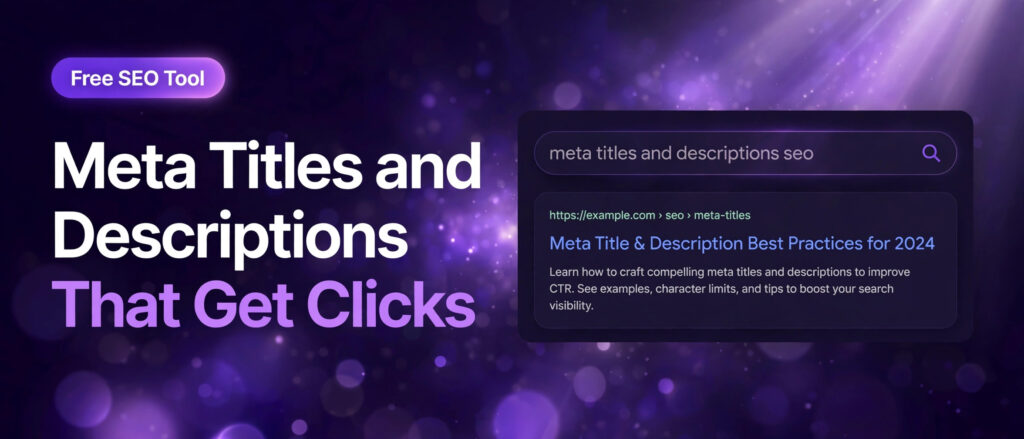
Two short lines decide whether a searcher clicks your result or the one below it. The meta title is the blue headline. The meta description is the short summary underneath it. Together they are the only part of your page most searchers ever read before they decide, so they deserve the same care as the page itself.
This guide teaches the writing craft behind both lines: how to choose the words, how long each line should be, and how to test them before you publish. It is written for anyone who publishes pages and wants more clicks from the rankings they already have. You do not need to be a copywriter. You need a clear method, a few honest examples, and a way to check lengths as you type, which is where the free Meta Tag Generator from LinkTrixx comes in. Type a title and a description, watch the live counters, and you can see at once whether your words will fit.
The stakes are higher than most people think. Backlinko analysed 4 million Google search results and found that the top result takes 27.6 percent of all clicks on average, while the top 3 results together take 54.4 percent. You cannot always control your position, but you can control the two lines that represent your page once it appears. A better title and description will not move you from page 2 to page 1 on their own, yet they can win you a larger share of the clicks your current position already earns. That is the cheapest traffic gain in SEO, because it costs an hour of writing, not months of outreach. For the full picture of how those clicks turn into revenue, read our guide on how to measure link building ROI.
What meta titles and descriptions actually do in search results
A meta title, also called a title tag, is the HTML title element in the head section of a page. It names the page for search engines, appears as the clickable headline in search results, shows in the browser tab, and is often the text shown when a link is shared. Google calls the headline it shows a title link, and its own guidance says title links are critical because they are often the primary piece of information people use to decide which result to click. Google explains this in its guidance on influencing title links.
A meta description is a short summary of the page, also placed in the head section. Visitors never see it on the page itself. Google may show it as the snippet under the headline in search results. Google is clear that snippets are primarily created from the page content itself, and that the meta description is used when it describes the page better than the on page text does. That is the key point to understand. Your description is not a guarantee of what will appear. It is your best bid for the default version, the one shown for your main query and for searches where no passage on the page is a clearer match. Google explains this in its guide to writing meta descriptions.
The two lines have different jobs. The title has to do two things at once: tell the search engine what the page is about, and persuade a person to choose it over the nine other results on the page. The description has one job: confirm that this page answers the person, and give a reason to click. A title that only names the topic leaves the persuasion undone. A description that only repeats the title wastes the only space you have to make the case.
There is one more difference that shapes everything else in this guide. The title is a ranking signal, even if a small one, and the description is not. Google has confirmed that the meta description is not used as a direct ranking factor. That does not make it unimportant. It makes it a click factor. Rankings decide who gets seen. Titles and descriptions decide who gets chosen. When your page already ranks, the writing of these two lines is the lever with the fastest payoff.
The numbers that matter: length, pixels and truncation
Google sets no fixed character limit for titles or descriptions. That sentence surprises people, because every guide quotes numbers. The numbers are real, but they are practical targets, not rules. Google truncates title links and snippets as needed to fit the device width. It measures width in pixels, not characters. A capital W is much wider than a lower case i, so two titles with the same number of characters can take up very different amounts of space on screen.
For titles, the practical target is 50 to 60 characters, or roughly 580 to 600 pixels on desktop. Zyppy analysed more than 81,000 title tags and measured the traffic each URL received, and found that 50 to 60 characters, or 580 to 600 pixels, remains the practical sweet spot for desktop results. The same study found that titles of 51 to 55 characters had the lowest rewrite rate, at around 40 percent, while titles over 70 characters were rewritten nearly 100 percent of the time. Read the full study in Zyppy, The Best Title Tag Length for SEO.
For descriptions, the practical target is 150 to 160 characters on desktop, with mobile showing around 120 characters. Semrush advises keeping titles under 55 characters with the main keyword near the beginning, and writing descriptions of 120 to 125 characters that summarise the page accurately in active voice. HubSpot recommends keeping descriptions between 140 and 160 characters so they remain visible in Google. The ranges differ slightly between guides because screens differ, but the advice converges: front load the important words, because mobile cuts sooner. See Semrush, How do you optimize meta tags for SEO?, and HubSpot, How To Write Meta Descriptions.
Backlinko, analysis of 4 million Google search results, adds a click reason to the length rule. Titles between 40 and 60 characters had the highest organic click through rate, with an 8.9 percent better average click through rate than titles outside that range. Titles of 6 to 9 words performed best by word count. Length alone does not explain the lift, because clear titles tend to be medium length and vague titles tend to be either too short or too long, but the pattern is consistent across studies: short to medium titles earn more clicks than very short or very long ones.
Three practical rules follow from the numbers.
- Write titles of 50 to 60 characters, and descriptions of 150 to 160 characters, as your default.
- Put the most important words in the first 120 characters of the description, so the message survives on mobile.
- Check every title and description with a counter before you publish, because guessing lengths is how good copy gets cut off. The free Meta Tag Generator counts both as you type, with a warning when either one goes over its limit.
How to write meta titles that earn clicks
A good title is a promise that the page keeps. Write it after you know what the page really covers, not before. Read the page once, then answer three questions in one line: what is this page about, who is it for, and why should anyone open it instead of the result above or below it. If your title cannot answer all three, it is not finished.
Lead with the main topic
Put the phrase people search for near the front, in natural wording. Readers scan results from left to right in a second or two, and the first words decide whether they keep reading. A title that starts with the topic is easier to scan than one that buries the topic after a brand name or a generic phrase. It also protects the keyword if the title is cut off, because the beginning is what survives truncation.
Neil Patel, Best Practices for Writing SEO Title Tags in 2026, gives the same advice: front load the target keyword so search engines and searchers can see at once that the page is relevant, and use keyword variants only where they sound natural. One natural mention is enough. Repeating the keyword, or stuffing in every variant you can think of, makes the result look spammy to Google and to readers, and Google lists keyword stuffing as a reason to rewrite a title.
Weak title: Welcome to Our Blog. It names nothing, promises nothing, and tells no one why to click. Strong title: Link Building Strategies That Work in 2026. It names the topic, names the year, and promises something useful. The difference is not cleverness. It is specificity.
Match the search intent
Every search has a job behind it. Some people want to learn, some want to compare, some want to buy. Your title should match the job, because a mismatch is the fastest way to lose a click to a result that matches better. A person searching for a guide wants words like guide, how to, or step by step. A person ready to buy wants words like services, pricing, or for agencies. A person comparing options wants words like compared, best, or versus.
Read the results already ranking for your keyword before you write. If the top results are all guides, your title should read like a guide. If they are all service pages, your title should read like a service page. Search intent is visible in the titles that already win, and matching it is not copying. It is answering the same question in your own words, with your own evidence. Our guide to link building strategies for 2026 follows this rule, because each strategy names who it suits and what to expect, so the reader can tell before clicking whether it fits their situation.
Add a reason to click
Naming the topic is only half the title. The other half is the reason to choose your page over nine others on the same topic. That reason can be a number, a year, a benefit, a format, or a qualifier. Numbers work because they are specific and easy to scan. A title with 13 strategies promises more than a title with strategies in general. A year signals that the advice is current, which matters for topics that change fast. A benefit tells the reader what they get, such as more trials, faster delivery, or a free tool.
Backlinko found that titles with a positive sentiment improved click through rate by about 4 percent, and that titles containing a question performed about the same as titles without one. The lesson is not to force a question or a cheerful word into every title. It is to give the reader a concrete reason, in plain language, and let the tone follow the promise. Power words such as free, new, easy, complete, and proven can help, but only when they are true. A title that promises a free tool must lead to a free tool. A title that promises a complete guide must deliver one. Deceptive titles earn the click and lose the reader, and Google may rewrite a title that does not match the page.
Place the brand with care
Google advises branding titles concisely, with the site name at the beginning or the end, separated by a delimiter such as a pipe or a colon. For most pages, the brand belongs at the end, after the topic and the promise, because the topic is what the searcher is looking for. For home pages and well known brands, the brand can lead, because the searcher is looking for the brand itself.
Keep the brand short. A long brand name plus a long topic guarantees truncation. If your brand name is long, consider using it on the home page and on money pages only, and leaving it off long informational titles where every character is needed for the topic. Consistency matters more than any single choice: pick one pattern and use it across the site, so readers learn to recognise your results.
Make every title unique
Google warns against repeated or boilerplate text in title elements. Titling every page on a site with the same words makes it impossible for users to distinguish between two pages, and it invites Google to rewrite the titles for you. Write a distinct title for every page, even when the pages are similar. Two service pages can share a structure, but they must not share a title. Two blog posts on related topics must each name their own angle.
Uniqueness is also a quality check. If you cannot write a distinct title for a page, the page itself may not be distinct enough. Either sharpen the angle, or merge the page with the stronger one. Thin near duplicate pages with near duplicate titles help no one, and they waste crawl attention that could go to pages worth ranking.
How to write meta descriptions that earn clicks
Think of the description as a short pitch for the page, not a summary of it. A summary tells the reader what the page contains. A pitch tells the reader why the page is worth their time. The best descriptions do both in two sentences: the first sentence states the benefit or answers the question, and the second gives a specific reason to click. HubSpot makes the same point, that a meta description should be quick, one to two sentences, telling the reader what to expect after clicking, and that matching the tone of the page makes the pitch feel honest.
Answer the question first
Most searches are questions, even when they are typed without a question mark. The searcher wants an answer, a solution, or a way to compare options. Open the description with that answer, in the searcher’s own words where possible. If the page is a guide, say what the reader will learn. If it is a service page, say what the service delivers. If it is a comparison, say which options are compared and what the verdict is.
Google may bold the words in your description that match the search, which draws the eye to your result. That only helps if the matching words are actually in your description, written naturally. Include the main keyword once, near the start, in a normal sentence. Do not repeat it. One mention earns the bolding. Three mentions look like stuffing and read like a robot wrote it.
Lead with the benefit, not the feature
Features describe what a page or a service is. Benefits describe what the reader gets. Readers click for benefits. A description that says a page has 13 strategies is a feature. A description that says those strategies will show which links still work in 2026, and which ones waste money, is a benefit. A description that says a tool counts words is a feature. A description that says it will tell you in seconds whether your draft is long enough to compete is a benefit.
Specifics make benefits believable. Numbers, time frames, and concrete outcomes beat vague praise every time. Compare these two descriptions for the same page. Vague: We offer great link building services for everyone. Click to learn more. Specific: Earn backlinks from real publications with manual outreach. See how LinkTrixx closes the gap with your competitors, with every domain approved by you before anything goes live. The second is 156 characters, names the method, names the outcome, and names the control the buyer keeps. The first says nothing that a hundred competitors could not also say.
End with a clear call to action
Tell the reader what to do next. Learn how, See the steps, Try the free tool, Read the full guide, Get a custom quote. One call to action is enough. Two compete with each other and waste characters. Pick the action that matches the page: a guide earns Learn or Read, a tool earns Try, a service page earns Get a quote or See how it works.
Put the call to action where it will be seen. If the description is cut off on mobile, the end is what disappears first, so the most important words belong in the first 120 characters. That does not mean the call to action must always sit at the very start. It means the benefit must sit at the start, and the call to action must not be the only thing in the description. A description that is all call to action and no benefit gives the reader no reason to act.
Write for the reader, not the algorithm
Google does not rank pages by their descriptions, so writing for the algorithm is wasted effort. Write for the person scanning ten results in a few seconds. Use active voice, short sentences, and plain words. Avoid jargon the reader would not use, avoid superlatives you cannot prove, and avoid claims the page does not support. If the page does not contain the answer the description promises, the reader will leave within seconds, and that bounce tells Google the result was a poor match.
Read every description out loud before you publish it. If it sounds like a sentence a person would say, keep it. If it sounds like a list of keywords with punctuation added, rewrite it. The test takes ten seconds and catches most bad descriptions before they reach search results.
Title and description formulas you can reuse
Formulas are not templates to copy word for word. They are starting shapes that keep you from staring at a blank field. Adapt each one to the page, fill it with specifics from the content, and check the length before you publish.
For guides and how to pages: topic, plus outcome, plus proof. Example title: How to Write Meta Titles and Descriptions That Get Clicks, at 57 characters. The topic comes first, the outcome is clicks, and the proof is the guide itself. Example description: Learn how to write meta titles and descriptions that earn clicks. Practical length rules, title formulas and real examples, plus a free tool to test every tag. At 159 characters, it states the benefit, names what the page contains, and points to the tool.
For service pages: service, plus who it is for, plus the outcome. Example title: SaaS Link Building That Turns Trials Into Demos, at 47 characters. Example description: SaaS link building that earns links from the publications your buyers read. Close the gap with competitors and turn rankings into trials and demos. At 147 characters, it names the audience, the method, and the result. See the full service on our SaaS link building page.
For comparison pages: the options, plus the verdict, plus the year. Readers searching for comparisons want to know which option wins and why. Name both options in the title where space allows, and put the verdict in the description. A title that hides the comparison looks like a generic guide and loses to one that names it.
For tool pages: the tool, plus what it does, plus free. Example title: Free Meta Tag Generator | LinkTrixx, at 35 characters. Short titles are fine when the topic is simple and the brand is known, though a little more detail usually helps. A stronger version at 65 characters runs over the usual display limit, so keep the promise tight: Meta Tag Generator: Free Tool to Build Title and Description Tags is 65 characters and risks losing its ending, which is why the shorter version is safer. Test both versions in the free Meta Tag Generator and see which one keeps its key words inside 60 characters.
For listicles: the number, plus the topic, plus the benefit. Numbers signal scope and make the result easy to scan. Odd numbers are often cited as performing well, but the number must be honest: if the page lists 13 strategies, the title must say 13, not 15. Readers notice the mismatch, and so does Google.
Before and after examples show how small edits change everything. Before title: Services. After title: Link Building Services That Close the Gap | LinkTrixx, at 53 characters. Before description: We do SEO and link building. Contact us today. After description: Link building services that close the gap with your competitors. Manual outreach, real publications, every domain approved by you before anything goes live. At 156 characters, the after version names the method, the outcome, and the control the buyer keeps. The before version could belong to any agency on the internet. Read how those services work on our link building services page, and see the agency version on our white label link building page.
Common mistakes that cost clicks
Most weak titles and descriptions fail in the same few ways. Check your pages against this list before you publish, and again when you audit old pages.
- Leaving the title or description blank. When no description exists, Google writes one from the page content, and the result is often an out of context snippet that neither represents the page nor invites the click. A missing title is worse: Ahrefs found that 7.4 percent of top ranking pages had no title tag at all, which hands Google a blank to fill.
- Repeating the same title or description on every page. Duplicate tags confuse readers and search engines alike. Google lists identical descriptions on every page as a bad example in its own guidance. Write a distinct pair for every page, even when the pages are similar.
- Stuffing keywords. Repeating the same words three or four times does not help rankings and makes the result look spammy. Google warns against it directly, and readers skip results that read like keyword lists. One natural mention is enough.
- Writing titles that are too long or too short. Titles over 70 characters are rewritten nearly 100 percent of the time, according to Zyppy, and titles of 1 to 5 characters are rewritten over 96 percent of the time. Both extremes fail. Aim for the middle, 50 to 60 characters, where the rewrite rate is lowest.
- Burying the benefit at the end of the description. Mobile results show around 120 characters. If the benefit sits at character 140, most phone users never see it. Put the value first and let the details follow.
- Promising what the page does not deliver. A title that promises a free tool, a price, or a result the page does not contain will earn the click and lose the reader. Google may also rewrite a title it judges inaccurate. Match the promise to the page, every time.
- Using the same boilerplate on every page. A site name plus a slogan on every title wastes characters that could carry the topic. Brand once, at the end, and let the topic lead.
- Forgetting the call to action. A description with no next step leaves the reader to guess what happens after the click. One clear action, matched to the page, is all it takes.
Agencies face one extra version of these mistakes: writing tags for client pages without reading the page. A tag written from a keyword list alone will sound generic, because it is generic. Read the page, note its real angle, then write the tag. That is the difference between white label work a client can defend and work that reads like filler. Our guest posting service follows the same rule: content is written for the publication, audience first, with the link placed where it genuinely helps the reader.
How Google rewrites titles and descriptions, and how to reduce it
Google treats your title and description as suggestions, not orders. It builds the title link and the snippet itself, drawing on your title, your headings, your page text, and even the words other sites use to link to you, and it may show different versions for different searches. That is normal. What you can control is how often it happens, and how good the replacement is when it does.
Ahrefs analysed the search titles and title tags for 953,276 pages ranking in the top 10 results, and found that Google rewrote title tags 33.4 percent of the time, using the original title only 66.6 percent of the time. When Google did rewrite, it pulled the replacement from the H1 tag 50.76 percent of the time. Titles wider than 600 pixels were rewritten 46.12 percent of the time, well above the overall rate. Read the study in Ahrefs, 6 Important Insights About Title Tags. Meta descriptions are rewritten even more often: the same body of research puts the description rewrite rate at 62.78 percent, because Google tailors snippets to each search query.
Google lists the usual triggers in its own documentation: half empty titles, obsolete dates, inaccurate descriptions, repeated boilerplate, no clear main heading, and language mismatches. Every one of them is self inflicted, which means every one of them is fixable. Keep titles in the 50 to 60 character range, keep the title and the H1 in agreement so Google has no reason to substitute one for the other, update the year when the page is updated, and write a distinct description for every page. You cannot force Google to use your wording. You can make your wording the best candidate on the page, which is the next best thing.
When Google does substitute text, it draws on the page itself, so the quality of your headings and opening paragraphs matters as much as the tags. A clear H1 that matches the title, and an opening paragraph that states the benefit plainly, give Google good raw material. A vague H1 and a rambling introduction give it poor material, and the snippet it builds will show it. This is one more reason to write the page first and the tags second.
Test your lengths with the free Meta Tag Generator
Writing a good title is a craft skill. Checking its length is a mechanical one, and a tool does it better than guessing. The free Meta Tag Generator on LinkTrixx builds title, description, keywords, author and robots meta tags, with live length counters at 60 characters for titles and 160 for descriptions, and warnings when either one goes over its limit. It runs entirely in your browser, needs no signup, and costs nothing. If you have not used it before, our companion guide, How to Use a Free Meta Tag Generator, walks through every field. The steps below focus on testing the writing from this guide.
Step 1. Draft the title and description on paper first. Write three title options and two description options before you open the tool. Choose the one that names the topic first, states the benefit plainly, and reads like a sentence a person would say. Do not let the counter do the writing: a title that fits the limit but says nothing is still a bad title.
Step 2. Type your title into the Page title field and watch the counter. The counter shows characters out of 60 as you type. If it goes over 60, shorten the title before you move on. Cut filler words first, then move the brand to the end or drop it, then tighten the benefit. Never cut the main keyword to save space.
Step 3. Type your description into the Meta description field and watch its counter. The counter shows characters out of 160. Aim for 150 to 160, with the key message inside the first 120 characters. If the counter goes over 160, trim the second sentence first, then the call to action, then the least important detail. Keep the benefit and the keyword.
Step 4. Load the sample to learn the shape of a good tag. Click Load sample to fill the form with example text and see how a finished set of tags looks, including the keywords and author fields, which are optional and only appear in the output when you fill them in. Use the sample as a reference, then replace it with your own words.
Step 5. Copy or download the finished tags. Click Copy to copy the generated tags, with Copied feedback to confirm, or click Download to save them as a file. Paste them into the head section of your page and save. In WordPress, add them through your theme header or an SEO plugin, and avoid duplicates if your theme or plugin already generates tags.
Step 6. Check the length of your draft article too. A title and description can only promise what the page delivers, so the page itself needs enough depth to keep the promise. Paste your draft into the free Word Counter to check words, characters, sentences and paragraphs, with reading time, before you publish. You can find both tools, and the rest of the collection, on the free SEO tools hub.
What good output looks like
Good tags are easy to recognise once you have seen a few. Here are three finished pairs, each with its length, so you can judge them against the rules in this guide.
- Guest posting service page. Title: Guest Posting Services on Real Blogs | LinkTrixx, at 48 characters. Description: Get guest posts on real blogs with genuine traffic. Manual outreach, content included, every domain approved by you. See how LinkTrixx guest posting works. At 155 characters, it names the service, the method, and the control the buyer keeps, and ends with a clear next step.
- White label service page. Title: White Label Link Building for Agencies | LinkTrixx, at 50 characters. Description: White label link building for agencies. We handle outreach, content and placement under your brand, with unbranded reports your clients can verify. At 147 characters, it speaks directly to the agency reader and names the exact service.
- This guide. Title: How to Write Meta Titles and Descriptions That Get Clicks, at 57 characters. Description: Learn how to write meta titles and descriptions that earn clicks. Practical length rules, title formulas and real examples, plus a free tool to test every tag. At 159 characters, it promises the skill, names what the guide contains, and points to the tool.
Notice what all three have in common. The topic leads, the benefit follows, the length fits, and nothing is promised that the page does not deliver. That is the whole craft, repeated page after page.
Measuring whether your new titles work
Writing better titles is only half the job. The other half is checking whether they actually earn more clicks, and fixing the ones that do not. Google Search Console is the right tool for this, because it shows impressions and clicks for every page and query, which is exactly what a title change should move.
Start with the pages that have high impressions and low click through rate. Those are the pages people already see but do not choose, which makes them the fastest wins. Sort by impressions, look for pages with a click through rate below the site average for their position, and rewrite their titles and descriptions first. Change one page at a time where you can, and note the date of each change, so you can compare the four weeks before and after without guessing.
Give each change time. Google has to recrawl and reprocess the page to notice updates to title sources, which may take a few days to a few weeks. Judge a new title after at least two to four weeks of data, not after two days. If clicks rise, keep the pattern and apply it to similar pages. If clicks fall, restore the old version and try a different angle. Small honest tests beat grand redesigns, because they tell you what your audience actually responds to.
Remember that titles and descriptions are only one part of the click. Rankings, authority, and the quality of the page itself set the ceiling. A great title on a thin page will disappoint, and a great page with a vague title will be overlooked. The two must grow together, which is why a competitor backlink gap analysis belongs in the same plan: it shows which links your rivals have that you do not, so the pages your new titles promote also have the authority to rank. For the wider method, read our link building strategies for 2026, and track the return with our guide on how to measure link building ROI.
Start today with your five most important pages. Rewrite each title to 50 to 60 characters with the topic first, rewrite each description to 150 to 160 characters with the benefit first, test both in the free Meta Tag Generator, publish, and check the results in a month. Five pages, one hour of writing, and a measurement plan is all it takes to find out whether your titles are earning their keep.
Frequently Asked Questions
How long should a meta title be?
Aim for 50 to 60 characters, which is roughly 580 to 600 pixels on desktop. Google sets no fixed character limit and cuts titles by pixel width, so a title full of wide capital letters can be cut sooner than one of the same length in narrow letters. Keep the most important words near the start so they survive even if the end is cut off.
How long should a meta description be?
Aim for 150 to 160 characters on desktop, and put the most important words in the first 120 characters because mobile results show less. Google sets no fixed limit and cuts snippets to fit the device width. A short description that states the benefit clearly beats a long one that gets cut off mid sentence.
Do meta descriptions affect Google rankings?
No. Google has confirmed that the meta description is not a direct ranking factor. It still matters because it decides whether a person who already sees your result clicks it. A clear description can lift clicks from the same ranking position, which is why it is worth writing well.
Why does Google rewrite my title or description?
Google treats your title and description as suggestions. It may replace them when they are too long, vague, repeated across pages, stuffed with keywords, out of date, or a poor match for the search. Ahrefs studied 953,276 top ranking pages and found Google rewrote title tags 33.4 percent of the time. Clear, accurate and right sized tags are the best defence.
Should the keyword go at the start of the title?
Yes, when it reads naturally. Putting the main topic first helps readers see at once that the page matches their search, and it protects the keyword if the title is cut off. Do not repeat the keyword or force it into a sentence where it sounds awkward. One natural mention near the start is enough.
How can I test my meta title and description length for free?
Use the free Meta Tag Generator on LinkTrixx. Type your title and description into the form and the live counters show characters out of 60 for the title and out of 160 for the description, with a warning when either one goes over its limit. You can load a sample, copy the finished tags or download them, with no signup and no account.