

Using a Free FAQ Schema Generator on a Real Page: A Worked Example
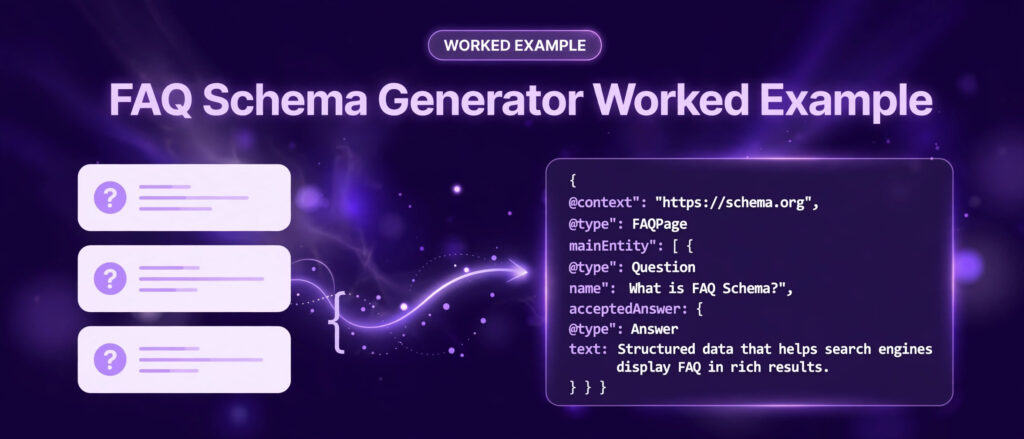
This FAQ schema generator worked example follows one real page from start to finish. You will see the exact questions that were used, the exact answers, the exact JSON-LD that the generator produced, and the checks that confirm the code parses. Nothing in this guide is invented. Every question and answer comes from a live LinkTrixx article, and every step uses the free FAQ Schema Generator on linktrixx.com. If you need the background first, our guide on what FAQ schema is and how it helps SEO explains the concept from the start.
Most guides about FAQ schema show a made up example with two short questions about a shop that does not exist. That kind of example teaches the shape of the code, but it does not teach the judgement calls. A real page has long answers, awkward phrasing, numbers written out in words, and questions that overlap. This worked example keeps all of that in, so you can see how the tool handles real content and what you should check before you publish.
If you only need the tool, open the FAQ Schema Generator now and follow along. If you want the background first, the sections below explain what FAQ schema is, what search results actually show people asking, and what Google does with FAQ markup today. Then the worked example begins, and you can copy each step with your own page.
What this FAQ schema generator worked example covers
This guide covers one complete pass through the tool, using a real article as the source page. The article is How to Build Backlinks for a New Website in 2026, a live LinkTrixx guide with a real FAQ section at the end. Its six questions and answers are used verbatim, word for word, as the input to the generator. The output is shown in full, so you can compare it with what the tool gives you when you run the same questions.
After the main example, there is a second short example that uses the FAQ section from the generator page itself. That shows the same process on a much shorter page, with only two questions, and it is useful if your own page has a small FAQ section rather than a long one.
The guide also covers the part most tutorials skip: what to do after you copy the code. That includes where to paste it in WordPress, how to check that it parses with a real JSON parser, how to validate it with the Schema Markup Validator, and what to expect from Google now that FAQ rich results have changed. The honest position on rich results is stated plainly in its own section, because a worked example that promises a search result it cannot deliver would be worse than no example at all.
By the end you will be able to take any page with a visible FAQ section, turn it into valid FAQPage JSON-LD in a few minutes, and check your work before the page goes live.
What people actually search for when they look for a FAQ schema generator
Before writing this guide, the topic was researched the way a reader would approach it: by searching for the phrases people actually type and reading the pages that rank. Three searches shaped the structure of this article. They were “how to use FAQ schema generator”, “FAQ schema generator example” and “generate FAQ schema JSON-LD”. The results had a clear pattern, and that pattern decided what this guide spends time on.
First, nearly every top result opens with the same promise: paste questions and answers, get JSON-LD, copy it into your page. The steps are usually listed as five or six short actions, and the example is usually two questions long. That is fine as a starting point, but it leaves the reader to guess what happens with a real FAQ section that is longer, messier, or written in full sentences. This worked example fills that gap by using six real questions with full length answers.
Second, the results agree on the shape of the output. A FAQPage object holds a mainEntity list, and each entry is a Question with a name and an acceptedAnswer of type Answer with a text value. The context is always https://schema.org, and the format is JSON-LD inside a script tag. The LinkTrixx generator follows the same shape, so the code in this guide will look familiar if you have seen any other generator. The difference is in the details: the wording of the questions, the length of the answers, and the checks around them.
Third, the most useful results are the ones that are honest about what changed at Google. Several guides updated in 2026 now say that Google stopped showing FAQ rich results in search on 7 May 2026, and that the FAQ documentation was retired the following month. Older guides still describe FAQ rich results as a live feature, or say they are limited to government and health sites. That older position was correct for a time: in August 2023 Google restricted FAQ rich results to well known government and health websites, so most commercial sites, blogs and shops stopped seeing them. The May 2026 change went further and removed the display entirely. This guide follows the current position, and the section on honest expectations explains what that means for your pages.
Fourth, the results that rank well all stress the same rule: the schema must match the visible content on the page, word for word. Questions and answers that visitors cannot see should not be marked up. That rule is repeated by Google, by schema.org, and by every careful guide, and it is the reason this worked example uses a real published FAQ section rather than inventing one. If you invent questions for the schema that do not appear on the page, the markup is misleading even when the JSON is technically valid.
Finally, the searches show that people want a worked example, not only a definition. Phrases such as “FAQ schema generator example” and “generate FAQ schema JSON-LD” appear again and again, and the pages that answer them best show a full block of code, explain each property, and then show how to validate it. That is the structure this guide follows.
What FAQ schema is, in plain words
FAQ schema is structured data that labels a list of questions and answers on a page. It uses the Schema.org type called FAQPage. In plain words, it is a small block of code that says to a search engine: this part of the page is a question, and this part is the answer to that question. Visitors never see the code. They see the ordinary FAQ section on the page. The code sits alongside it, in a form that software can read without guessing.
The code is written in JSON-LD, which stands for JavaScript Object Notation for Linked Data. JSON-LD is Google recommended format for structured data, and it is the format the LinkTrixx generator produces. A typical block has four layers. The outer object says the context is schema.org and the type is FAQPage. Inside it, a list called mainEntity holds one entry per question. Each entry says its type is Question and gives the question text as its name. Each question then holds an acceptedAnswer, which says its type is Answer and gives the answer text as its text value. That is the whole structure. There is nothing else required, and adding extra properties you do not need only creates more places for errors.
Structured data does not change what visitors see, and it does not change the words on the page. It changes how clearly a machine can read the page. Search engines, browsers, and AI assistants that read structured data can parse a FAQPage block and know, without ambiguity, which sentences are questions and which are answers. That clarity is the benefit. It is a modest benefit, and this guide does not oversell it, but it is real, and it costs only a few minutes when a generator does the formatting for you.
The tool, exactly as it works today
The FAQ Schema Generator is a free tool on linktrixx.com. It runs entirely in your browser, with no signup, no account and no limits, and nothing you type is uploaded or stored. That matters when your FAQ text is your own content: you can paste a full FAQ section into it without sending the text to a server.
The page opens with a short explanation of what FAQ schema is, why it matters for SEO, and how to use the generator. The tool itself is simple, and that simplicity is the point. There are five actions you need to know.
- Add a question and answer. Type a question in the Question field and its answer in the Answer field. Use the exact wording that appears on your page.
- Add more questions. Click + Add question for each extra question, or click the remove control to take one away. There is no fixed limit, so you can add as many as your page genuinely answers.
- Load the sample. Click Load sample to fill in three example questions and answers in one click. This is useful the first time you open the tool, because it shows you the format at once. Replace the sample text with your own questions before you copy anything.
- Copy or download your schema. The preview updates live as you type. Click Copy to copy the JSON-LD, or Download to save it as a file called faq-schema.json. Copy is the faster route for WordPress. Download is useful if you want to keep a copy of the code beside your notes, or hand it to a developer.
- Add it to your page. Paste the JSON-LD into your page, then test the page to check that the markup is being served correctly.
That is the full interface. There are no settings to configure, no account to create, and no code to write by hand. The rest of this guide is about using that simple interface well: choosing the right questions, entering them exactly, reading the output, and checking it before you publish.
Two notes on the tool page itself are worth recording, because they show why a worked example needs care. First, the tool page says that Google may show eligible FAQs as rich results. That wording reflects the older position, before the May 2026 change. The current position is covered in the honest expectations section below, and it is the position this guide follows. Second, the tool page has its own FAQ section, with four questions and answers. That section is real published content, and it is used as the second worked example later in this guide.
Step 1: Choose a real page and copy its real FAQ
Every worked example starts before the tool is opened. The first decision is which page to use, and the rule is simple: pick a page that already has a visible FAQ section, with questions that real readers ask and answers that are already published. Do not write new questions for the schema and then add them to the page as an afterthought. Start from what is already there.
For this guide, the source page is How to Build Backlinks for a New Website in 2026. It is a LinkTrixx guide about earning links for a new site, and it ends with a FAQ section of six questions. Those six questions are a good test for the generator because they cover the full range of what a real FAQ looks like: one question about timing, one about how many links are needed, one about safety, one about the easiest first step, one about a named service, and one about judging link quality. The answers are full sentences, some of them long, and they include numbers, a named brand, and a policy reference. If the tool handles these six cleanly, it will handle most pages.
The questions and answers were fetched from the live site through the WordPress REST API, using the posts endpoint with the article slug, so the wording below is the published wording, not a paraphrase. The endpoint used was the standard WordPress address for a single post, with the slug how-to-build-backlinks-for-a-new-website. The response includes the article content and the FAQPage block that the article already carries, and the six questions and answers below match that published block exactly. If you want to repeat this check on your own site, fetch your own post the same way, or simply open the live article and read the FAQ section at the end. Either route gives you the same text, because the schema and the visible FAQ should always agree.
Before entering anything, read the six questions once through and ask one question about each: is this question actually answered on the page, in the words shown? For this article the answer is yes for all six. They appear as a visible FAQ section, and the answers are printed in full beneath each question. That is the test every page must pass before its FAQ goes into a generator. If a question is answered only in a video, or only behind a click that hides the text from the page source, it does not belong in the schema until the answer is visible as text.
Step 2: Enter the six real questions, exactly as published
Open the FAQ Schema Generator and enter the first question in the Question field and its answer in the Answer field. Then click + Add question and repeat for each of the remaining five. Do not shorten the answers, do not tidy the phrasing, and do not change numbers to round figures. The schema must match the page, so the input must match the page too.
The six pairs below are the real FAQ section from How to Build Backlinks for a New Website in 2026, reproduced verbatim. Read each one as you enter it, and compare it with the live article if you want to confirm the wording.
Question 1: How long does it take for a new website to get backlinks?
Answer: Foundation links from profiles and directories can go live within your first two weeks. Your first editorial links from guest posts or resource pages usually take four to eight weeks, because outreach, editing, and publishing all take time. Ranking movement from those links typically takes three to six months, and links usually affect rankings four to twelve weeks after Google discovers them.
This answer is a good example of why you should not shorten FAQ answers before generating schema. It gives three different timeframes, and each one answers a different part of the question: when links go live, when editorial links arrive, and when ranking movement follows. Cutting it to a single sentence would lose information that a reader, and a search engine, would want. The generator accepts the full answer without complaint, and the output preserves every sentence.
Question 2: How many backlinks does a new website need to rank?
Answer: There is no fixed number, because it depends on your niche and on the strength of the pages already ranking. Specialist guides suggest a new website in a low competition niche can compete with twenty to thirty quality links, while a competitive niche may need hundreds. Relevance and quality matter more than the count, so ten links from trusted sites in your niche beat a hundred links from unrelated sites.
Notice that the numbers in this answer are written out in words, not digits, except where the published text uses digits. That is how the article was written, and the schema keeps it that way. A generator does not judge whether an answer is good. It only formats what you give it. If an answer is vague, the schema will be vague too, in perfect JSON. The quality of the output depends entirely on the quality of the FAQ you start with, which is another reason to begin from a page whose FAQ was written with care.
Question 3: Is it safe to buy backlinks for a new website?
Answer: No. Google spam policy lists buying or selling links for ranking purposes as link spam, and new domains have no trust buffer to survive a penalty. Paid links are only acceptable when they carry a nofollow or sponsored attribute, which means they pass no ranking value. A new website should earn links through outreach, guest posts, and digital PR instead.
This answer starts with a single word, No, and then explains why. That direct opening is good FAQ writing, and it is also good schema content, because the first sentence of an answer is the part most likely to be read. When you write or review FAQ answers, put the direct answer first and the explanation after it. The generator will carry the whole answer into the schema, but the direct opening is what makes the visible FAQ useful to a reader in a hurry.
The policy point in this answer is also worth a note. Google spam policy does treat buying or selling links for ranking purposes as link spam, and that statement can be checked in the Google spam policies documentation. The answer is consistent with that policy, and it points the reader toward earning links through outreach, guest posts and digital PR. That last point connects naturally to LinkTrixx services: guest posting on relevant sites is one of the practical ways a new site earns its first editorial links, and link building services built around outreach are the wider route the article describes.
Question 4: What is the easiest backlink for a new website?
Answer: Foundation links are the easiest. Claim your Google Business Profile, create complete social profiles, list your site in relevant directories, and ask partners, suppliers, and trade bodies for links. Unlinked brand mentions are also easy, because the publisher already knows your brand and only needs a short email asking them to turn the mention into a link.
This is the most practical answer in the set, because it is a short checklist of actions a new site owner can take in the first week. When you enter it into the generator, keep the list intact. The commas and the word and are doing the work of separating the actions, and the schema preserves them exactly as typed. If your own FAQ answers contain lists, the same rule applies: enter the full answer, do not split a list answer into separate questions unless the page itself does that.
Question 5: Does HARO still work for link building in 2026?
Answer: Yes, but as one channel in a wider strategy, not as your only source of links. HARO was relaunched by Featured.com in April 2025 as a free email service with three daily digests of journalist queries. Placement rates for decent pitches sit in the low single digits to around 5 to 10 percent, and most placements link to your homepage rather than to a specific service page, so combine it with guest posting and resource page outreach.
Two details in this answer deserve attention when you use the generator. First, it names a brand and a date, and those facts are part of the published article. The generator does not check facts. If the article is updated, the schema must be updated too, or the two will drift apart. Second, the answer includes a percentage range. That range comes from the published article, and it is reproduced here exactly as published. It is not a result measured by LinkTrixx, and it is not a promise about what any single pitch will achieve. When you write your own FAQ answers, keep that distinction clear: state what a source says, and say where it comes from, rather than presenting a general range as a guarantee.
Question 6: How do I know if a backlink is good?
Answer: A good backlink comes from a real website in your niche or a closely related niche, sits in the body of a page that gets real traffic, and uses natural anchor text. Check that the linking site publishes genuine content for a real audience, that it links out to other sites naturally, and that the page linking to you is indexed by Google. If you would be proud to appear on the site, the link is probably a good one.
This answer is the one most readers will remember, because it ends with a simple test: would you be proud to appear on the site? That kind of plain test is useful in a FAQ, because it gives a reader a decision rule rather than a definition. It also shows that a good FAQ answer does not need to be long. Six questions, six direct answers, each one complete on its own. That is the standard to aim for on your own pages before you open a generator at all.
Once all six pairs are entered, the preview in the tool updates live. You should see six questions listed, in the same order as the article. Check the order before you copy anything. The order in the schema should match the order on the page, because a reader comparing the two should find the same sequence. If you entered a question out of order, use the remove control or retype the pair in the right place rather than leaving the mismatch in.
Step 3: Read the generated JSON-LD, in full
With all six questions entered, the generator produces a complete FAQPage block. The block below is the output for the six real questions above, in the format the tool produces: a script tag containing a JSON object with two space indentation, a context of https://schema.org, a type of FAQPage, and a mainEntity list with one Question entry per pair. Each Question has a name and an acceptedAnswer of type Answer with the answer as its text value.
Read the block slowly, at least once, even though you did not write it by hand. Reading it is how you catch the mistakes a generator cannot catch for you: a question pasted into the wrong field, an answer that belongs to a different question, or a pair that should not be there at all.
<script type="application/ld+json">
{
  "@context": "https://schema.org",
  "@type": "FAQPage",
  "mainEntity": [
    {
      "@type": "Question",
      "name": "How long does it take for a new website to get backlinks?",
      "acceptedAnswer": {
        "@type": "Answer",
        "text": "Foundation links from profiles and directories can go live within your first two weeks. Your first editorial links from guest posts or resource pages usually take four to eight weeks, because outreach, editing, and publishing all take time. Ranking movement from those links typically takes three to six months, and links usually affect rankings four to twelve weeks after Google discovers them."
      }
    },
    {
      "@type": "Question",
      "name": "How many backlinks does a new website need to rank?",
      "acceptedAnswer": {
        "@type": "Answer",
        "text": "There is no fixed number, because it depends on your niche and on the strength of the pages already ranking. Specialist guides suggest a new website in a low competition niche can compete with twenty to thirty quality links, while a competitive niche may need hundreds. Relevance and quality matter more than the count, so ten links from trusted sites in your niche beat a hundred links from unrelated sites."
      }
    },
    {
      "@type": "Question",
      "name": "Is it safe to buy backlinks for a new website?",
      "acceptedAnswer": {
        "@type": "Answer",
        "text": "No. Google spam policy lists buying or selling links for ranking purposes as link spam, and new domains have no trust buffer to survive a penalty. Paid links are only acceptable when they carry a nofollow or sponsored attribute, which means they pass no ranking value. A new website should earn links through outreach, guest posts, and digital PR instead."
      }
    },
    {
      "@type": "Question",
      "name": "What is the easiest backlink for a new website?",
      "acceptedAnswer": {
        "@type": "Answer",
        "text": "Foundation links are the easiest. Claim your Google Business Profile, create complete social profiles, list your site in relevant directories, and ask partners, suppliers, and trade bodies for links. Unlinked brand mentions are also easy, because the publisher already knows your brand and only needs a short email asking them to turn the mention into a link."
      }
    },
    {
      "@type": "Question",
      "name": "Does HARO still work for link building in 2026?",
      "acceptedAnswer": {
        "@type": "Answer",
        "text": "Yes, but as one channel in a wider strategy, not as your only source of links. HARO was relaunched by Featured.com in April 2025 as a free email service with three daily digests of journalist queries. Placement rates for decent pitches sit in the low single digits to around 5 to 10 percent, and most placements link to your homepage rather than to a specific service page, so combine it with guest posting and resource page outreach."
      }
    },
    {
      "@type": "Question",
      "name": "How do I know if a backlink is good?",
      "acceptedAnswer": {
        "@type": "Answer",
        "text": "A good backlink comes from a real website in your niche or a closely related niche, sits in the body of a page that gets real traffic, and uses natural anchor text. Check that the linking site publishes genuine content for a real audience, that it links out to other sites naturally, and that the page linking to you is indexed by Google. If you would be proud to appear on the site, the link is probably a good one."
      }
    }
  ]
}
</script>
A few things in this block are worth noticing. First, every question and answer is exactly the published text. Nothing was shortened, reworded or tidied. Second, the commas sit at the end of each entry except the last one in each list, which is how JSON separates items. A missing comma or an extra comma after the last entry is the most common hand written JSON error, and it is the error a generator removes for you. Third, the answer text is held in plain text strings, with no HTML tags inside them. That is the right shape for FAQPage: the text value should be the answer as a reader sees it, not a block of markup. Fourth, there is only one script block for the whole FAQ section. One page should have one FAQPage block covering its questions, not a separate block per question.
If your own output looks different in a small way, such as different indentation or a different order of properties, that does not matter. JSON does not care about indentation, and the order of properties inside an object does not change its meaning. What matters is that the questions and answers match the page, the JSON parses, and there is exactly one block.
Step 4: Copy or download the output
Once the preview shows all six questions in the right order, click Copy to copy the JSON-LD. The tool copies the full block, including the script tags, so what you paste into your page is complete. If you prefer a file, click Download instead. That saves a file called faq-schema.json, which holds the JSON object. Keep the distinction clear: the Copy button gives you the script tag version, ready to paste into a page, while the downloaded file gives you the raw JSON object, which is useful for records or for a developer, but which needs its script tags added before it goes into a page.
For this worked example, Copy is the right choice, because the destination is a WordPress post. Paste the copied block into a plain text file first if you want a quick visual check, and confirm that it starts with a script tag and ends with a closing script tag, and that all six questions are present. That thirty second check catches the one copy error that matters most: copying only part of the block, which happens when a long output is selected by hand instead of with the Copy button. Always use the Copy button, not a manual selection, for a block of this length.
Step 5: Paste the schema into the page
The schema belongs on the same page as the visible FAQ, and only on that page. For a WordPress post, the reliable route is a Custom HTML block. Open the post in the editor, go to the end of the article near the FAQ section, add a Custom HTML block, and paste the full script block into it. Save the post and view it as a visitor would, logged out, to confirm the page still loads normally. The script block is invisible to visitors, so the page should look exactly as it did before. If anything visible changes, you have pasted the code into the wrong block type, most likely a paragraph block that is showing the code as text, and you should move it into a Custom HTML block.
Do not paste the block into a different page, and do not paste it into a site wide header or footer. FAQPage describes one page, and it must sit on the page whose questions it lists. A site wide copy would claim that every page on the site asks the same six questions about backlinks, which is false, and it would create duplicate FAQPage blocks across the site. One page, one block, matching the visible FAQ on that page. That is the whole placement rule.
On a non WordPress site the same rule applies with different mechanics: paste the script block into the HTML of the page, either in the head or in the body near the FAQ section. Both positions are valid for JSON-LD. The head is the tidier choice on a hand built page, because it keeps all structured data in one place, but the body works equally well, and WordPress users will usually find the Custom HTML block simpler than editing a template.
After pasting, view the page source in your browser and search for FAQPage. You should find exactly one match, inside a script tag of type application/ld+json. If you find two, one of them is a leftover from an earlier attempt, and it should be removed. If you find none, the block was pasted into a place that does not reach the published page, such as a draft, a revision, or a block that was never saved. Fix the placement before you move on to validation, because validating code that is not on the page yet only tests the code in isolation, not the page.
Step 6: Check that it parses, with a real JSON parser
Valid JSON is the minimum requirement for FAQ schema, and it is a requirement you can check in seconds with a real parser rather than by eye. The fastest check uses Python, which is installed on most computers, and its built in json module. Save the JSON object from the script block, without the script tags, into a file called check.json, then run a short command that loads it. If the parser accepts it, the JSON is valid. If it reports an error, it will name the line and the problem, which is far more useful than staring at the block and guessing.
The check used for the block in this guide was exactly that: the JSON object was passed through Python json.loads, and it parsed cleanly, with six Question entries in mainEntity. That is the check to run on your own output too. A block that parses is not automatically good schema, because a parser cannot tell whether the questions match the page, but a block that does not parse is certainly broken, and no search engine will read it. Parse first, then validate the meaning.
For a fuller check, use the Schema Markup Validator at validator.schema.org. Paste the page address or the code itself, and the validator will report whether the FAQPage structure is correct and whether any required property is missing. The validator is run by schema.org, which defines the FAQPage type, so it is the right authority for the structure. Its documentation for the type is at schema.org/FAQPage, and it is worth reading if you plan to add structured data to many pages.
Google Rich Results Test, at search.google.com/test/rich-results, is the other tool most guides mention. It is still useful for many types of structured data, but it no longer reports on FAQ markup, because Google removed FAQ support from the test when it retired the FAQ documentation in June 2026. Do not be surprised if the test shows nothing for a FAQPage block. That result does not mean the code is broken. It means the test no longer covers this type. Use the Schema Markup Validator for FAQPage, and use the Rich Results Test for the types it still supports. The Google documentation for the FAQPage change is at developers.google.com/search/docs/appearance/structured-data/faqpage.
After the code parses and the validator accepts it, check the live page once more. Open the published article, scroll to the FAQ section, and read each question and answer. Then compare them with the schema, one pair at a time. This final comparison is the check that matters most, and it is the one a parser cannot do for you. If every pair matches, the work is done. If a pair differs, update the page or the schema until they agree, then recheck.
A second short example, from the generator page itself
Not every page has six questions. Many pages have two or three, and a worked example with six can make a short FAQ feel like it needs more questions than it has. This second example uses the FAQ section from the FAQ Schema Generator page itself, which has four questions. Two of them are used here, to show the same process on a short page.
The two questions and answers below are the real text from the generator page, reproduced verbatim. They were read from the live tool page, not written for this guide.
Question 1: Is the FAQ Schema Generator free?
Answer: Yes. The FAQ Schema Generator is completely free to use, with no signup, no account and no limits. Your questions and answers are turned into JSON-LD in your browser, so nothing is uploaded or stored.
Question 2: Will Google show my FAQs as rich results?
Answer: Google may show eligible FAQs as rich results, but there is no guarantee. Valid FAQPage markup makes a page eligible, and the questions should match the visible content on the page.
Entering these two pairs follows the same steps as the main example: type the first question and answer, click + Add question, type the second pair, and read the preview. The generated block is short, and it is shown in full below so you can see how little code a two question FAQ needs.
<script type="application/ld+json">
{
  "@context": "https://schema.org",
  "@type": "FAQPage",
  "mainEntity": [
    {
      "@type": "Question",
      "name": "Is the FAQ Schema Generator free?",
      "acceptedAnswer": {
        "@type": "Answer",
        "text": "Yes. The FAQ Schema Generator is completely free to use, with no signup, no account and no limits. Your questions and answers are turned into JSON-LD in your browser, so nothing is uploaded or stored."
      }
    },
    {
      "@type": "Question",
      "name": "Will Google show my FAQs as rich results?",
      "acceptedAnswer": {
        "@type": "Answer",
        "text": "Google may show eligible FAQs as rich results, but there is no guarantee. Valid FAQPage markup makes a page eligible, and the questions should match the visible content on the page."
      }
    }
  ]
}
</script>
One honest note about this second example: the second answer reflects the older position on rich results, when eligibility was the right way to describe it. Since the May 2026 change, Google no longer shows FAQ rich results at all, so the answer is out of date even though it is the real published text on the tool page. That is a useful lesson in itself. Schema should describe the page as it is, so this answer belongs in the schema for the tool page while it remains the visible answer there. But if the tool page answer is ever updated to reflect the current position, the schema must be regenerated at the same time. Content and schema drift apart quietly, and the only defence is to update them together, in the same edit.
The same lesson applies to the main example. The backlinks article is a 2026 guide, and its answers mention dates, a relaunched service, and a percentage range. All of those were correct when published, and all are reproduced exactly here. If the article is revised, the FAQ section and its schema should be revised together. A worked example is a snapshot of a live page on a real day, and a snapshot needs refreshing when the page changes.
The honest benefit: what FAQ schema does and does not do
This section states the position plainly, because it decides whether FAQ schema is worth your time. FAQ schema does not guarantee a rich result, and it does not guarantee more clicks. It never did, even when FAQ rich results were shown, because Google always decided per page whether to show them. The benefit is narrower and more honest than the old sales pitch for it.
The history is short. FAQ rich results, the expandable questions that used to appear under some search listings, were available for many sites in the early years of FAQPage. In August 2023 Google restricted them to well known government and health websites, so most commercial sites, blogs and shops stopped seeing them. On 7 May 2026 Google stopped showing FAQ rich results in search altogether, and the following month it retired the FAQ documentation, the Search Console report for it, and FAQ support in the Rich Results Test. FAQPage remains a valid Schema.org type, and the markup still parses, but it no longer changes how a listing looks in Google.
That leaves three real benefits, and they are worth naming without exaggeration. First, clean structured data helps search engines understand what a page covers, in a form that leaves no room for misreading. A page with a clear FAQPage block tells a crawler, in machine readable form, that these sentences are questions and these are their answers. Second, the same clarity helps AI assistants and other tools that read structured data, which increasingly use it to understand and summarise pages. Third, the discipline of writing a FAQ section that is good enough to mark up improves the page itself. A page with direct questions and direct answers is easier to read, easier to link to, and easier to keep up to date than a page that buries the same information in long paragraphs.
What FAQ schema does not do is also worth stating. It does not rank a page on its own. It does not create content, and it cannot rescue a weak FAQ section. It does not produce a rich result in Google today. And it does not help if the questions are invented, the answers are hidden, or the schema does not match the page. A site that adds FAQ schema to every page in the hope of a ranking boost will be disappointed, and a site that adds it only to pages with a genuine, visible FAQ will get exactly what the markup promises: clear, valid, machine readable questions and answers.
If your goal is links and rankings, FAQ schema is a small supporting task, not a strategy. The work that earns links is still the work the backlinks article describes: outreach, guest posts, and content that other sites want to reference. If you need help with that work, link building services built around competitor gap analysis, white label link building for agencies that deliver under their own brand, and SaaS link building for software companies are the services LinkTrixx offers, and guest posting is the placement route most new sites start with. FAQ schema sits beside that work, making the pages those links point to a little clearer for the machines that read them.
How FAQ schema fits with meta tags and the other free tools
FAQ schema is one of several small tasks that prepare a page for search, and it works best alongside the others rather than instead of them. A page with valid schema but a weak title will still struggle to earn clicks, and a page with a strong title but no structured data is still leaving clarity on the table. The practical order is: write the page, write the title and description, write the FAQ, then generate the schema. Each step is quick, and each one is checked before the next begins.
Meta titles and descriptions deserve attention first, because they are what a searcher actually sees. The LinkTrixx guide to how to write meta titles and descriptions explains how to write them, and the free Meta Tag Generator builds the tags for you, in the same browser only style as the FAQ generator. A good title names the topic and the benefit, a good description gives the searcher a reason to click, and both should match the page they describe. Once the tags are set, the FAQ section answers the follow on questions a searcher is likely to ask next, and the schema labels those answers for machines.
The same step by step approach works for the other free tools in the free SEO tools hub. The robots.txt generator worked example follows the same pattern as this guide, with a real file built step by step, and the Robots.txt Generator itself builds the file the same way the FAQ generator builds the schema. If you are deciding between the free tool and a paid one, our comparison of a free robots.txt generator vs paid SEO tools lays out the verified prices and the trade offs. The keyword density checker worked example shows the same discipline applied to a different task: run the tool on a real page, read the real output, and check the result before acting on it. The pattern is the same every time: real input, real output, a real check. For this tool, the same check is made in our comparison of a free FAQ schema generator vs paid SEO tools.
For readers who want more worked examples in the same style, the LinkTrixx blog collects the full set, and the LinkTrixx homepage is the starting point for the services behind the content. The tools are free, with no login, and each one is built to do one job well, in the browser, without sending your content anywhere.
Common mistakes to avoid with a FAQ schema generator
Most FAQ schema errors are not JSON errors. A generator removes the JSON errors for you, so the mistakes that remain are content mistakes, and they are harder to spot because the code still parses. The list below covers the ones that appear most often, and each one is easy to avoid once you know to look for it.
- Marking up questions the page does not show. This is the most common mistake, and the most serious. Every question in the schema must appear on the page, with the same answer, in visible text. If you add questions to the schema that the page does not answer, the markup is misleading, even when the JSON is valid.
- Copying the sample and forgetting to replace it. The Load sample button fills in three example questions. They are useful for learning the format, and they are a trap if you copy the output without replacing them. Always check that every question in the preview is your own before you click Copy.
- Shortening answers in the schema but not on the page. The schema and the page must agree. If you trim an answer for the generator, trim it on the page too, or leave both versions full length. A mismatch in either direction is a mismatch.
- Putting HTML tags inside answer text. The text value of an answer should be plain text. Links, bold tags and line breaks inside the JSON string do not render as formatting, and they can confuse validators. Keep the answer as sentences, and put any links in the visible FAQ on the page, not inside the schema text.
- Creating one block per question. A page needs one FAQPage block that holds all its questions in a single mainEntity list. Separate blocks for separate questions are unnecessary, and they make the page harder to maintain, because an edit then has to be made in several places instead of one.
- Pasting the block on the wrong page. FAQPage describes one page. Pasting the same block into a header, a footer, or a different article claims that every page asks the same questions, which is false. Paste it once, on the page it describes, and nowhere else.
- Skipping the parse check. A block that looks right can still carry a stray character from a paste, especially when code is copied between editors. Run the JSON through a real parser every time, even when the generator produced it. The check takes seconds, and it is the difference between code that works and code that only looks like it works.
- Expecting a rich result. Since the May 2026 change, FAQ schema does not produce a rich result in Google. Adding it in the hope of an expanded listing will disappoint you, and it may lead you to add FAQ sections to pages that do not need them. Add schema where a real FAQ exists, and judge it on clarity, not on appearance in search.
When to use FAQ schema, and when to skip it
Use FAQ schema when a page already has a genuine FAQ section: three or more questions that readers actually ask, with direct answers printed on the page. Product pages, service pages, how to guides, and pricing pages often qualify, because visitors to those pages ask the same questions again and again. The backlinks article used in this guide qualifies, because new site owners ask about timing, cost, safety and quality in almost every conversation about links.
Skip it when a page has no FAQ section, or when its questions are invented for the sake of the schema. A page that answers a question in a single paragraph does not need a FAQ block for that paragraph. A page that lists questions without answers does not qualify either, because there is no acceptedAnswer to mark up. And a page whose FAQ is really a sales pitch, with questions no customer has ever asked, will not be helped by schema, because the underlying content is the problem, not the markup.
A useful test is to ask whether the FAQ section would still be worth keeping if schema did not exist. If the answer is yes, the section is serving readers, and marking it up is a sensible extra step. If the answer is no, and the section only exists to hold schema, delete the section and spend the time improving the page instead. Structured data should describe good content, not substitute for it.
Checklist: run this before you publish
Use this checklist each time you generate FAQ schema, whether the page has two questions or twenty. It takes two minutes, and it catches the errors that a generator cannot see.
- Read the visible FAQ on the page, and confirm every question has a full answer printed as text.
- Open the FAQ Schema Generator and enter each question and answer exactly as published, in the same order.
- Check the preview: count the questions, read them once through, and confirm none of them is still sample text.
- Click Copy, and paste the block into a Custom HTML block on the same page, or into the page HTML.
- View the page source, search for FAQPage, and confirm there is exactly one block.
- Run the JSON through a real parser, such as Python json.loads, and confirm it parses.
- Check the block in the Schema Markup Validator at validator.schema.org.
- Compare the schema with the visible FAQ, one pair at a time, and fix any mismatch.
- View the live page logged out, and confirm it looks exactly as it did before the schema was added.
- When the page is edited later, update the FAQ and the schema together, in the same edit.
Frequently asked questions about using a FAQ schema generator
What does a FAQ schema generator do?
A FAQ schema generator turns a list of questions and answers into FAQPage structured data in JSON-LD format. You type each question and its answer into the tool, and it builds a script block that you paste into the page that shows the same questions and answers. The generator handles the commas, brackets and escaping, so you do not have to write JSON by hand.
Do I need to know how to code to use a FAQ schema generator?
No. A FAQ schema generator is built for people who do not write code. You type plain questions and answers into labelled fields, click a button to add more questions, and copy the finished block. The only technical step is pasting the block into a Custom HTML block in WordPress, or into the HTML of your page, and then checking that it parses.
Will Google show my FAQs as rich results if I add FAQ schema?
No, not any more. Google restricted FAQ rich results to well known government and health websites in August 2023, and on 7 May 2026 it stopped showing FAQ rich results in search altogether. FAQPage is still valid Schema.org markup, and it still helps search engines and other tools understand your page, but it no longer changes how your listing looks in Google.
How many questions should I add to FAQ schema?
Add as many as your page genuinely answers, and no more. Most useful FAQ sections have three to six questions, but a long guide can justify more, and a short page may only need two. The number matters less than the match: every question in the schema must appear on the page with the same answer, and every question on the page that belongs in the FAQ should be included.
Where do I paste FAQ schema on a WordPress page?
Paste it into a Custom HTML block on the same page as the visible FAQ, near the FAQ section, and save the post. The script block is invisible to visitors, so the page should look unchanged. Do not paste it into a paragraph block, where it would show as text, and do not paste it into a site wide header or footer, where it would claim that every page asks the same questions.
How do I check that my FAQ schema is valid?
First, run the JSON through a real parser, such as Python json.loads, and confirm it parses without an error. Then check the block in the Schema Markup Validator at validator.schema.org, which confirms the FAQPage structure is correct. Finally, compare the schema with the visible FAQ on the page, one pair at a time, because a parser cannot tell whether the questions match the page.