 Skip to content
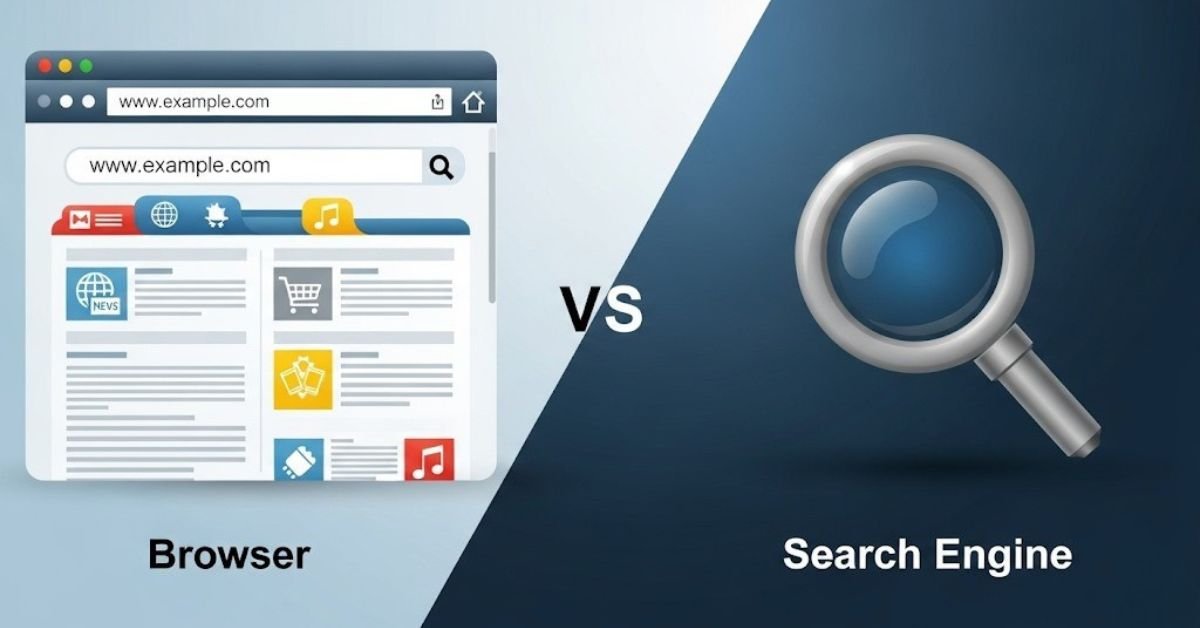
In today’s web, many people still mix up the terms browser and search engine, and that confusion has become more widespread than ever. With the rise of AI-powered search, generative tools, and smarter browsers, understanding the difference between these two is not just academic, it’s practical. As we move through 2025, knowing how these tools work can help you make smarter choices for privacy, speed, and how you search or browse the internet. Whether you’re a casual user or someone working in digital, this guide will clarify exactly what each is, how they operate in the modern web, and why the distinction matters more than ever.
What Are Browsers and Search Engines?
Search Engine: A search engine is an online system designed to help users find information on the internet. It does this by crawling, indexing, and ranking billions of web pages, then returning a list of relevant pages when you type a query. Examples include Google, Bing, and DuckDuckGo.
Browser: A browser is a software application you install on your device (desktop or mobile) that fetches and displays content from web servers. Think Google Chrome, Microsoft Edge, Mozilla Firefox, or Safari. Without a browser, you can’t “see” the web, because it’s the tool that renders the pages you visit.
Why Do They Call It a Browser and Engine?
The word “browser” comes from the simple act of browsing, flipping through or navigating documents or web pages visually. Historically, browsers were like digital bookshelves, letting you move forward and backward, jump between pages, and interact with content.
On the other hand, “engine” in “search engine” implies power: just like a machine engine powers motion, a search engine powers the retrieval of information. Its internal mechanisms, crawlers, indexers, algorithms, all work to drive results to you efficiently. It’s the engine behind how the internet’s information is organized and delivered.
How Browsers and Search Engines Work in 2025
Search Engine Functions
- Crawling with advanced AI bots: In 2025, modern search engines use AI-driven crawlers that are smarter and faster. These bots scan millions of web pages more efficiently than ever before.
- Indexing large data repositories: Once content is crawled, it’s added to a massive index enriched with metadata, semantic signals, and AI-based context. This indexing process helps search engines understand your pages better. You can also use proven methods to get your backlinks indexed faster to improve visibility.
- Ranking using machine‑learning driven algorithms: Rather than relying purely on keyword matching, these engines use machine learning and generative AI to assess relevance, quality, and user intent.
- Delivering results for user queries: When you type a query, the engine returns a ranked list of relevant pages, often enhancing results with AI-generated summaries or answer boxes.
Browser Functions
- Rendering HTML, CSS, JavaScript: A browser takes the code of a web page and converts it into the visual page you see. It supports modern web standards and renders interactive features.
- Managing cache, cookies, privacy settings: Browsers store temporary data so sites load faster. They also manage cookies (for login, preferences) and allow users to clear or block tracking.
- Supporting modern web standards & AI‑enhanced performance: In 2025, many browsers will integrate AI helpers, faster engines, and more efficient resource management.
- Fetching URLs and displaying interactive content: Whether you type a URL or click a link, the browser retrieves the data from servers and displays it in a usable form, including text, images, videos, and interactive apps.
Core Components of Browser and Search Engine in 2025
Search Engine Components
- Crawlers (bots that discover web pages)
- Indexer / database (where web pages are stored)
- Ranking algorithm (determines which pages show for which queries)
- Query processor (decodes user intent, matches it to indexed data)
Browser Components
- User interface (UI): The address bar, tabs, menus, what you interact with directly.
- Rendering engine: Converts code (HTML, CSS) to visual pages.
- Networking protocols: Uses HTTP/2, HTTP/3, TCP/IP to communicate with web servers.
- Cache & storage management: Temporarily stores data to speed up page loads.
- Extensions / add-ons support: Plugins, ad‑blockers, password managers etc.
Difference Between Browser and Search Engine in 2025
(Quick Comparison: Browsers vs Search Engines)
| Feature | Browser | Search Engine |
| Purpose | Navigate, render, and display content | Locate and rank information efficiently |
| Access | Installed on devices; primary interface | Accessed via browser; no installation |
| Mechanism | Rendering engine, cache, extensions, AI-assisted performance | AI-powered crawlers, indexers, ranking, query interpretation |
| Data Handling | Cache, cookies, local storage for speed | Indexed web pages; query tracking for relevance (privacy-focused engines limit tracking) |
| User Interaction | Tabs, bookmarks, extensions, AI navigation helpers | Queries, AI summaries, snippets, search features |
| Privacy & Security | Browsing controls, tracking prevention | Privacy-focused search engines limit query tracking |
| AI Integration | Smart prefetch, predictive loading, navigation suggestions | Generative AI for summaries, intent analysis, conversational results |
| Examples | Chrome, Firefox, Edge, Safari | Google, Bing AI, DuckDuckGo |
Deeply Functional & Behavioral Differences 2025
1. AI-Enhanced Functionality
Search engines in 2025 use generative AI to provide instant summaries, predictive suggestions, and conversational query answers. Browsers integrate AI for smart navigation, preloading frequently visited content, and assisting with forms or autofill.
2. Privacy and Data Handling
Browsers focus on protecting user history, cookies, and cache, while search engines may track queries to improve relevance. Privacy-focused engines like DuckDuckGo ensure anonymity, while browsers like Firefox or Brave block trackers automatically.
3. Core Purpose & User Behavior
Browsers display content; search engines find content. Users rely on browsers to render complex media, interact with apps, and navigate seamlessly, while search engines direct users to relevant sources based on intent and AI analysis.
4. Mutual Dependence
Neither tool is fully functional without the other. Browsers require search engines for discovery, and search engines require browsers to deliver results. AI integration strengthens this relationship in 2025, offering smarter, faster, and more intuitive user experiences.
5. Productivity and Ecosystem Impact
The right combination of browser and search engine can impact speed, privacy, and workflow. Chrome + Google is best for overall performance, Edge + Bing AI excels in productivity, Firefox + DuckDuckGo ensures privacy, and Safari + Google integrates seamlessly in Apple environments.
6. Practical Implications
Businesses, students, and researchers benefit from AI-powered search for fast insights. Browsers enhance efficiency and privacy during navigation. Understanding the differences allows users to optimize their browsing habits, choose tools strategically, and navigate the web confidently in 2025.
Usage, Accessibility & Installation of Browser and Search Engine
- Search engines are accessed through browsers – you don’t have to install a search engine separately; you simply open your browser and go to Google, Bing, or any other.
- Browsers, on the other hand, are full-fledged applications that need to be installed on your computer or phone (or they come pre-installed). They act as your gateway to the entire internet.
In daily life, you use both: you open your browser, type a search query, and your chosen search engine gives you results. Then you browse through those results using the same browser.
Searching vs Browsing: How They Differ
- Searching means typing keywords into a search engine to find specific information. It’s intentional, you know what you want (e.g., “best laptop 2025”) and you use a search engine to locate it.
- Browsing, in contrast, is more exploratory. You navigate from page to page, link to link, sometimes without a specific goal, just discovering what’s there. Browsing happens inside a browser, and can sometimes begin without using a search engine (e.g., typing a known URL, opening a saved page).
Popular Browsers and Search Engines in 2025
Top Search Engines 2025
- Google: Still the global leader. Statista data shows Google has about 89.62% of global search market share as of March 2025.
- Bing: Holds around 4.00% globally.
- DuckDuckGo: A smaller but important player, particularly for privacy‑focused users. Some data estimates it at ~0.8%.
- Yahoo, Yandex, Baidu, etc.: Each has a niche share depending on region.
Top Browsers 2025
- Google Chrome: Still dominates. According to StatCounter, it has 73.22% global market share (as of October 2025).
- Safari: Around 13% globally by some metrics.
- Microsoft Edge: Roughly 5–6% share globally.
- Firefox: Smaller but loyal following; estimates around 2–3%.
- Opera, Brave, Samsung Internet: These niche and privacy-focused browsers also exist, though with lower global shares.
Best Browser and Search Engine Combination in 2025
Choosing the right combination in 2025 depends on your priorities (speed, privacy, AI, ecosystem). Here are good pairings:
- Chrome + Google: Ideal for fast performance, full compatibility, and seamless access to all Google services.
- Edge + Bing AI (or Copilot): Best for people who want AI integration, productivity tools, and tight integration with Microsoft ecosystem.
- Firefox + DuckDuckGo: Perfect for users who prioritize privacy and want a more independent, open‑source browser + non-tracking search engine.
- Safari + Google: Excellent choice for Apple users who prefer native experience but still want to use Google as their search engine.
Wrap Up
In 2025, understanding the difference between browsers and search engines is crucial. AI has enhanced both: browsers now offer smart navigation, predictive loading, and autofill assistance, while search engines provide conversational responses, instant summaries, and personalized suggestions.
Recognizing the unique role of each tool allows you to make informed choices based on privacy, speed, and functionality. Your browser acts as the gateway to the web, displaying content and enabling interaction, while search engines guide you to relevant information efficiently. By strategically using AI-powered search for quick answers and manual browsing for detailed exploration, you can navigate the internet more intelligently.
This clarity empowers safer, faster, and more productive online experiences, giving you control over your digital activities and maximizing efficiency.
FAQs
Is Safari a browser or a search engine?
Safari is a web browser, not a search engine. It’s an application installed on your device that allows you to access websites, display content, and interact with web pages. You use it to browse the internet and can connect it to search engines like Google.
Is Firefox a browser or a search engine?
Firefox is a browser, not a search engine. It helps you access and view websites on your computer or mobile device. While it can connect to search engines like DuckDuckGo or Google to find information, its main function is to display and navigate web pages.
Can I use Google without a browser?
No, you can’t use Google without a browser. A browser like Chrome, Safari, or Firefox is needed to access Google’s website. The browser fetches the pages from Google’s servers and displays them, enabling you to search, read results, and interact with content.
How do browsers and search engines work together?
Browsers and search engines work together to help you access information. Browsers display the web pages, while search engines find and rank relevant content based on your query. Without a browser, you can’t view the search results, and without a search engine, finding specific information would be harder.
What’s the difference between browsing and searching?
Browsing is exploring websites and links without a specific goal, while searching is typing keywords or questions into a search engine to find exact information. Browsing is more casual and exploratory, and searching is intentional, aiming to locate precise data, pages, or answers online.
Can I browse the internet without a search engine?
Yes, you can browse without a search engine by directly entering a website URL in your browser. However, search engines make finding unknown sites easier. Browsing without a search engine is usually intentional, visiting known pages, whereas search engines help discover new and relevant content quickly.
Do all browsers have a built-in search engine?
Most modern browsers come with a built-in default search engine, like Chrome with Google or Firefox with DuckDuckGo. This allows you to type queries directly into the address bar. However, you can change it to any preferred search engine, and some older or minimal browsers may not include one.
Which browser is best for privacy in 2025?
For privacy, browsers like Firefox and Brave are recommended in 2025. They block trackers, protect browsing history, and limit data collection. Combined with privacy-focused search engines like DuckDuckGo, they help users browse securely while maintaining anonymity and control over personal data.
Is YouTube a search engine?
YouTube acts like a search engine because people use it to find videos, tutorials, and answers to questions. While it’s also a social platform, its search feature drives most content discovery. Creators and businesses must optimize their videos to reach the right audience effectively.
