 Skip to content
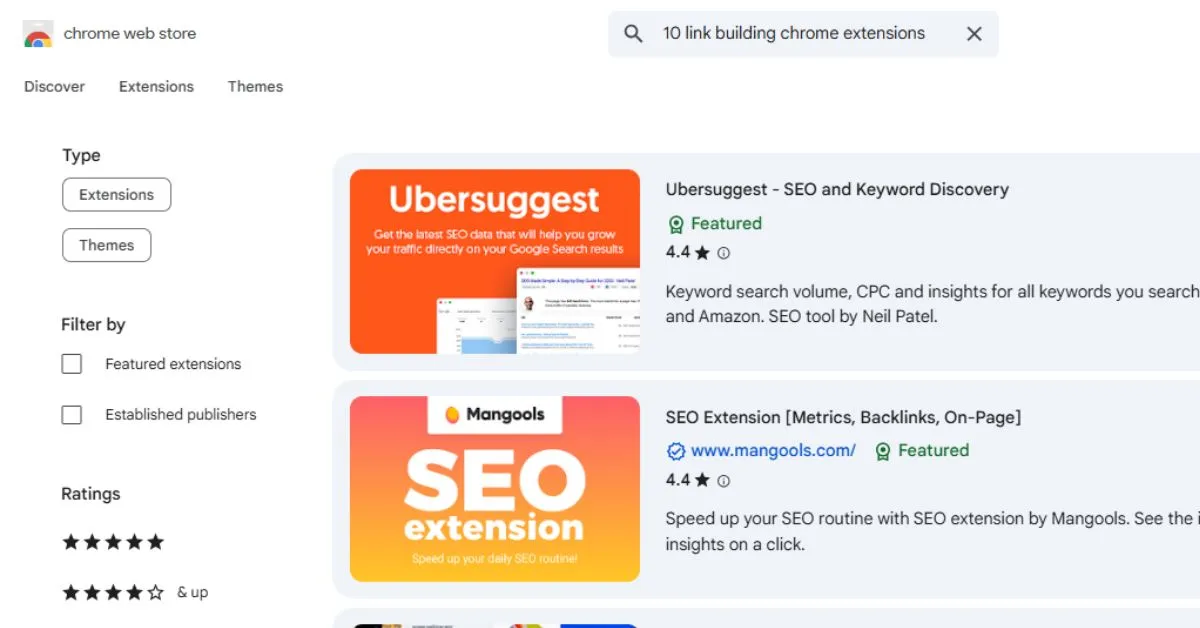
Link building remains one of the most crucial components of SEO in 2025. High-quality backlinks signal credibility and authority to search engines, helping your website rank higher in competitive search results. Yet, effective link building can be time-consuming, involving prospecting, outreach, tracking, and evaluation.
Fortunately, Chrome extensions have become indispensable tools for SEOs. These browser-based add-ons streamline every step of link building, from discovering new prospects to evaluating their metrics and managing outreach campaigns. In this article, you will get 10 essential Chrome extensions that make link building faster, smarter, and more effective.
Importance of Chrome Extensions in Modern Link Building 2025
Chrome extensions offer SEOs a way to work smarter, not harder. By integrating tools directly into your browser, you can access critical data in real-time without switching between multiple platforms.
Benefits include:
- Real-Time Insights: Instantly view domain authority, backlinks, traffic metrics, and contact information.
- Time Savings: Reduce hours spent manually collecting data or verifying emails.
- Enhanced Workflow: Automate repetitive tasks and manage outreach more efficiently.
- Competitor Analysis: Identify untapped backlink opportunities and track competitor strategies.
For example, using Ahrefs SEO Toolbar or MozBar, a marketer can quickly evaluate a potential link source while browsing search results, saving valuable time.
Purpose of a Link Building Chrome Extension
Not all extensions are created equal. A useful link building extension should:
- Provide Accurate Metrics: Metrics such as Domain Authority (DA), Domain Rating (DR), backlinks, and traffic should be reliable.
- Be Lightweight and Fast: Extensions should not slow down your browser.
- Task-Focused: Tools that specialize in one function, like broken link checking or email discovery, often outperform all-in-one solutions.
- Integrate Seamlessly: Compatibility with Google Sheets, outreach platforms, and automation tools enhances workflow.
- Include Free or Trial Options: Many extensions offer sufficient free features for beginners or small campaigns.
Selecting the right combination of extensions based on your specific workflow is key to building efficient and effective link campaigns.
10 Chrome Extensions for Link Building You Must Need in 2025
Here are 10 essential extensions, divided into three key categories: prospecting & outreach, link analysis & opportunities, and content & competitive research for your better understanding.
Prospecting & Outreach
Finding the right contacts and managing outreach campaigns efficiently is the foundation of successful link-building. The following tools help you locate email addresses, verify contacts, and track outreach effectiveness.
1. Hunter
Overview: Hunter is a powerful tool for discovering email addresses associated with any domain. It’s particularly useful when you’re targeting bloggers, niche websites, or high-authority domains for guest posts or link placements.
Key Features:
- Domain search to quickly find emails linked to a website
- Email verification to ensure deliverability
- Integration with Gmail and popular outreach tools
Use Case: Build accurate outreach lists within minutes instead of spending hours manually searching for contacts. For example, when reaching out to a tech blog for a guest post, Hunter can identify the editor’s email and confirm its validity.
Pros: Reliable, fast, and integrates seamlessly into outreach workflows.
Cons: Free plan limits you to 25 searches per month; heavy users need paid plans.
2. Snov.io
Overview: Snov.io is a versatile email finder and outreach automation tool. It allows marketers to discover verified email addresses and manage prospect lists efficiently, streamlining link building and outreach campaigns.
Key Features:
- Find verified email addresses on any website or LinkedIn profile
- Bulk email verification to maintain list quality
- Organize prospects into lists for outreach campaigns
- Integrates with CRM and email automation tools
Use Case: Perfect for building high-quality prospect lists for guest posting, influencer outreach, or link building campaigns. By verifying emails and segmenting contacts, you can focus on high-value opportunities without wasting time on incorrect addresses.
Pros: Accurate email verification, integrates with workflow tools, scalable for large campaigns.
Cons: Free plan has limited monthly credits; advanced features require a paid subscription.
3. Email Tracker Tools (Mailtrack / Yesware)
Overview: Email tracking tools monitor whether your outreach emails are opened, clicked, or replied to.
Use Case: By tracking engagement, you can time follow-ups strategically and identify which emails resonate with your prospects. For instance, if an editor opens your email multiple times but doesn’t respond, a personalized follow-up may increase your chance of success.
Pros: Improves campaign response rates and allows data-driven outreach adjustments.
Cons: Free versions typically have limited tracking; advanced analytics are often locked behind paid plans.
Link Analysis & Opportunities
Once you’ve identified potential prospects, analyzing their link profiles and evaluating opportunities is crucial. These extensions provide instant insights into authority, backlinks, and broken links, helping you prioritize high-value sites.
4. Ahrefs SEO Toolbar
Overview: Ahrefs SEO Toolbar brings one of the largest backlink databases directly into your browser. It allows you to evaluate domain authority, URL rating, and backlink profiles in real-time.
Use Case: Quickly assess whether a website is worth pursuing for outreach. For example, if a competitor’s blog links to multiple authoritative resources in your niche, you can target similar pages for backlink acquisition.
Pros: Comprehensive data that helps uncover link-building opportunities efficiently.
Cons: Full access requires an Ahrefs subscription.
5. MozBar
Overview: MozBar provides instant metrics like domain authority (DA), page authority (PA), spam score, and link types.
Use Case: Analyze potential link sources without leaving Google search results. This allows you to quickly filter out low-quality websites and focus on high-authority targets.
Pros: Free core metrics; very easy to use and integrate into workflow.
Cons: Limited compared to Moz Pro; detailed backlink metrics require subscription.
6. LinkMiner
Overview: LinkMiner focuses on broken link detection, a cornerstone of effective link-building campaigns.
Use Case: Identify broken outbound links on high-authority pages, then pitch your relevant content as a replacement. This strategy often results in high acceptance rates due to its value-driven approach.
Pros: Highly effective, simple, and task-oriented.
Cons: Advanced backlink data requires Mangools subscription.
7. Majestic Backlink Analyzer
Overview: Majestic Backlink Analyzer highlights backlink quality through Trust Flow, Citation Flow, and link history.
Use Case: Evaluate whether a prospective site provides authoritative links. For example, a high Trust Flow and low Citation Flow suggest a reputable, selective website ideal for guest posts or resource link placements.
Pros: Focuses on quality rather than quantity of backlinks.
Cons: Free version is limited; full features require a subscription.
Content & Competitive Research
Analyzing content performance and competitor strategies allows you to find link opportunities and content gaps. These tools make it easy to spot top-performing pages and generate actionable prospect lists.
8. BuzzSumo Chrome Extension
Overview: BuzzSumo identifies top-performing content and backlink sources within your niche.
Use Case: Discover popular content to target for content-driven link-building campaigns. For instance, you can identify which blog posts receive the most social engagement and acquire links by creating similar or complementary content.
Pros: Provides insights into both social engagement and backlink opportunities.
Cons: Free version is limited; advanced analytics require paid plans.
9. SimilarWeb
Overview: SimilarWeb estimates traffic, audience engagement, and referral sources for websites.
Use Case: Evaluate the quality and relevance of potential link sources. A high-traffic, relevant site is generally more valuable than a low-traffic authority site.
Pros: Visual, intuitive metrics that simplify analysis.
Cons: Traffic data is estimated; smaller sites may have less accurate metrics.
10. Scraper + Google Sheets / Zapier
Overview: Scraper enables data extraction from web pages and automates outreach lists via Google Sheets or Zapier.
Use Case: Convert web pages with lists of blogs, resource pages, or conference sponsors into actionable outreach spreadsheets. For example, scraping a “Top 50 Marketing Blogs” page can save hours of manual data collection.
Pros: Saves significant manual effort and integrates with automation workflows.
Cons: Learning curve for complex scraping tasks; advanced workflows may require additional setup.
How to Use These Extensions Together (Workflow)
- Identify High-Authority Prospects: Use MozBar or Ahrefs SEO Toolbar to evaluate domain authority and backlinks.
- Qualify Traffic & Engagement: Verify audience size and engagement using SimilarWeb.
- Find Broken Links: Identify broken link opportunities with LinkMiner.
- Discover the Right Contact: Hunter and Ninja Outreach find emails and social profiles.
- Track Outreach Success: Use Mailtrack or Yesware to monitor engagement.
- Automate Data Collection: Use Scraper + Sheets/Zapier to organize prospects and track campaigns.
- Competitor Backlink Gap Analysis: Identify missed opportunities by analyzing competitor backlinks.
This structured workflow ensures efficiency and higher chances of acquiring quality backlinks.
Common Mistakes to Avoid
Even with the best Chrome extensions, link building can fail if common mistakes are overlooked. Avoid these pitfalls to ensure higher-quality backlinks and better outreach results:
- Over-Automation Without Personalization: Sending generic emails in bulk reduces response rates. Always tailor your messages to the recipient’s site or content.
- Ignoring Verification of Emails and Metrics: Using unverified emails or relying on inaccurate metrics can waste time and harm your credibility. Double-check contacts and data before outreach.
- Using Too Many Extensions Simultaneously: Running multiple extensions at once can slow your browser and create workflow confusion. Enable only the necessary tools during tasks.
- Neglecting Workflow Structure: A scattered approach leads to missed opportunities. Plan a structured workflow to track prospects, follow-ups, and results efficiently.
- Focusing Only on Quantity: Prioritizing the number of links over relevance and authority reduces the SEO value of your efforts.
- Ignoring Follow-Up Strategy: Not scheduling follow-ups or reminders leads to lost outreach chances. Timely, polite follow-ups significantly improve success rates.
Bonus Tips for Scaling Link Building
Scaling link building effectively requires combining strategy, tools, and smart workflow management. Here are some actionable tips to take your campaigns to the next level:
- Combine Social Media and Content Prospecting: Don’t rely solely on search results. Use social media platforms like LinkedIn, Twitter, and industry forums alongside Chrome extensions to discover high-value link prospects and influencers in your niche.
- Visualize Metrics for Better Decision-Making: Use tools like MozBar, Ahrefs SEO Toolbar, and SimilarWeb to map out Domain Authority, Trust Flow, traffic, and engagement metrics. Visualizing these indicators helps identify high-value link opportunities quickly, ensuring you focus on quality over quantity.
- Hybrid Approach with Free and Paid Tools: Mix free extensions like Hunter, SEOquake, or LinkMiner with premium platforms like Pitchbox or Ahrefs. This combination maximizes efficiency while keeping costs manageable and allows you to scale outreach without sacrificing precision.
- Automate Repetitive Tasks Wisely: Use tools like Scraper + Google Sheets or Zapier to automate URL collection and data organization, freeing time for personalization and strategy.
These techniques streamline workflow, improve prospect targeting, and ultimately boost the ROI of your link building campaigns.
Metrics That Matter Most in Link Building
When building backlinks, not all metrics are created equal. Focusing on the right indicators ensures your efforts generate meaningful results.
Domain Authority (DA) & Domain Rating (DR): These metrics measure the overall strength and credibility of a website. High DA/DR sites pass more link equity and are more likely to boost your SEO performance.
Trust Flow & Citation Flow: Offered by tools like Majestic, these metrics evaluate the quality and trustworthiness of a site’s backlink profile. Trust Flow emphasizes links from authoritative sources, while Citation Flow reflects link quantity.
Traffic: A site with significant and relevant visitor traffic increases the visibility and potential referral value of your backlinks.
Chrome extensions such as MozBar, Ahrefs SEO Toolbar, and Majestic allow SEOs to quickly assess these metrics on the fly. Remember, relevance and authority outweigh sheer volume, a few high-quality links can outperform dozens of low-value ones.
Advanced Link Building Techniques Using Chrome Extensions in 2025
Advanced link building goes beyond simple outreach, it requires strategy, data-driven insights, and efficient use of Chrome extensions. One highly effective approach is Broken Link Building combined with Content Gap Analysis. Extensions like LinkMiner and Ahrefs SEO Toolbar help identify broken links on authoritative sites. Once found, you can pitch your relevant content as a replacement, turning a lost opportunity for others into a gain for your site.
Competitor Backlink Gap Analysis is another powerful technique. By analyzing competitors’ backlinks using tools like Majestic or Ahrefs, you can uncover high-quality link opportunities that your competitors are already benefiting from but you haven’t targeted yet. This ensures your strategy is proactive and competitive.
Resource Page Link Building allows you to find curated lists or resource pages relevant to your niche. Chrome extensions simplify discovery and automate outreach to these pages, saving time while maximizing reach.
Influencer & Blogger Collaboration Tracking is essential for long-term relationship building. Tools like Ninja Outreach Lite and BuzzSumo’s extension enable you to monitor influencers, track engagement, and identify guest post opportunities, helping nurture meaningful collaborations rather than one-off links.
Free vs Paid Extensions: What to Use and When
Free versions of tools like Hunter, MozBar, and Ahrefs SEO Toolbar are excellent for beginners, offering core metrics and essential outreach capabilities. Paid plans unlock advanced features such as higher search limits, in-depth analytics, and CRM integration.
Combining free tools with workflow hacks like Scraper + Google Sheets or Zapier can replicate some premium functionalities. Understanding each tool’s strengths and limitations ensures efficient investment, smarter campaigns, and measurable link building success.
Last Words
Chrome extensions have become essential for modern link building, helping SEOs save time, identify high-value prospects, and streamline their workflows. Tools like MozBar, Ahrefs SEO Toolbar, Hunter, and LinkMiner provide instant access to key metrics, simplify outreach, and make monitoring campaign performance much easier. By leveraging these extensions, marketers can automate repetitive tasks, track email engagement, and maintain a well-structured, efficient link building process.
Beyond basic prospecting, advanced strategies such as competitor backlink gap analysis, broken link building, and influencer or blogger collaboration tracking become far easier to execute. These tools complement human strategy, enhancing decision-making and enabling more meaningful connections. Start by integrating a few carefully chosen extensions into your workflow, and you’ll see your link building campaigns become faster, smarter, and more effective, driving higher-quality backlinks and stronger SEO results.
FAQs
Which Chrome extensions should beginners use for link building?
MozBar, Hunter, LinkMiner, and SimilarWeb are the best beginner tools to check authority, find emails, detect broken links, and analyze traffic quickly.
How do Chrome extensions help in link building?
They provide instant metrics, emails, traffic insights, and broken link detection directly in your browser, speeding up prospecting and outreach.
Which free Chrome extensions help find backlinks?
MozBar, SEOquake, Ahrefs SEO Toolbar (free version), and LinkMiner offer basic authority metrics, backlink previews, and link analysis for beginners.
How can I check a site’s DA/DR quickly?
Use MozBar for DA/PA and Ahrefs SEO Toolbar for DR/UR. Both show authority metrics instantly on any site or search result.
Which extensions show email addresses for outreach?
Hunter and Snov.io find and verify email addresses from any domain or LinkedIn profile, helping you build accurate outreach lists fast.
How do I know if a website is good for backlinks?
Check DA/DR, Trust Flow, traffic, relevance, and spam score using MozBar, Ahrefs, Majestic, and SimilarWeb before deciding.
Is there an extension for broken link building?
Yes. LinkMiner highlights broken links on any webpage, helping you find replacement link opportunities quickly.
Which extension shows do-follow vs no-follow links?
MozBar, SEOquake, and Ahrefs SEO Toolbar visually highlight do-follow and no-follow links on any page.
Can I check competitor backlinks with a Chrome extension?
Yes. Ahrefs SEO Toolbar and Majestic Backlink Analyzer show competitor backlink profiles and authority metrics instantly.
How can I speed up link-building tasks with extensions?
Use MozBar for authority checks, SimilarWeb for traffic, Hunter for emails, and LinkMiner for broken links to streamline your workflow.
Which extension shows website traffic before getting a backlink?
SimilarWeb provides estimated traffic, engagement rate, audience quality, and top pages for any website.
How do I use multiple extensions together effectively?
Check authority → verify traffic → detect broken links → find emails → track outreach. This workflow saves time and improves link quality.
